Advertisement
SPF, DKIM and DMARC Explained: A Beginner's Guide
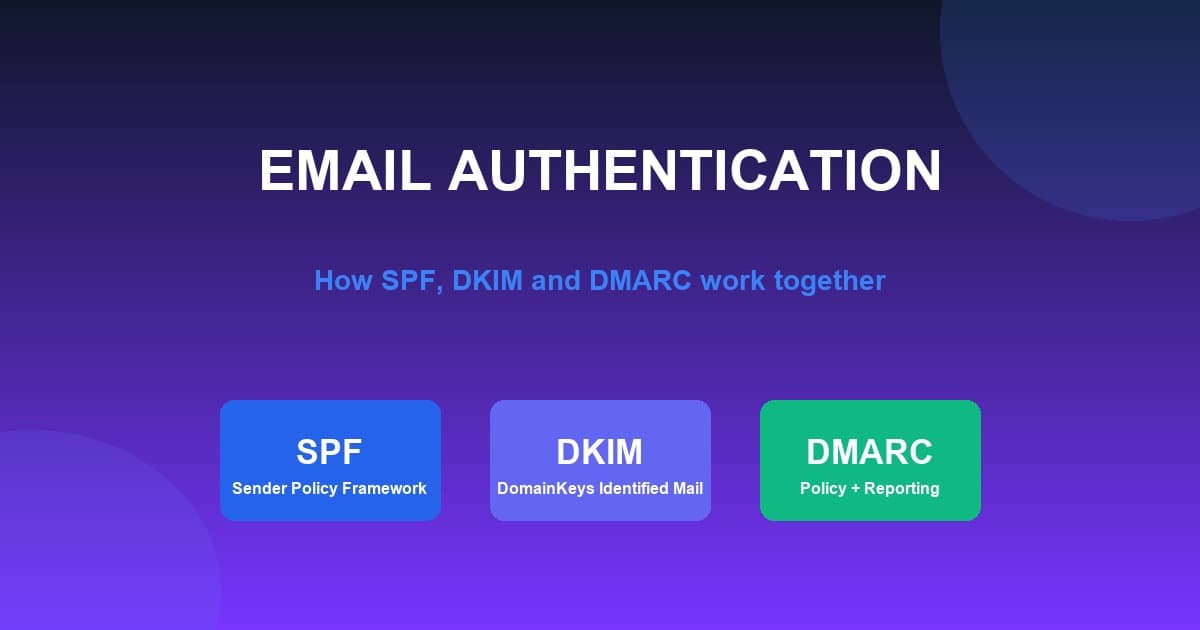
SPF, DKIM, and DMARC are email authentication technologies that help domain owners prove that email claiming to come from their domain is legitimate. They work together but solve different problems: SPF identifies authorized sending servers, DKIM signs messages to verify their integrity, and DMARC defines policy and reporting around authentication. In this guide, we explain each one, how they work together, and how to set them up.
What Are SPF, DKIM and DMARC?
In simple terms, SPF, DKIM, and DMARC are DNS-based mechanisms that let receiving systems verify that email claiming to come from a domain really did, and handle it accordingly.
| Technology | What it does |
|---|---|
| SPF | Identifies authorized sending servers |
| DKIM | Adds a cryptographic signature to email |
| DMARC | Defines policy and reporting around authentication |
- SPF answers: "Is this server authorized to send email for this domain?"
- DKIM answers: "Was this message signed by an authorized domain and has the signed content remained intact?"
- DMARC answers: "What should happen when authentication checks fail, and how should the domain owner receive reports?"
Why Does Email Authentication Matter?
Email authentication exists for several important reasons:
- Domain protection: it makes it harder for others to abuse your domain
- Sender identity: it helps recipients and providers confirm who sent the mail
- Email security: it reduces the chance of spoofing and impersonation
- Spoofing prevention: it helps block forged messages that look like yours
- Deliverability: it supports delivering your legitimate mail
- Reputation: it helps build and protect the standing of your domain
- Trust: it improves trust between sending and receiving systems
Authentication is one important part of a broader deliverability strategy. It does not guarantee that your emails will reach the inbox, but it is an essential building block.
What Is SPF?
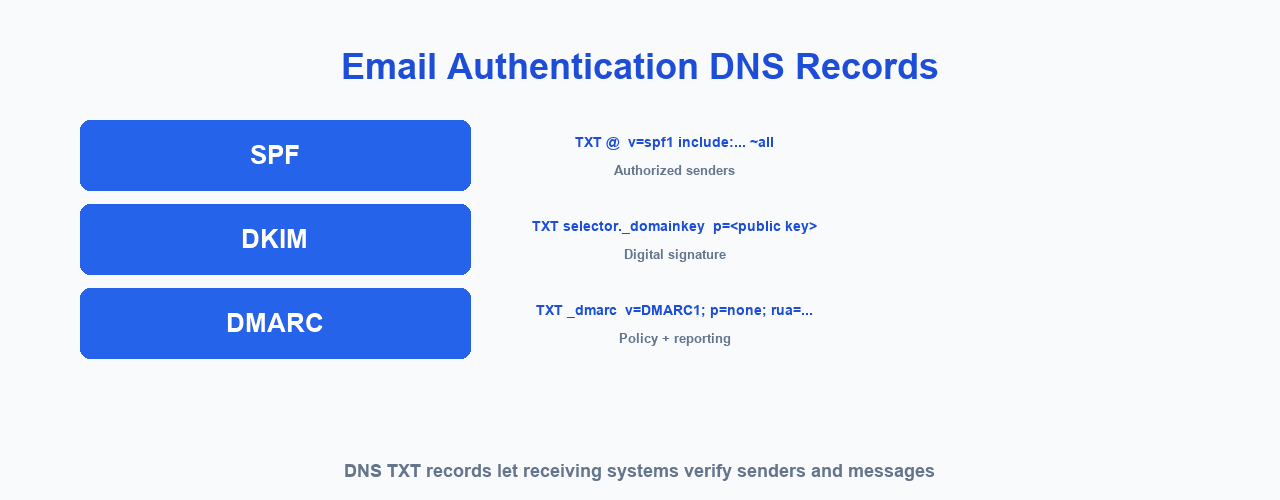
SPF stands for Sender Policy Framework. It is published as a DNS TXT record and specifies which servers and services are authorized to send email for your domain. Receiving systems can evaluate the SPF policy to decide whether a message came from an authorized source.
SPF relates primarily to the SMTP envelope sender (the return-path domain) used during the sending process, rather than the visible "From" address that appears in the inbox.
How Does SPF Work?
Your Domain
     ↓
DNS SPF Record
     ↓
Receiving Mail Server
     ↓
Checks Sending Server
     ↓
SPF Pass / Fail
Here is a simple conceptual example:
example.com
    ↓
SPF says:
"These servers are allowed to send email for me."
    ↓
Receiving server checks the sender
    ↓
SPF result
Do not copy a generic SPF record without understanding the email providers you actually use. Your SPF record must list the specific services that send mail for your domain.
What Is DKIM?
DKIM stands for DomainKeys Identified Mail. It uses a cryptographic email signature to authenticate the message. In simple terms:
- The sending system signs each message with a private key.
- The public key is published in DNS.
- The receiving system uses the public key to verify the signature.
DKIM helps verify both the authenticity and the integrity of a message — that it comes from the authorized domain and was not altered in transit.
How Does DKIM Work?
Sending Server
     ↓
Creates DKIM Signature
     ↓
Email Sent
     ↓
Receiving Server
     ↓
Finds Public Key in DNS
     ↓
Verifies Signature
     ↓
DKIM Pass / Fail
Three parts matter here: the private key (kept by the sending service), the public key (published in DNS), and the DKIM selector, which lets a domain host multiple keys so it can change them over time. Never expose or share the private key.
What Is DMARC?
DMARC stands for Domain-based Message Authentication, Reporting and Conformance. It builds on SPF and DKIM and combines four ideas:
- Authentication: it evaluates SPF and DKIM results
- Alignment: it checks whether the authenticated domain matches the visible From domain
- Policy: it publishes what receiving systems should do with failing messages
- Reporting: it provides reports about how the domain is being used
DMARC lets a domain owner publish instructions for handling messages that fail DMARC evaluation.
How Does DMARC Work?
Email Received
      ↓
SPF Check
      +
DKIM Check
      ↓
DMARC Alignment
      ↓
DMARC Result
      ↓
Policy / Reporting
DMARC evaluates the SPF and DKIM authentication results and checks domain alignment, then applies the published policy and produces reports.
What Is DMARC Alignment?
DMARC alignment checks whether the authenticated domain is appropriately related to the visible "From" domain the recipient sees. It can involve:
- SPF alignment: whether the return-path domain matches the From domain
- DKIM alignment: whether the DKIM-signing domain matches the From domain
In relaxed alignment, an organizational subdomain may align with the parent domain. In strict alignment, the domains must match exactly. If no form of alignment passes, DMARC authentication fails for that message.
SPF vs DKIM vs DMARC
| Feature | SPF | DKIM | DMARC |
|---|---|---|---|
| DNS record | Yes | Yes | Yes |
| Authenticates sending infrastructure | Yes | Partially | Uses SPF/DKIM |
| Cryptographic signature | No | Yes | No |
| Protects visible From domain | Not directly | Through alignment | Yes |
| Policy | No | No | Yes |
| Reporting | No | No | Yes |
| Main purpose | Sender authorization | Message authentication | Policy + alignment + reporting |
How SPF, DKIM and DMARC Work Together
Your Domain
     │
     ├── SPF
     │
     ├── DKIM
     │
     └── DMARC
            ↓
       Email Sent
            ↓
    Receiving Mail Server
            ↓
   Authentication Checks
            ↓
       DMARC Evaluation
            ↓
     Accept / Spam / Reject
SPF and DKIM provide authentication results, and DMARC ties them to policy and alignment. The exact handling depends on the receiving provider and the published policy.
Does SPF, DKIM and DMARC Improve Email Deliverability?
Yes. Proper authentication can support trustworthy email delivery and help receiving systems distinguish legitimate email from unauthorized messages.
However, authentication does not guarantee inbox placement. Other factors matter too, including sender reputation, domain reputation, IP reputation, recipient engagement, spam complaints, bounce rates, list quality, sending behavior, content, and links. For the full picture, see our guide to understanding email deliverability.
SPF Common Mistakes
- Multiple SPF records: a domain should have one SPF policy, not several independent SPF TXT records, because providers do not merge them.
- Missing email provider: if a legitimate sending provider is not authorized, SPF may fail for those messages.
- Too many DNS lookups: SPF has a DNS lookup limit; exceeding it can make a record invalid.
- Incorrect syntax: syntax errors can invalidate the record and cause failures.
- Forgetting third-party senders: email marketing platforms, transactional providers, CRMs, and support systems that send for you must be included when applicable.
DKIM Common Mistakes
- Incorrect DNS record
- Wrong selector
- Public key mismatch
- DKIM not enabled on the sending service
- Private key misconfiguration
- Multiple systems with inconsistent configuration
DKIM selectors let multiple keys coexist, which is useful when several services send for your domain or when you rotate keys.
DMARC Common Mistakes
- Starting with an overly strict policy before monitoring
- Incorrect DNS syntax
- Incorrect reporting addresses
- Misunderstanding alignment
- Forgetting legitimate sending services
- Not monitoring reports
Organizations should understand their legitimate sending sources before moving toward stricter enforcement. Do not blindly set p=reject without understanding the impact on your own mail.
What Do DMARC Policies Mean?
- p=none: monitoring. The domain publishes policy and receives reports, but does not ask for rejecting failing messages.
- p=quarantine: requests that failing messages be treated suspiciously, often meaning the spam or junk folder.
- p=reject: requests rejection of failing messages.
Actual enforcement behavior depends on the receiving system, so these policies do not guarantee a specific result everywhere.
What Is a DMARC Report?
DMARC provides reports that help domain owners understand how their domain is used:
- Aggregate reports: summary data about authentication results
- Forensic/failure reporting: details of individual failures, where supported
Reports show which legitimate sources are passing authentication and highlight potentially unauthorized use. Do not include personal email addresses or real customer data in examples of these reports.
Advertisement
How to Check SPF, DKIM and DMARC
You can inspect your DNS records using reputable DNS lookup tools. In general:
- SPF is published as a TXT record on the domain itself.
- DKIM uses a selector-specific DNS record.
- DMARC is normally published under
_dmarc.
For example, a DMARC record for example.com would live at _dmarc.example.com.
How to Set Up SPF, DKIM and DMARC
Step 1 — Identify every service that sends email for your domain
Make a list of your website, email marketing platform, transactional email service, CRM, and support system that send mail for your domain.
Step 2 — Configure SPF
Add your authorized senders to the domain's SPF record.
Step 3 — Configure DKIM
Generate or obtain the DKIM configuration from each sending provider and publish the public key in DNS.
Step 4 — Configure DMARC
Start with an appropriate monitoring policy when necessary, and monitor the reports.
Step 5 — Validate
Check the authentication results for your mail.
Step 6 — Monitor
Review reports and adjust your legitimate sending sources as needed.
This guide shows a high-level process for educational purposes. Do not copy a generic DNS record blindly — build the records from your actual email providers' instructions.
How Long Does SPF, DKIM and DMARC Setup Take?
The configuration itself can be quick, but DNS propagation and verification can take additional time. Exact propagation times vary, so be patient and re-check after a while rather than expecting instant results.
Do I Need SPF, DKIM and DMARC for Email Marketing?
If you send marketing email from a custom domain, treating authentication as an important part of your setup is strongly recommended. Provider expectations and requirements can evolve over time. Authentication is a technical practice and should not be confused with legal compliance, which varies by country and jurisdiction.
SPF, DKIM and DMARC for MailCannon Users
MailCannon helps you manage contacts, build campaigns, create HTML templates, and configure SMTP sending for the email you send. When you send from your own domain, you should think about authentication as part of your sending setup: know your sending domain, make sure SMTP is configured correctly, and keep your domain authentication records aligned with the services you use.
Configuring authentication does not guarantee inbox placement. Deliverability still depends on recipient permission, list quality, sender reputation, content, and receiving-provider policies. Email authentication is one essential piece of a healthy setup.
To learn how MailCannon supports your campaigns, see how to use MailCannon for email marketing.
SPF, DKIM and DMARC Checklist
☐ Identify all services that send email for your domain
☐ Configure one valid SPF policy
☐ Enable DKIM for your sending services
☐ Publish a DMARC record
☐ Verify SPF results
☐ Verify DKIM results
☐ Check DMARC alignment
☐ Monitor DMARC reports
☐ Review unknown sending sources
☐ Monitor email deliverability
☐ Keep sender information consistent
Frequently Asked Questions
What are SPF, DKIM and DMARC?
They are email authentication technologies. SPF identifies authorized sending servers, DKIM signs messages to verify integrity, and DMARC defines policy and reporting around authentication.
Do I need SPF, DKIM and DMARC?
For any domain that sends email, especially marketing email, treating authentication as an important part of your setup is strongly recommended.
What is the difference between SPF and DKIM?
SPF authorizes the servers allowed to send for a domain. DKIM signs a message so the receiver can verify it was authorized and not altered. They solve different problems.
What is the difference between DKIM and DMARC?
DKIM is a message signature. DMARC builds on SPF and DKIM to define policy, alignment, and reporting for failing messages.
Does DMARC replace SPF?
No. DMARC builds on SPF and DKIM rather than replacing them. It evaluates their results and alignment.
Does DMARC replace DKIM?
No. DMARC relies on SPF and DKIM results and checks alignment; it does not sign messages itself.
Can I have multiple SPF records?
No. A domain should publish one valid SPF policy. Multiple SPF TXT records are not merged and can cause failures.
Where is the SPF record stored?
As a DNS TXT record on the domain itself, listing the servers authorized to send for it.
Where is the DKIM record stored?
Under a selector-specific DNS record (for example selector._domainkey.example.com). The private key stays with the sending service.
Where is the DMARC record stored?
Under the _dmarc subdomain, for example _dmarc.example.com.
Does SPF prevent emails from going to spam?
SPF helps providers verify an authorized server sent the message, which supports deliverability, but it does not guarantee inbox placement on its own.
Does DKIM guarantee email deliverability?
No. DKIM verifies integrity and supports legitimacy, but deliverability also depends on reputation, engagement, list quality, content, and provider policies.
Conclusion
SPF, DKIM, and DMARC are the foundation of email authentication. SPF authorizes senders, DKIM verifies message integrity, and DMARC applies policy and provides reporting. Together, they help receiving systems recognize your legitimate mail and protect your domain from abuse. They are an important part of deliverability, but not a guarantee of inbox placement.
To build on this, start with what email marketing is, learn to send bulk emails without going to spam, understand why emails go to spam, and read about email deliverability.
Start Your Email Campaigns
Manage contacts, build campaigns, and send marketing email from one dashboard with MailCannon.
Advertisement