Advertisement
Website SEO Checker: How to Audit Your Website's SEO
A website SEO checker analyzes a web page for technical and on-page problems: titles, meta descriptions, headings, canonical URLs, robots rules, indexability, links, images and structured data. It shows you what to fix and in what order — but the score it produces is a diagnostic, not a Google ranking score.
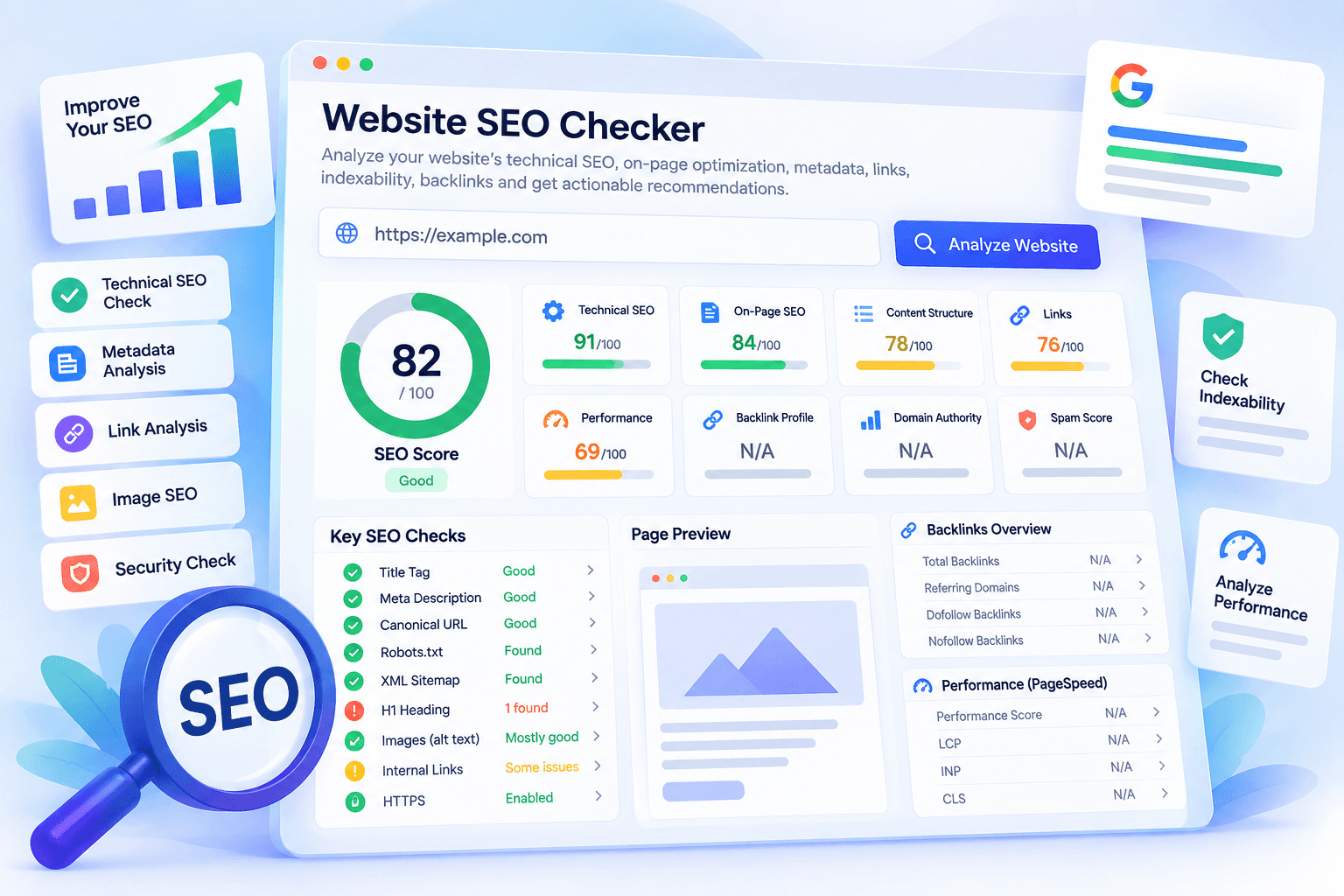
See what is holding your website back
Check Your Website SEO →Every website has at least a few signals working against it: a redirect that was never cleaned up, a missing title on an important page, a template that ships a noindex tag to pages you want found. The problem is that none of these announce themselves. A website SEO checker exists to surface them before they cost you traffic.
This guide explains what these tools actually check, how to interpret the results, and how to separate real problems from cosmetic warnings. It also walks through the MailCannon Website SEO Checker, which runs a free audit of a single public page and shows every check it performs.
Key Takeaways
- A website SEO checker identifies technical and on-page problems on a page: server responses, metadata, headings, canonical URLs, directives, links and images.
- SEO scores are diagnostic summaries of a tool's own checks — never Google ranking scores.
- Investigate accessibility, crawl and indexing blockers before you polish minor optimizations.
- Titles, meta descriptions, headings and canonical URLs should be reviewed together, because they describe the same page.
- robots.txt controls crawling while noindex controls indexing; they solve different problems.
- Backlinks, referring domains, Domain Authority and Spam Score come from external link indexes — not from reading a page's HTML.
- MailCannon Website SEO Checker runs these checks in one report and lists the checks it could not perform instead of inventing numbers.
What Is a Website SEO Checker?
A website SEO checker is a tool that retrieves a page, reads its HTTP response and HTML, and evaluates it against a set of SEO checks. Some tools audit an entire domain by crawling thousands of pages; others analyze one URL in depth. Both answer the same underlying question: can search engines and users understand this page, and what is getting in the way?
A useful checker reports four things: observations (a 404 status, two canonical tags, 12 images without alt text), interpretation (why that matters for crawling, indexing or the reader), a recommended action in plain language, and its limitations. A tool that hides its blind spots is more dangerous than one that shows them.
What a checker cannot do is equally important: it cannot confirm that Google has indexed a page, it cannot see inside your analytics, and it cannot predict rankings. Anything claiming otherwise is selling certainty that does not exist.
Why Should You Audit Your Website's SEO?
SEO problems are quiet. They do not crash your site or send an alert; they just reduce what a page can achieve. Audits catch the expensive categories: an accidental noindex left live after a staging release, redirects and canonicals broken by a redesign, a theme update that duplicates descriptions across hundreds of pages, titles that stopped matching their content, and years of accumulated mixed content and redirect chains.
The return on auditing is highest right after a launch, a migration, or a large content release — and then on a fixed rhythm so drift is caught early.
What Does an SEO Checker Analyze?
The checks below are common across modern SEO audit tools. Where a check needs data from outside the page itself — an external link index, for example — it cannot be derived from HTML alone.
| SEO check | What it evaluates | Why it matters |
|---|---|---|
| HTTP status | Whether the final URL returns a success code such as 200. | A page must be retrievable before anything else matters. |
| HTTPS | Encryption, certificate use, HTTP-to-HTTPS redirects, mixed content. | Protects visitors and avoids browser warnings. |
| Title tag | Presence, uniqueness, length, duplicates on the page. | Often shown as the headline in search results. |
| Meta description | Presence and length of the summary snippet tag. | Can shape the snippet, though search engines may rewrite it. |
| H1 and headings | Count, hierarchy, empty headings, skipped levels. | Structures the page for readers and assistive technology. |
| Canonical URL | Missing, duplicate, invalid, cross-domain or mismatched canonicals. | Consolidates near-duplicate URLs into one preferred version. |
| robots.txt | Availability, crawl permissions, declared sitemaps. | Guides which paths crawlers may request. |
| Meta robots | noindex and nofollow tags, plus the X-Robots-Tag header. | Can remove a page from search entirely. |
| XML sitemap | Whether a sitemap file or sitemap index exists and parses. | Helps discovery of URLs, but does not guarantee indexing. |
| Indexability | The combined effect of status, directives, robots rules and canonical. | Tells you whether a page is even eligible to appear. |
| Internal links | Outgoing internal links, unique targets, anchor text. | Drives navigation and discovery of your own pages. |
| External links | Outbound links and their rel attributes. | Supports sourcing and signals paid or user-generated links. |
| Images | Missing or empty alt attributes, declared dimensions, lazy loading. | Affects accessibility and layout stability. |
| Structured data | Whether JSON-LD scripts exist and parse. | Describes entities; parsing is not schema validation. |
| Open Graph | Social metadata such as og:title and og:image. | Controls how a link looks when shared. |
| Hreflang | Locale codes, absolute URLs, self-reference, duplicates. | Maps language and regional variants of a page. |
| Backlinks | Inbound links from other domains. | Requires an external link index, not the page HTML. |
| Performance | Core Web Vitals and load measurements. | Requires lab or field measurement tools, not HTML parsing. |
The last two rows are the honest dividing line. A checker that reads one HTML document can tell you a great deal about that document; it cannot see who links to you or how fast the page renders for real users. The MailCannon audit states this directly in every report: external authority, backlink, spam and performance values show as N/A unless a licensed provider is configured, and no value is estimated or invented.
How to Check Your Website SEO
Whether you use MailCannon or another tool, an audit follows the same basic method:
- Start with one representative URL — a page that matters, such as a product, a landing page or an article.
- Run the analysis and read the summary before the details.
- Check eligibility first: status code, indexability signals, robots rules and canonical. If a page cannot be retrieved or must not be indexed, nothing else matters yet.
- Review on-page elements together — title, description, H1, heading structure and images — then inspect internal and external links.
- Expand each finding to read why it matters and how to fix it, then sort by priority rather than by score.
- Re-run the audit after the fixes to confirm the signals changed.
Audit the same page type twice — for example a blog post and a product page — before assuming a finding applies to your whole site. A single-URL audit diagnoses that URL; template issues only become visible when you compare page types.
How to Use the MailCannon Website SEO Checker
The MailCannon Website SEO Checker is free, requires no account, and audits one public page at a time. It retrieves the page, parses its HTML and HTTP response, and reports what it observed — without executing JavaScript and without claiming to know Google's index.
- Open the tool and enter your public URL (HTTP or HTTPS on standard ports; internal destinations are blocked).
- Click Analyze Website. The audit runs server-side; you will see a loading state while it fetches and parses the page.
- Read the Overview. You get the HTTP status, indexability signals, HTTPS state, title, meta description, approximate word count, link and image counts, plus the first non-passing findings.
- Open the report tabs: Overview, Technical SEO, On-page SEO, Links, Backlinks, Performance, Social, Structured Data and Recommendations.
- Expand any finding for four fields: the observation, why it matters, how to fix it, and its priority with the score weight it carries.
- Check the data-sources panel. It lists the scoring method, the external provider (or “none configured”) and every known limitation of the audit.
- Export the report as a copied text summary, a JSON file, or a CSV of all checks with their weights — useful for keeping a snapshot or sharing with a team.
- Fix high-priority items first, then re-run the audit. A cached report keeps its original analysis timestamp, so you can always tell whether you are looking at fresh results.
A few practical details worth knowing: the interface can be switched between English, French, Spanish and Arabic (detailed findings and exports remain in English), the report explicitly marks unavailable data as N/A instead of estimating it, and the service is rate-limited — roughly five audits per minute — to protect both the tool and the sites it analyzes. The audit inspects at most two same-origin sitemap files, and optional broken-link checking is off by default.
What Is an SEO Score?
An SEO score is a diagnostic summary produced by the auditing tool from the checks it ran. In this tool it is called the MailCannon SEO Score, and the methodology is published inside the report: each check carries a weight, a PASS earns full weight, a WARNING earns half, an ERROR earns zero, and informational or unavailable checks are excluded from the calculation.
An SEO score is not:
- a Google ranking score or a probability of ranking;
- a measurement of organic traffic or conversions;
- a guarantee that fixing every error will improve positions;
- a replacement for Google Search Console, which reports what Google actually observed.
Use it the way you would use a lighthouse reading: a consistent signal that tells you whether the last round of work improved things. Two rules keep it honest. Compare scores from the same tool over time, never between tools, because every vendor weights checks differently. And read the findings, because a score of 84 with one indexing blocker is worse than a 70 made of cosmetic warnings.
What Is Technical SEO?
Technical SEO is the discipline of making a website retrievable, crawlable and interpretable. It is the part of SEO that has nothing to do with the words on the page and everything to do with how the page is served.
- Server responses: HTTP status codes, redirects and redirect chains, error pages.
- Transport: HTTPS certificates, HTTP-to-HTTPS redirects, mixed-content resources, insecure form actions.
- Directions: robots.txt, meta robots, X-Robots-Tag, canonical URLs.
- Discovery: XML sitemaps and sitemap indexes.
- Interpretation: structured data, hreflang, document language, charset, doctype.
- Delivery: viewport configuration, image dimensions, page weight and performance.
Not every technical recommendation carries the same weight. A page returning 500 is a crisis; a missing favicon is not. When a report lists thirty issues, the ordering matters more than the count.
What Is On-Page SEO?
On-page SEO is how a single page communicates what it is about: its title, meta description, heading hierarchy, content structure, images, alt attributes, semantic markup and internal links pointing in and out.
The goal is clarity, not decoration. A page that describes its subject plainly in the title and headings, supports it with useful content, and links to related material is doing on-page SEO well. This is also where outdated advice causes the most damage: keyword density is not a metric to optimize, and repeating a phrase until a counter turns green is exactly how pages end up reading like spam. Write for the reader, structure for the machine.
How to Check Your Title Tag
The title tag is the page's <title> element — the headline search engines may choose to show in results. Check four things:
- Does it exist? A missing title is an immediate, high-value fix.
- Is it unique? Duplicated titles across pages make it hard for search engines and users to tell pages apart.
- Does it describe the page? The title should match what the reader will find, not promise something else.
- Is it free of filler? Repeated brand strings, ALL CAPS runs and boilerplate prefixes waste the space you have.
On length: search engines truncate long titles in results, and roughly 50–60 characters is practical guidance for keeping the important words visible. It is editing guidance, not a hard rule enforced by Google, and a clear 70-character title beats a vague 45-character one every time.
How to Check Meta Descriptions
The meta description is a summary tag that can influence the snippet shown below your title in search results. Inspect it the same way: is it present, is it unique per page, and does it accurately summarize the content? Common findings are a missing description (search engines then choose their own excerpt, often from page text), a duplicate description copied across a template, or one so long that it is cut off mid-sentence. Around 50–170 characters is a workable range. Important nuance: meta descriptions are not a direct ranking factor — their value is click-through.
How to Analyze Headings
Headings form the outline of a document: the H1 is the main heading, and H2 and H3 structure the sections beneath it. Look for clarity (does the H1 state what the page is about in plain language?), structure (do the levels follow a logical hierarchy or jump around?), and hygiene (are there empty headings left by a template?).
Multiple H1s deserve careful wording: they are a warning worth reviewing, not an automatic ranking problem. Modern HTML permits them, and component-based pages often produce them legitimately. What matters is whether the document still reads clearly to a person and to assistive technology — fix the ones that confuse the structure, and do not rewrite working pages to satisfy a checklist.
How to Check Whether a Page Can Be Indexed
“Can this page be indexed?” is the highest-stakes question in any audit, and it has an honest answer built from several signals. Read them together:
- HTTP status — does the final URL return a successful response after redirects?
- Meta robots — does the HTML contain
noindex? - X-Robots-Tag — does the HTTP response header carry the same directive?
- robots.txt — is the URL blocked from crawling for the relevant user agent?
- Canonical — does it point at a different URL that you actually want indexed?
MailCannon reports these as one of five states: Potentially Indexable, Noindex, Blocked from Crawling, HTTP Error or Unknown. The wording is deliberate. “Potentially indexable” is not the same as “indexed by Google” — it means the observed signals do not prevent indexing. Confirmation of actual indexing requires a source that sees what the search engine sees, such as Google Search Console.
robots.txt vs Noindex
These two are constantly confused because both can keep a page out of search — but they act at different stages, and using the wrong one causes real incidents.
| robots.txt | noindex | |
|---|---|---|
| Stage it controls | Crawling (whether a URL is requested) | Indexing (whether the content may be stored in the index) |
| Where it lives | robots.txt file at the site root | HTML meta tag or X-Robots-Tag response header |
| Typical use | Keep crawlers away from assets, parameters, private areas | Keep an accessible page out of the search results |
| Key caveat | A blocked URL that is linked elsewhere may still be discovered, and robots.txt is not a reliable removal tool for pages already known to a search engine | Requires the crawler to reach the page to see the directive — blocking the crawl with robots.txt can prevent the noindex from ever being read |
The classic incident: a team blocks a directory in robots.txt and relies on noindex inside it. The crawler never enters, never sees the tag, and the pages can remain indexed anyway. When a page should not appear in search, confirm which mechanism is actually doing the job.
What Is a Canonical URL?
A canonical URL is a hint — a <link rel="canonical"> tag — that declares the preferred version of duplicate or very similar content. If four URLs serve the same page (with and without a trailing slash, with tracking parameters, over http and https), the canonical tells search engines which one represents the group.
Four cases are worth distinguishing: a self-canonical (pointing at the page's own URL — normal and healthy), a cross-domain canonical (the preferred version lives elsewhere, common with syndicated content), a missing canonical (not automatically broken; many single-URL pages never need one), and multiple, malformed or mismatched canonicals (worth fixing, because conflicting hints make the signal unreliable).
A canonical is a hint, not a command, and it does not prove which URL a search engine actually selected. Review it as part of a duplicate-content strategy rather than as a pass/fail checkbox.
How to Check an XML Sitemap
An XML sitemap lists the URLs you want search engines to discover. A sitemap index file lists other sitemaps, which is how large sites organize millions of URLs. Sitemaps help discovery and can carry metadata such as last-modified dates; they do not guarantee that a listed URL will be crawled or indexed.
When you check one, verify:
- the file exists, parses as XML, and returns a success status;
- it contains only canonical, indexable URLs you actually want found;
- it is referenced from robots.txt, where crawlers commonly look for it;
- it is not bloated with redirects, errors or redirected URLs.
The MailCannon audit inspects at most two same-origin sitemap files, so its entry counts describe those files only — not the size of your entire website. That limitation is printed in the report rather than hidden.
How to Analyze Internal and External Links
Internal links connect your own pages. They do three jobs: they let users navigate, they let crawlers discover pages, and they pass context about what each page is about. There is no magic number of internal links that guarantees an outcome — usefulness and placement are what matter. Audit them for descriptive anchor text, working destinations, and pages that are unreachable from your main navigation.
External links point from your page to another domain. They are useful when they support a claim, credit a source, or send the reader somewhere genuinely helpful. Outdated advice says to avoid them; ignore that. What does deserve attention are the attributes:
rel="nofollow"— qualifies the link; commonly used for untrusted or unverified URLs.rel="sponsored"— marks paid or commercial relationships.rel="ugc"— marks links in user-generated content such as comments and forums.- Attributes can be combined, and values can be space-separated.
Keep in mind that these outgoing links are yours, not your backlink profile. Counting the links on your own page tells you nothing about who links to you.
What Are Backlinks?
A backlink is a link from another website to yours. Search engines have long treated them as signals of endorsement, which is why backlinks feature in so many SEO discussions — and in so much SEO spam. What matters is not the count but the context: the quality and relevance of the linking site, the placement of the link, the anchor text, and whether the link is editorial, paid, automated or user-generated.
“More backlinks = better SEO” is false. A handful of relevant links from credible sites can outweigh thousands of low-quality ones, and chasing volume is the fastest route to a filter rather than a ranking.
Dofollow vs Nofollow Backlinks
The terminology confuses people, so here is the plain version: an ordinary link has no dofollow attribute, because none exists. A normal <a href> with no restricting rel value is what SEO tools call a “dofollow” or “follow” link — default behaviour, nothing more.
rel="nofollow" lets publishers qualify links they cannot endorse; rel="sponsored" and rel="ugc" later split that into paid and user-generated categories. None of these makes a link worthless — a nofollow link from a page people read still brings readers and looks natural in a link profile. Attributes describe relationship and intent; they are not quality verdicts.
What Are Referring Domains?
A referring domain is a distinct website that links to you, while a backlink is each individual link. One blog listing you in its sidebar on 100 pages produces 100 backlinks from 1 referring domain. That is why referring domains usually describe link diversity better than raw totals — and why exact figures depend on the provider's crawl and counting methodology.
What Is Domain Authority?
Domain Authority is a third-party metric, originally popularized by Moz, that estimates how likely a domain is to appear in search results compared with others. Other vendors publish equivalent figures under their own names — Domain Rating, Authority Score, and similar. They are all built from each provider's own link data and modelling.
They are not Google metrics. Google does not publish or use a metric called Domain Authority, and no third-party score is a ranking factor. Raising an authority score can reflect genuine improvements in your link profile without causing any change in rankings, and a site can rank well with a modest score.
Used properly, these metrics are relative instruments: compare pages within the same tool, watch the trend over months, and never compare scores across vendors. In the MailCannon report, the authority field displays N/A until a licensed provider is connected, and the tool states that no value is estimated.
What Is Spam Score?
Spam Score and similar toxicity metrics are provider-specific indicators. They typically highlight patterns associated with potentially problematic link profiles or domains — unusual outbound link ratios, low-quality neighbourhoods, that kind of signal — so you know where to look.
They are not Google penalty scores. A high Spam Score does not mean Google has penalized your website, and a low one does not mean you are safe. Interpret them as risk indicators from one vendor's methodology: investigate the underlying links rather than reacting to the number.
As with authority, MailCannon only displays spam metrics when a real provider supplies them with attribution; otherwise the field reads N/A rather than a fabricated figure.
How to Check Structured Data
Structured data — usually JSON-LD blocks referencing Schema.org types such as Organization, Article, Product, BreadcrumbList or FAQPage — helps search engines interpret entities on your page. It can also enable enhanced presentation in results, depending on eligibility.
Two distinctions matter. First, detected is not validated: a tool can confirm that a JSON-LD script exists and parses as JSON, and can list the types it found, without verifying that every required property is present or that the markup qualifies for rich results. Second, structured data describes what is already visible — marking up content that is not on the page risks violations.
The MailCannon audit reports JSON-LD script counts, how many parsed, how many were invalid JSON, and which types were detected — explicitly described as detection, with a recommendation to validate eligible markup with a dedicated validator.
How to Check Image SEO
Images affect accessibility, layout stability and page weight. The useful checks are concrete:
- Alt attributes on informative images, so anyone who cannot see the image still gets the information.
- Empty alt can be correct.
alt=""marks a decorative image and tells assistive technology to skip it — the right answer for spacers and ornamental graphics, not an error to fill with keywords. - Declared dimensions (width and height, or an equivalent CSS aspect ratio) let the browser reserve space and reduce layout shifts.
- File weight: serve the right format and size; a hero image larger than the viewport costs real milliseconds.
- Descriptive filenames where useful, such as
mailcannon-seo-website-checker.pngrather thanIMG_2048.png. - Lazy loading below the fold, while keeping the first visible image eager so it does not delay the LCP.
How to Check Performance
Performance matters for users and is a confirmed Google ranking factor, so it belongs in any audit. It is also the check most often faked, because measurement requires actual data:
- Lab data comes from a controlled test environment — one location, one device profile, simulated network. Useful for debugging, but it is not what your users experience.
- Field data comes from real users' sessions, and is what Core Web Vitals reports: LCP (loading), INP (responsiveness) and CLS (visual stability).
- HTML can only hint. Declared image dimensions and a viewport tag reduce layout shifts, but they do not measure load speed.
The MailCannon audit does not currently supply Core Web Vitals or PageSpeed values: its performance panel shows N/A unless a measurement provider is configured, and its limitations state that no performance value is estimated. Use a dedicated measurement tool for this dimension — and be skeptical of any SEO checker that presents speed scores without saying where they came from.
Which SEO Problems Should You Fix First?
Priorities depend on the site, but this order resolves the most risk for the most pages:
- Accessibility and crawl blockers — 5xx errors, unreachable pages, robots rules blocking what you want found.
- HTTP and server problems — broken redirects, chains, wrong status codes on key URLs.
- Unintended noindex — a directive on pages that should be public.
- Major canonical problems — invalid tags, conflicts, wrong preferred URLs after a migration.
- Missing or misleading page targeting — absent titles, duplicate descriptions, unclear H1s.
- Broken important internal links — navigation dead ends that strand users.
- Content and heading improvements — structure, depth, clarity.
- Image, social and secondary refinements — alt text, Open Graph, favicon, cosmetic details.
The rule behind the list: an issue that prevents a page from being found outranks an issue that merely makes it look better in results.
Website SEO Audit Checklist
Print this and run it against your most important page type:
- [ ] Website loads successfully and returns a 2xx status
- [ ] HTTPS enabled and HTTP redirects to HTTPS
- [ ] Important pages return the correct HTTP status
- [ ] Title present, unique and descriptive
- [ ] Meta description reviewed for accuracy and duplication
- [ ] H1 present and heading hierarchy logical
- [ ] Canonical tag present where duplicates exist and points to the intended URL
- [ ] Indexability signals reviewed (status, meta robots, X-Robots-Tag, robots.txt, canonical)
- [ ] robots.txt reviewed for unintended blocks
- [ ] XML sitemap available, parses, and is referenced in robots.txt
- [ ] Internal links reviewed; key pages reachable from navigation
- [ ] Broken links checked on important pages
- [ ] Informative images have alt text; decorative images use empty alt
- [ ] Image dimensions declared
- [ ] Structured data detected and validated with a dedicated validator
- [ ] Hreflang reviewed when the site is multilingual
- [ ] Performance reviewed with real measurement data
- [ ] Backlink profile reviewed where external data exists
- [ ] Keyword targeting reviewed for each important page
Combine Your SEO Audit with Keyword Research
An audit tells you what is broken; it does not tell you what to publish next. That is the job of keyword research: finding the phrases and questions your audience actually uses, so that every page you repair or create targets something people search for.
The workflow that makes both tools useful:
- Keyword research → find topics, questions and long-tail phrases.
- Content planning → group keywords by intent and assign one page per intent.
- Content creation → write pages that answer the query properly.
- Website SEO audit → verify those pages are accessible, well-structured and correctly targeted.
- Improvements → fix what the audit surfaced.
- Monitoring → re-run both over time and measure results.
Use the Website SEO Checker to keep the technical layer healthy, and keyword research to decide what that healthy layer should be carrying.
Common SEO Audit Mistakes
- Focusing only on the overall score — one indexing blocker outweighs twenty cosmetic warnings.
- Treating every warning as critical — warnings mark things worth reviewing, not things necessarily broken.
- Believing a perfect score guarantees rankings — it guarantees only that the checklist passed.
- Ignoring search intent — a technically perfect page aimed at the wrong intent still will not perform.
- Ignoring indexability — optimizing a page that cannot be indexed is optimizing nothing.
- Ignoring existing content — improving what already ranks usually beats publishing more.
- Chasing Domain Authority alone — it is a third-party proxy, not a Google metric.
- Assuming every nofollow backlink is bad — qualified links still bring readers and look natural.
- Keyword stuffing — density optimization dates from another era and reads as spam today.
- Relying on one SEO metric — combine tool output with Search Console, analytics and manual review.
- Blindly applying automated recommendations — read the reasoning; some warnings are intentional design.
- Auditing once and never again — templates change, content grows, and regressions return.
FAQ
What is a website SEO checker?
It is a tool that inspects a page for technical and on-page signals: HTTP responses, metadata, headings, canonical URLs, robots rules, sitemaps, images and links. MailCannon checks a single public HTML page and a bounded set of auxiliary files, and reports what it observed without confirming Google indexing or predicting rankings.
How do I check my website SEO?
Enter a public URL in an SEO checker and run the analysis. Review the summary first — indexability, status, title, description, headings — then open the technical and on-page sections, expand each finding for its fix, and repair high-priority issues before cosmetic ones.
Is the MailCannon Website SEO Checker free?
Yes. The core HTML audit is free and does not require an account. Rate and crawl limits protect the service and the websites being analyzed, so automated heavy use is throttled.
What is an SEO audit?
It is a structured review of the signals that determine whether a page can be crawled, understood and shown in search: server responses, indexability, metadata, headings, canonicals, structured data, links and content structure. The output is a prioritized list of issues.
What is a good SEO score?
One that improves over time on the same tool. The MailCannon SEO Score is a weighted summary of the checks performed: PASS earns full weight, WARNING half, ERROR zero, and informational or unavailable checks are excluded.
Does a high SEO score guarantee Google rankings?
No. An SEO score summarizes a tool's own checks. It is not a Google score and not a measurement of traffic. Rankings depend on content, competition, links, intent match and much more.
What is technical SEO?
Technical SEO covers how a site is served and interpreted: HTTP status, HTTPS, redirects, canonical URLs, robots directives, XML sitemaps, indexability, structured data, hreflang, viewport configuration and performance.
What is on-page SEO?
On-page SEO is how a page communicates its subject: title, meta description, heading hierarchy, content structure, images, alt attributes, semantic markup and relevant links. It is clarity for readers first and machine interpretation second.
How do I know if Google can index my website?
Review the signals together: final HTTP status, meta robots and X-Robots-Tag, robots.txt crawl rules, redirects and canonical tags. A checker can tell you whether a page is potentially indexable; only Google Search Console can confirm that Google actually indexed it.
What is Domain Authority?
Domain Authority is a third-party metric originally popularized by Moz; other providers publish similar figures as Domain Rating or Authority Score. Each is built from that provider's own link data and methods.
Is Domain Authority a Google metric?
No. Google neither publishes nor uses a metric called Domain Authority. Third-party authority scores can help with relative comparisons inside one tool, but raising one does not automatically raise rankings.
What is a Spam Score?
A provider-specific indicator that highlights patterns associated with potentially problematic link profiles or domains. It is not a Google penalty score, and a high value does not prove a Google penalty exists.
What is the difference between backlinks and referring domains?
A backlink is a single link from another website to yours. A referring domain is a distinct domain that links to you. One site linking to you 100 times gives 100 backlinks from 1 referring domain.
How often should I audit my website?
Full audits after launches, migrations and redesigns, then on a steady cycle such as quarterly. Important pages are worth rechecking after every release, because problems like an accidental noindex are cheap to detect and costly to leave in place.
Conclusion
A website SEO checker does one valuable thing well: it converts invisible problems into a visible, ordered list. Start with the signals that decide whether a page can be found at all, then work down through metadata, structure and links, and treat every score as a progress reading rather than a verdict.
Run the audit on the MailCannon Website SEO Checker, read the limitations section alongside the results, and pair it with the Keyword Research Tool so that what you fix and what you publish are the same set of pages.
Want to see what is holding your website back?
Run a website SEO audit with MailCannon to review your technical SEO, metadata, headings, links, indexability and every other available check — free, with no account required.
Advertisement