Advertisement
What Is an Email Blacklist? How to Check and Fix Email Delivery Problems
If your emails are suddenly being rejected or landing in spam, a common question is whether your sending IP or domain is on an email blacklist. In this guide you will learn what an email blacklist is, how blocklists work, how to check your IP and domain, what to do when you find a listing, and how to prevent future ones.
What Is an Email Blacklist?
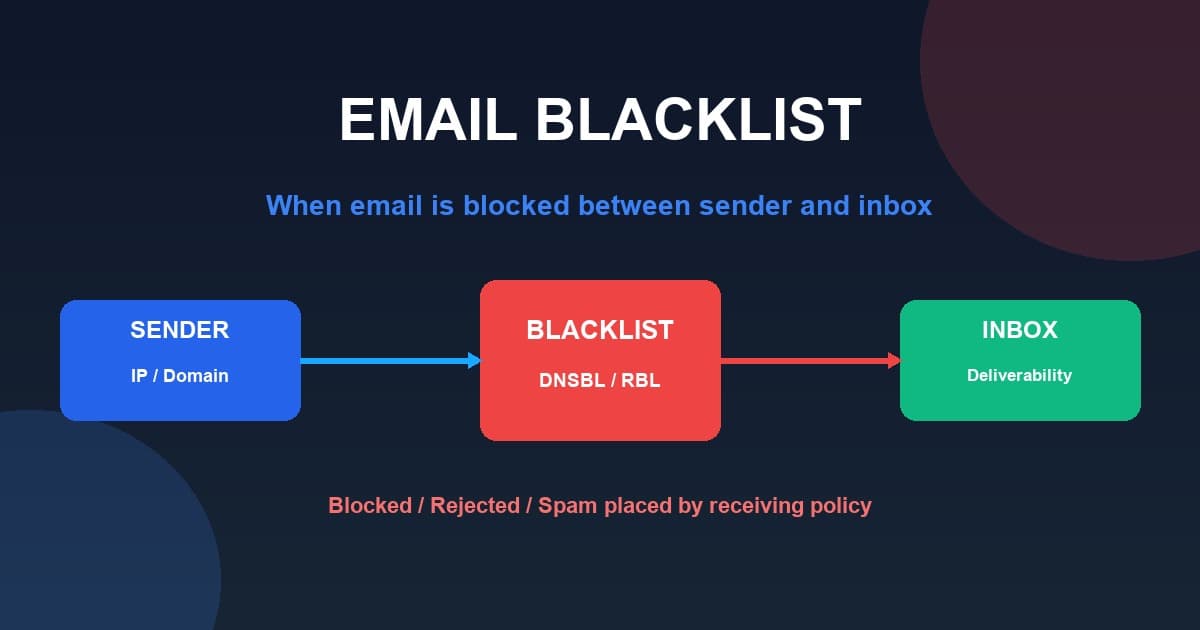
An email blacklist — more accurately often called an email blocklist — is a list or database that contains IP addresses, domain names, or other identifiers associated with unwanted, abusive, or suspicious activity. When a receiving mail server sees mail coming from a listed address, it can use that information as a signal in deciding whether to reject it, quarantine it, or send it to spam.
There is no single universal "email blacklist." Instead, there are many blocklists, each with its own criteria, policies, data, purposes, and removal procedures. A listing on one blocklist does not automatically mean you are listed everywhere else.
Blacklist vs Blocklist: What's the Difference?
The two terms mean essentially the same thing. The email industry increasingly uses the term blocklist, while blacklist remains extremely common in search queries and everyday usage. This article uses both naturally. Whatever word you use, the concept is the same: a database of addresses associated with unwanted email activity.
How Do Email Blocklists Work?
Email Sender
     ↓
Sending IP / Domain
     ↓
Blocklist Database
     ↓
Receiving Mail Server
     ↓
Policy Check
     ↓
Accept / Reject / Spam / Quarantine
Receiving systems can use blocklists as one signal among many when deciding how to handle a message. Not every mail provider uses the same blocklists, and providers use their own filtering systems and policies.
IP Blacklist vs Domain Blacklist
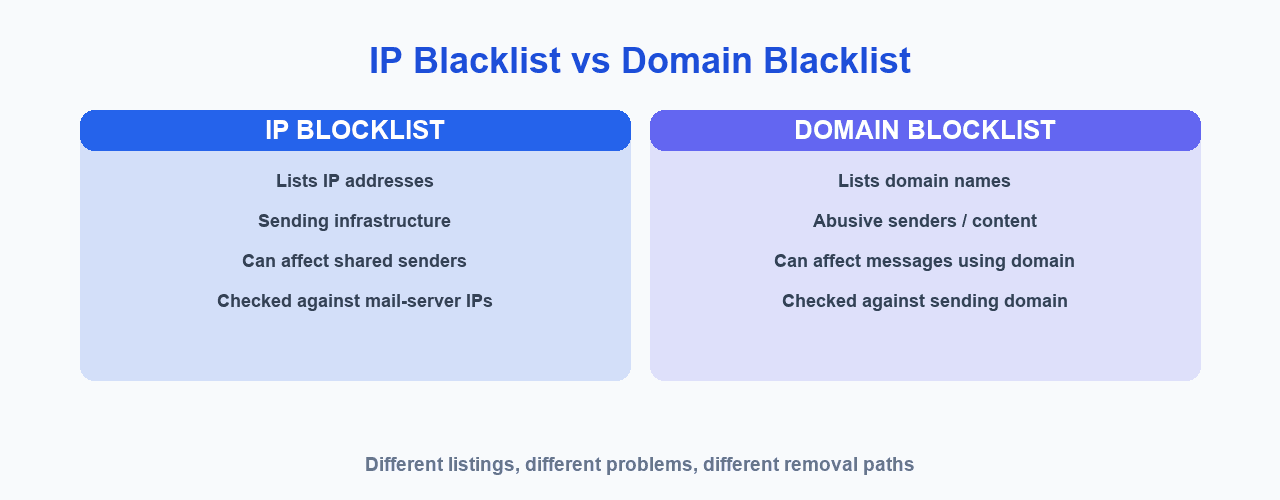
| IP Blocklist | Domain Blocklist |
|---|---|
| Lists IP addresses | Lists domain names |
| Often related to sending infrastructure | Can relate to domains appearing in abusive activity |
| Can affect multiple senders sharing infrastructure | Can affect messages containing or using a problematic domain |
| Evaluated by receiving systems in different ways | Evaluated according to provider/blocklist policies |
An IP listing and a domain listing are different problems. You should check both when investigating delivery issues.
What Is a DNSBL or RBL?
- DNSBL stands for DNS-based Blocklist.
- RBL stands for Realtime Blackhole List.
Mail servers can use DNS-based lookups to query a blocklist and get a quick answer about whether an address is listed. The terminology varies across providers, but the idea is the same: an authoritative, machine-readable record that receiving systems can consult. A popular example is Spamhaus, which operates several DNS blocklists.
Why Do Email Servers Get Blacklisted?
Common causes can include:
- Sending unsolicited bulk email
- High spam complaints
- Compromised server or account
- Malware
- Open relay or insecure configuration
- Poor list hygiene
- Spam traps
- Poor sending practices
- Shared IP reputation problems
- Domain abuse
Not every listing has the same cause. Different blocklists have different criteria, so it is important to understand the specific list that is reporting you.
Can Legitimate Email Senders Get Blacklisted?
Yes. Legitimate senders can appear on a blocklist for reasons such as a compromised account, an infected server, shared infrastructure, a poorly maintained mailing list, spam traps, sudden abuse from an account, or configuration problems. A listing is a signal to investigate, not a reason to panic.
How Does Being Blacklisted Affect Email Deliverability?
Being listed can have a range of possible consequences:
- Rejected messages
- Increased spam placement
- Delivery delays
- Reduced acceptance
- Reputation problems
Importantly, being on one blocklist does not automatically mean Gmail, Outlook, Yahoo, and every other provider will reject your emails. Receiving providers use their own filtering systems and policies.
Advertisement
How to Check if Your IP Is on an Email Blacklist
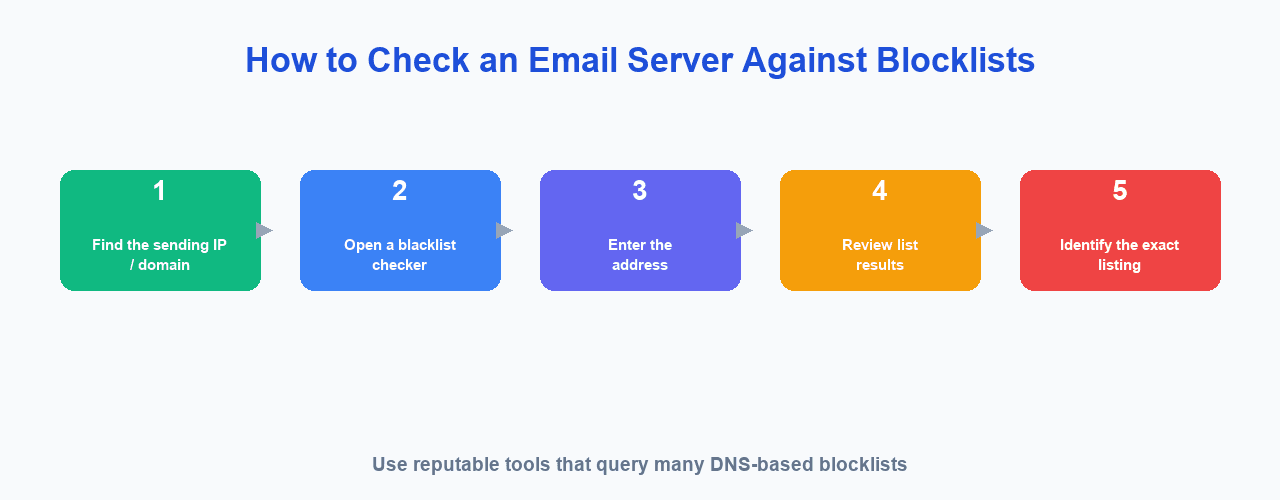
Here is a practical step-by-step process using a reputable checker such as MXToolbox:
- Find the IP address used for sending email. This is the address your sending infrastructure uses, not necessarily your website's IP.
- Open a reputable blacklist-checking tool. For example, MXToolbox provides a blacklist checker that queries many DNS-based email blocklists.
- Enter the IP address.
- Review the results. See which lists are checked and what they report.
- Identify the specific list reporting your IP.
No single checker covers every possible private or provider-specific list, but a reputable tool that queries many public blocklists is a useful starting point.
How to Check if Your Domain Is Blacklisted
Domain and IP checks are different. To check your domain, you should review the sending domain, the links and domains used inside your emails, and relevant reputation signals. Here is a step-by-step process:
- Check your sending IP.
- Check your sending domain.
- Check the links and domains used in your emails.
- Review relevant reputation signals and reporting.
Do not check only your website IP — that alone will not tell you whether your sending infrastructure or domains are listed.
What Is Spamhaus?
Spamhaus is an organization that publishes threat intelligence and operates several DNS blocklists. It is one of the better-known blocklist providers, but not the only one. Different blocklists exist for different purposes, and Spamhaus itself maintains several lists with different criteria — for example, a list of IP addresses involved in malicious activity, including spam and other abuse.
For authoritative details, refer to Spamhaus's official documentation at spamhaus.org and its blocklist pages. Because policies and lists change over time, always check the current official documentation rather than relying on a summary here.
What Should I Do If My IP Is Blacklisted?
Follow this diagnostic process:
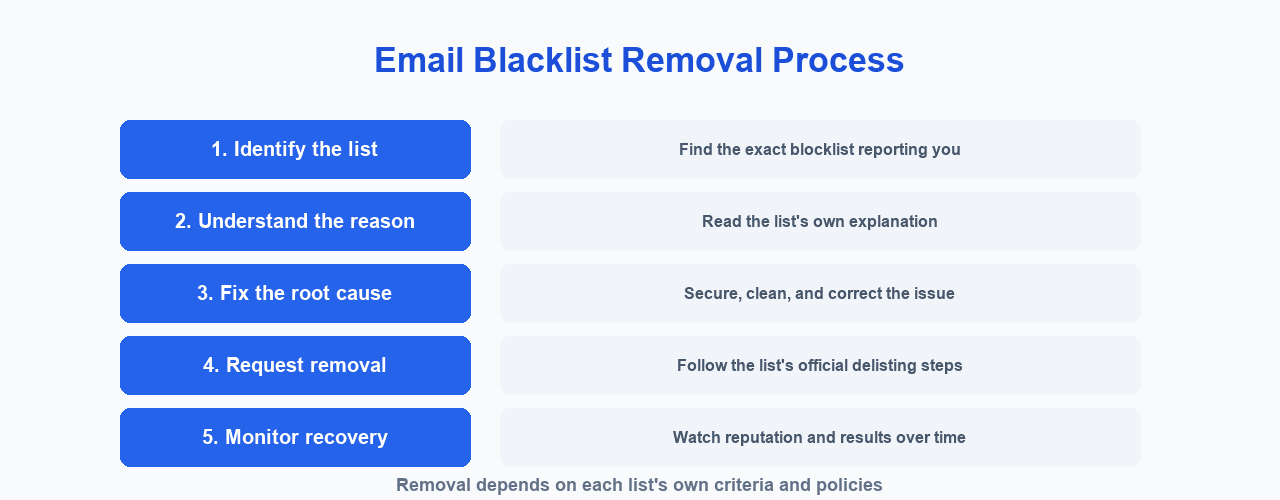
- Step 1 — Identify the exact blocklist. Find out which list has the IP.
- Step 2 — Understand the listing reason. Read the blocklist's own explanation of the listing.
- Step 3 — Stop the underlying problem. This could be a compromised account, malware, an open relay, an invalid mailing list, spam complaints, or unauthorized sending.
- Step 4 — Secure the infrastructure. Check passwords, SMTP credentials, server security, open relay configuration, and any compromised accounts.
- Step 5 — Follow the blocklist's removal process. Do not invent removal procedures; follow the list's official documentation.
How to Get Removed From an Email Blacklist
Removal procedures depend on the specific list. Possible processes include:
- Automatic expiration after some period
- Fixing the underlying issue first
- Requesting delisting through the list's process
- Providing information as requested
- Waiting for reputation recovery
Removal is not usually immediate, and repeatedly submitting delisting requests without fixing the cause is generally not helpful. Fix the underlying problem, then follow the list's own process.
How Long Does Blacklist Removal Take?
There is no single answer. The time depends on:
- The specific blocklist
- The reason for the listing
- Whether the underlying problem is fixed
- The list's policies
- Whether removal is automatic or manual
Do not rely on a universal number of hours or days — each list is different.
How to Prevent Email Blacklisting
Follow this practical checklist:
- Use permission-based lists
- Keep contact lists clean
- Remove invalid addresses
- Process unsubscribes
- Monitor complaints
- Secure SMTP credentials
- Protect servers from compromise
- Configure SPF, DKIM, and DMARC
- Monitor sending reputation
- Avoid sudden unexplained volume spikes
- Use reputable sending infrastructure
- Monitor bounce rates
For details on authentication, see our guide to SPF, DKIM and DMARC, and to understand the wider picture, read what email deliverability is.
Does Being on a Blacklist Mean My Emails Go to Spam?
Not necessarily. Depending on the receiving provider and its filtering system, a listing may result in rejection, spam placement, quarantine, or no visible effect. Blocklists are only one part of a larger email filtering ecosystem.
What Is the Difference Between a Blacklist and Sender Reputation?
A blacklist is a specific list or database with its own criteria. A sender reputation is a broader assessment of sending behavior and trust signals compiled by receiving systems. A sender can have reputation problems without appearing on a particular public blocklist, and the two are related but not the same thing.
Can Changing My IP Fix a Blacklist Problem?
Simply changing your IP does not solve the underlying problem.
If the cause is spam, compromised credentials, poor list quality, malware, or bad sending practices, the problem may continue on the new IP. Switching IPs is not a way to evade reputation systems; fix the root cause instead.
Can a Shared IP Cause Email Delivery Problems?
If multiple senders use the same IP, that IP's reputation can potentially be affected by the activity of other users, depending on the infrastructure and the receiving system. This is why reputable providers manage shared infrastructure carefully and segregate senders appropriately.
Email Blacklist Checklist
☐ Identify the sending IP
☐ Check relevant IP blocklists
☐ Check the sending domain
☐ Identify the exact listing
☐ Read the blocklist's reason
☐ Investigate the root cause
☐ Secure compromised accounts
☐ Check SMTP credentials
☐ Check server configuration
☐ Review email list quality
☐ Check bounce rates
☐ Check spam complaints
☐ Verify SPF
☐ Verify DKIM
☐ Verify DMARC
☐ Follow the blocklist's delisting process
☐ Monitor reputation after remediation
Frequently Asked Questions
What is an email blacklist?
A database of IP addresses, domains, or other identifiers associated with unwanted, abusive, or suspicious activity. Different blocklists have different criteria, policies, and removal procedures.
What is an email blocklist?
The same concept using the term "blocklist." The industry increasingly uses this term, while "blacklist" remains very common in everyday usage.
How do I check if my IP is blacklisted?
Find the IP you use to send email, open a reputable blacklist checker such as MXToolbox, enter the IP, and review the results to see which lists report it.
How do I check if my domain is blacklisted?
Use a checker that supports domain lookups for your sending domain and the domains in your email links, in addition to checking your sending IP.
What causes an email server to be blacklisted?
Unsolicited mail, high complaints, compromised accounts, malware, open relays, poor list hygiene, spam traps, bad sending practices, and shared IP issues are common causes.
How do I get removed from an email blacklist?
Removal depends on the list. It may involve automatic expiration, fixing the underlying issue, requesting delisting, providing information, and waiting for reputation recovery.
How long does blacklist removal take?
It depends on the blocklist, the reason, whether the problem is fixed, the list's policies, and whether removal is automatic or manual. There is no universal timeframe.
Does being blacklisted mean my emails go to spam?
Not necessarily. A listing may result in rejection, spam placement, quarantine, or no visible effect, depending on the provider and its filtering system.
Can a shared IP affect email deliverability?
Yes, if multiple senders share an IP its reputation can be affected by other users' activity, depending on the infrastructure and receiving system.
Does SPF, DKIM and DMARC prevent blacklisting?
They help receiving systems recognize legitimate senders and support deliverability, but they do not guarantee that you will never be listed or always be accepted.
How MailCannon Helps You Manage Email Campaigns
MailCannon helps you manage contacts, import contacts from CSV, build HTML email templates, create and manage campaigns, configure SMTP sending, and monitor campaign analytics — all from one dashboard.
To get the most from MailCannon, you should follow good sending practices: keep your lists clean and permission-based, monitor complaints and bounces, configure authentication for your domains, and use SMTP sending responsibly.
MailCannon does not guarantee that you will never be blacklisted. As a user, you remain responsible for your mailing lists, your content, your sending practices, your domain configuration, and your SMTP infrastructure.
To learn more, read our guide to email marketing, how to send bulk emails without going to spam, why emails go to spam, and about using MailCannon for email marketing.
Start Your Email Campaigns
Manage contacts, build campaigns, and send marketing email from one dashboard with MailCannon.
Advertisement