Advertisement
Email Deliverability Checker: Test Your Emails Before You Send
Sending an email does not guarantee it reaches the inbox. The MailCannon Email Deliverability Checker helps you identify potential issues with sender information, authentication, HTML, links, images, and content before you hit send.
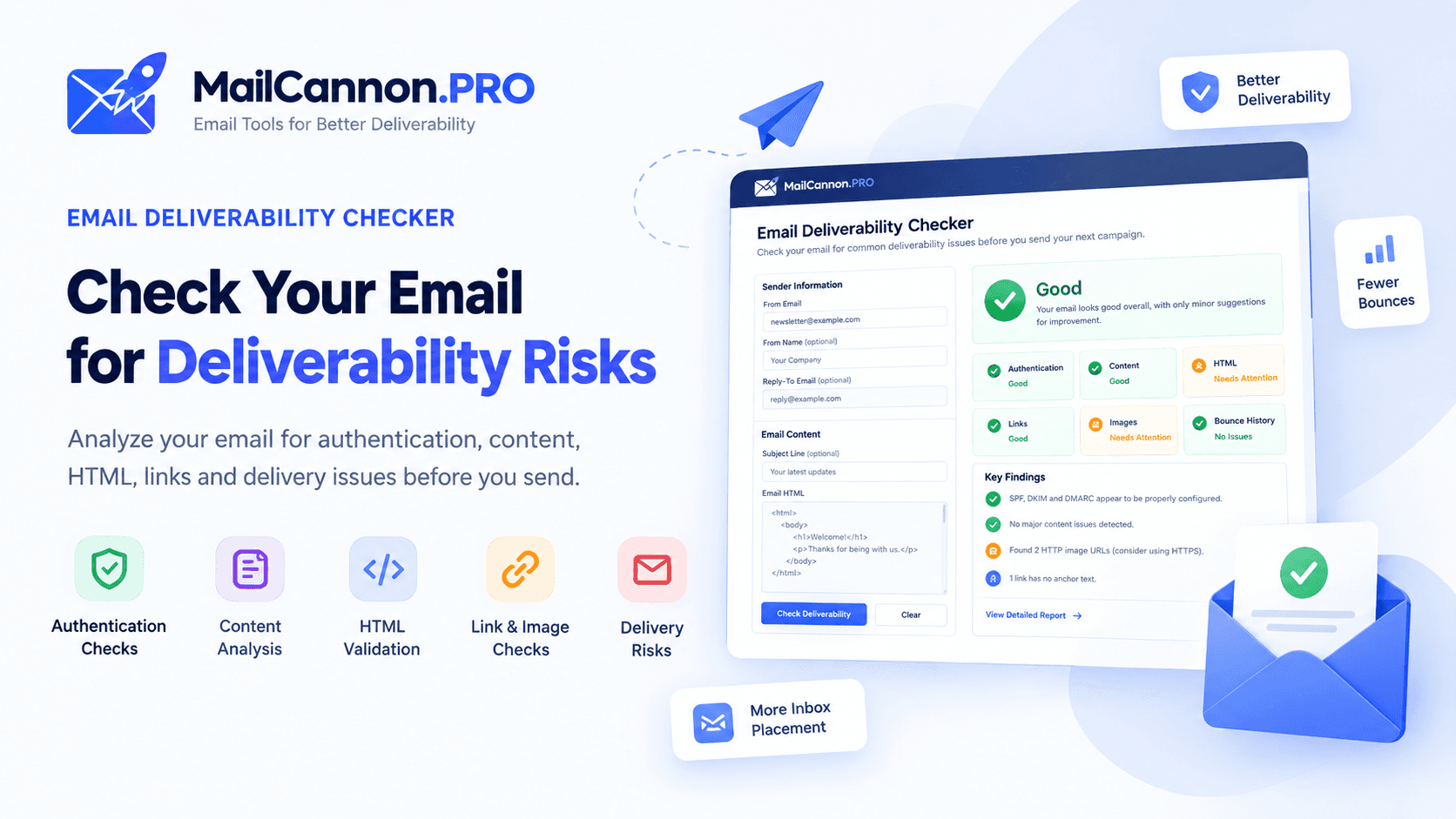
Check your email deliverability before sending
Check Email Deliverability →Advertisement
Sending an email successfully from your application or SMTP server does not mean it will reach the recipient's inbox. Messages can be rejected, bounced, deferred, or filtered into spam. Before launching an email campaign, it is useful to check common technical and content-related problems.
MailCannon.PRO now provides an Email Deliverability Checker that helps you identify potential issues before sending. This article explains what email deliverability means, what factors affect it, and how the tool works.
What Is Email Deliverability?
Email deliverability is about getting legitimate email to the inbox. It is a broader concept than just sending email, and understanding the difference between related terms helps clarify what you are trying to achieve.
Email Sending
Your application or SMTP server successfully submits a message. The email leaves your infrastructure, but this does not confirm anything about whether the recipient's server will accept or deliver it.
Email Delivery
The recipient's mail server accepts the message. The server has received the email and has not rejected it at the SMTP level. However, accepted does not mean it reaches the inbox.
Inbox Placement
The message is placed in the recipient's actual inbox rather than in spam, junk, or another filtered folder. This is what most senders care about, and it is influenced by many factors beyond simple delivery.
Bounce
The message cannot be delivered and is rejected or returned by the recipient's server. Hard bounces indicate permanent failures such as invalid addresses. Soft bounces are typically temporary and may resolve on retry.
Delivery and inbox placement are not the same thing.
An email can be delivered (accepted by the server) without landing in the inbox. This distinction is important because many senders mistakenly believe that a successful SMTP submission means the email reached the recipient.
Why Email Deliverability Matters
Businesses, marketers, and developers should care about deliverability because poor deliverability has real consequences:
- Lost communication. Transactional emails, notifications, and important messages never reach the intended recipient.
- Lower campaign performance. Marketing emails that land in spam generate fewer opens, clicks, and conversions.
- Bounces. Repeated hard bounces can damage your sender and domain reputation over time.
- Spam complaints. Recipients who do not recognize or want your email may mark it as spam.
- Poor sender reputation. A damaged reputation makes it harder for all future emails to reach the inbox.
- Authentication problems. Missing or misconfigured SPF, DKIM, or DMARC records can cause filtering or rejection.
- Broken or problematic content. Malformed HTML, broken links, or untrusted image sources can affect how your email is processed.
What Can Affect Email Deliverability?
Sender Authentication
Three DNS-based authentication protocols help receiving servers evaluate whether a message is legitimate:
- SPF (Sender Policy Framework) identifies which servers are authorized to send email on behalf of your domain.
- DKIM (DomainKeys Identified Mail) uses cryptographic signing to verify that a message was sent by an authorized server and was not altered in transit.
- DMARC (Domain-based Message Authentication, Reporting & Conformance) builds on SPF and DKIM to define a policy and reporting mechanism for your domain.
These protocols help receiving servers evaluate your messages, but they do not guarantee inbox placement on their own. For a deeper explanation, see our guide to SPF, DKIM and DMARC.
Sender Reputation
Recipient providers consider signals related to your sending behavior, complaint rates, bounce rates, and overall reputation. A domain or IP with a history of spam complaints, high bounces, or suspicious sending patterns is more likely to be filtered.
Email Content
Content does not exist in isolation. Providers consider many signals together, not just individual words. That said, certain content patterns can raise potential flags:
- Excessive promotional formatting
- Excessive capitalization or punctuation
- Suspicious-looking or deceptive links
- Poor HTML structure or encoding issues
- Missing plain-text alternatives
Individual words do not automatically cause spam placement. Filtering systems evaluate the complete message and its context.
Email List Quality
Your list quality directly affects bounce rates and complaint rates, which in turn affect sender reputation:
- Invalid addresses cause hard bounces
- Old or unengaged addresses may no longer be active
- Purchased or scraped lists often contain spam traps
- High complaint rates signal to providers that your content is unwanted
Technical Email Structure
The technical construction of your email also matters:
- Oversized HTML can cause filtering or rendering issues
- Images hosted over HTTP instead of HTTPS may be flagged
- Missing alt text on images affects accessibility and rendering
- Broken links suggest poor maintenance
- HTML elements incompatible with email clients can break rendering
Check Your Email Before Sending It
MailCannon.PRO's Email Deliverability Checker is designed to help you identify common issues before you send an email. It analyzes the information you provide and reports potential problems organized by category.
The tool can analyze available information such as:
- Sender information and Reply-To configuration
- Subject line
- Email HTML content
- Plain-text version
- Links within the email
- Images and their attributes
- HTML structure and compatibility
- Authentication information when available
- Previous bounce information when provided
Not every check is always available. The tool works with the information you provide and reports what it can identify.
How the Email Deliverability Checker Works
Step 1 — Enter Your Sender Information
Provide your From address, From name, and Reply-To address. The tool can identify potential sender configuration issues such as missing or inconsistent sender information.
Step 2 — Add Your Email Content
Paste your subject line, HTML email, and optional plain-text version. Analyzing the actual email content can reveal technical issues that would be invisible without inspection.
Step 3 — Check Deliverability
Click Check Deliverability to start the analysis. The tool processes the available information and identifies potential issues.
Step 4 — Review the Results
The results are organized into categories such as: Authentication, Sender information, Content, HTML, Links, Images, and Bounce information.
Step 5 — Fix the Problems
The tool provides recommendations for issues that may require attention. You can fix the identified problems and re-run the check. Related MailCannon tools can help with specific areas — for example, the HTML Email Previewer for rendering or the Email Size Checker for file size.
What Does the Email Deliverability Checker Check?
Sender Information
The tool checks for a valid sender address, a Reply-To address, and any inconsistencies between the sender and Reply-To fields.
Email Subject
Basic subject line analysis checks for potential issues. For a dedicated analysis, try the Email Subject Line Tester.
HTML
The tool checks for problematic HTML elements, deprecated tags, scripts, forms, and email compatibility issues. For visual rendering, use the HTML Email Previewer.
Email Size
Large email HTML can trigger filtering or be truncated. For detailed analysis, use the Email Size Checker.
Images
Checks whether image URLs use HTTPS, whether alt text is present, and whether images reference external resources.
Links
Links are checked for HTTPS usage, broken or malformed URLs, and potentially problematic URL patterns.
Spam Risk Indicators
The tool can identify common content risk signals. For dedicated analysis, use the Email Spam Checker.
Authentication
When authentication information is available, the tool can check SPF, DKIM, and DMARC status. For a deeper understanding, read our SPF, DKIM and DMARC guide.
Bounce Information
If you provide a previous bounce message, the tool can help interpret why the receiving server rejected it. For detailed analysis, use the Email Bounce Analyzer.
Why SPF, DKIM and DMARC Matter
SPF
SPF is a DNS record that lists the servers authorized to send email on behalf of your domain. When a receiving server gets a message, it can check the sending server's IP against the SPF record to verify that the message came from an authorized source.
DKIM
DKIM adds a cryptographic signature to your outgoing messages. The receiving server can verify this signature against a public key published in your DNS. DKIM helps verify that the message was sent by an authorized server and was not modified in transit.
DMARC
DMARC builds on SPF and DKIM by allowing you to define a policy for what should happen when a message fails authentication. It also provides a reporting mechanism so you can see who is sending email from your domain.
Authentication improves trust and policy handling but does not guarantee inbox placement.
No single authentication protocol ensures that your email will reach the inbox. Many other factors — including sender reputation, engagement, content, and recipient-provider policies — influence final placement.
Is an Email Deliverability Checker the Same as a Spam Checker?
They are related but different tools.
Spam Checker
A spam checker focuses mainly on content and technical indicators that may be associated with filtering. See the Email Spam Checker.
Deliverability Checker
A deliverability checker looks at a broader set of factors: sender information, authentication, content, HTML, links, images, bounce history, and technical configuration.
Email Deliverability Checker vs Email Bounce Analysis
Deliverability Checker
Used before sending to identify potential issues with your email.
Bounce Analyzer
Used after an email fails to determine why the receiving server rejected it. See the Email Bounce Analyzer.
Email Deliverability Checklist Before Sending
- Verify the sender address
- Verify Reply-To
- Configure SPF — see our SPF, DKIM and DMARC guide
- Configure DKIM
- Configure DMARC
- Check email HTML — use the HTML Email Previewer
- Check email size — use the Email Size Checker
- Verify all links use HTTPS
- Use HTTPS image URLs
- Add meaningful alt text to images
- Provide a plain-text version when appropriate
- Check subject line — use the Email Subject Line Tester
- Check spam-risk indicators — use the Email Spam Checker
- Verify recipient addresses — use the Email Address Checker
- Monitor bounce rates
- Include appropriate unsubscribe functionality for marketing emails
- Test the email before sending a large campaign — use the Email Deliverability Checker
Common Email Deliverability Problems
Invalid Recipient
Sending to addresses that do not exist causes hard bounces. Use an email address checker to verify addresses before sending.
High Bounce Rate
A high bounce rate signals list quality problems. Use the Email Bounce Analyzer to understand why.
Missing Authentication
Without SPF, DKIM, and DMARC, receiving servers have less evidence that your messages are legitimate. Check your setup with the Email Deliverability Checker.
Poor HTML
Malformed HTML can cause rendering failures. Preview your email with the HTML Email Previewer.
Large Email
Oversized email can trigger filtering. Check your email size with the Email Size Checker.
Problematic Content
Content patterns associated with poor quality can affect delivery. Use the Email Spam Checker to identify risks.
Weak Subject Line
A misleading or poorly constructed subject line can reduce trust. Use the Email Subject Line Tester to evaluate it.
How to Improve Email Deliverability
- Authenticate your sending domain with SPF, DKIM, and DMARC.
- Keep recipient lists clean and remove invalid addresses promptly.
- Remove persistent hard bounces immediately.
- Monitor soft bounces and temporary failures.
- Avoid misleading or deceptive content.
- Use valid HTTPS links and image resources.
- Build clean, well-structured HTML emails.
- Keep email content reasonably sized.
- Make unsubscribe mechanisms clear for marketing emails.
- Monitor sender reputation and engagement.
- Send relevant content to recipients who expect it.
- Test emails before large campaigns.
For a detailed breakdown, read our guide to how to improve email deliverability.
Can an Email Deliverability Checker Guarantee Inbox Placement?
No.
No static analysis tool can guarantee inbox placement. Receiving providers use many dynamic signals that a pre-send check cannot fully predict:
- Sender and domain reputation
- Recipient engagement history
- Spam complaint rates
- Authentication status
- Sending behavior and volume patterns
- Recipient-provider-specific policies
- Message content in context
- Infrastructure reputation
- Historical sending signals
The MailCannon Email Deliverability Checker is a pre-send diagnostic tool. It helps you identify potential issues and improve your email quality, but it cannot guarantee where an email will land.
Example Workflow: Preparing a Newsletter
Here is a practical example of how a marketer might use the tool before sending a newsletter:
- Enter the sender address and Reply-To information.
- Paste the subject line into the tool.
- Paste the HTML email content.
- Run the Email Deliverability Checker.
- Discover that some image URLs use HTTP instead of HTTPS.
- Find that several images are missing alt text.
- Identify an HTML compatibility issue.
- Review the authentication status section.
- Fix all identified issues in the email.
- Re-run the check to confirm the fixes.
- Send the campaign with greater confidence.
MailCannon Email Tools Ecosystem
The Email Deliverability Checker is part of a broader set of MailCannon email tools designed to help you create, test, and optimize your emails:
- Email Subject Line Tester — Analyze and improve your subject lines.
- Email Preheader Generator — Generate effective preheader text.
- AI Email Rewriter — Rewrite email content with AI.
- AI HTML Email Generator — Create HTML email templates with AI.
- Email Signature Generator — Build professional email signatures.
- Email Spam Checker — Check content for spam-risk signals.
- HTML Email Previewer — Preview email rendering on desktop and mobile.
- Email Size Checker — Verify email file size and structure.
- Email Bounce Analyzer — Analyze SMTP bounce messages.
- Email Deliverability Checker — Test emails before sending.
- Email Address Checker — Verify if an email address exists.
Frequently Asked Questions
What is email deliverability?
Email deliverability is how reliably your emails reach recipients' inboxes rather than being rejected, bounced, or filtered into spam. It depends on sender reputation, authentication, list quality, content, and sending behavior.
What is an email deliverability checker?
An email deliverability checker is a tool that analyzes your email before sending to identify potential issues that could affect delivery. It checks sender information, authentication, HTML structure, links, images, and content signals.
How can I check if my email has deliverability problems?
Use the MailCannon Email Deliverability Checker to analyze your sender information, subject line, HTML email, links, images, and authentication before sending.
Does SPF improve email deliverability?
SPF helps receiving servers verify that an authorized server sent the message, which supports deliverability. However, SPF alone does not guarantee inbox placement.
Do I need DKIM and DMARC?
DKIM verifies message integrity and domain association. DMARC builds on SPF and DKIM to define policy and reporting. Both are recommended but do not guarantee inbox placement on their own.
Why do emails bounce?
Emails bounce when the recipient's server cannot or will not deliver the message. Common reasons include invalid addresses, full mailboxes, server issues, authentication failures, and content-based rejections.
Can an email deliverability checker guarantee inbox placement?
No. Receiving providers use many dynamic signals that a pre-send check cannot fully predict. A deliverability checker is a diagnostic tool that helps identify potential issues.
What is the difference between email delivery and inbox placement?
Email delivery means the recipient's server accepted the message. Inbox placement means the message was placed in the actual inbox rather than spam or junk.
How can I reduce email bounces?
Keep your list clean, remove hard bounces promptly, verify addresses before sending, avoid purchasing lists, and use email validation tools.
How can I test an HTML email before sending it?
Use the MailCannon HTML Email Previewer for rendering, the Email Size Checker for file size, and the Email Deliverability Checker for content and authentication issues.
Conclusion
Email deliverability is shaped by many factors — authentication, sender reputation, list quality, content, and sending behavior. A pre-send diagnostic tool like the MailCannon Email Deliverability Checker helps you identify potential issues before they affect your campaigns, but no tool can guarantee inbox placement.
Test your emails, fix identified issues, and combine deliverability checks with good sending practices for the best results. For a broader understanding, read our guides on what email deliverability is, how to improve email deliverability, and SPF, DKIM and DMARC.
Ready to Check Your Email?
Run the Email Deliverability Checker to identify potential issues before sending, or explore all MailCannon email tools.
Advertisement