Advertisement
How to Improve Email Deliverability: 15 Best Practices
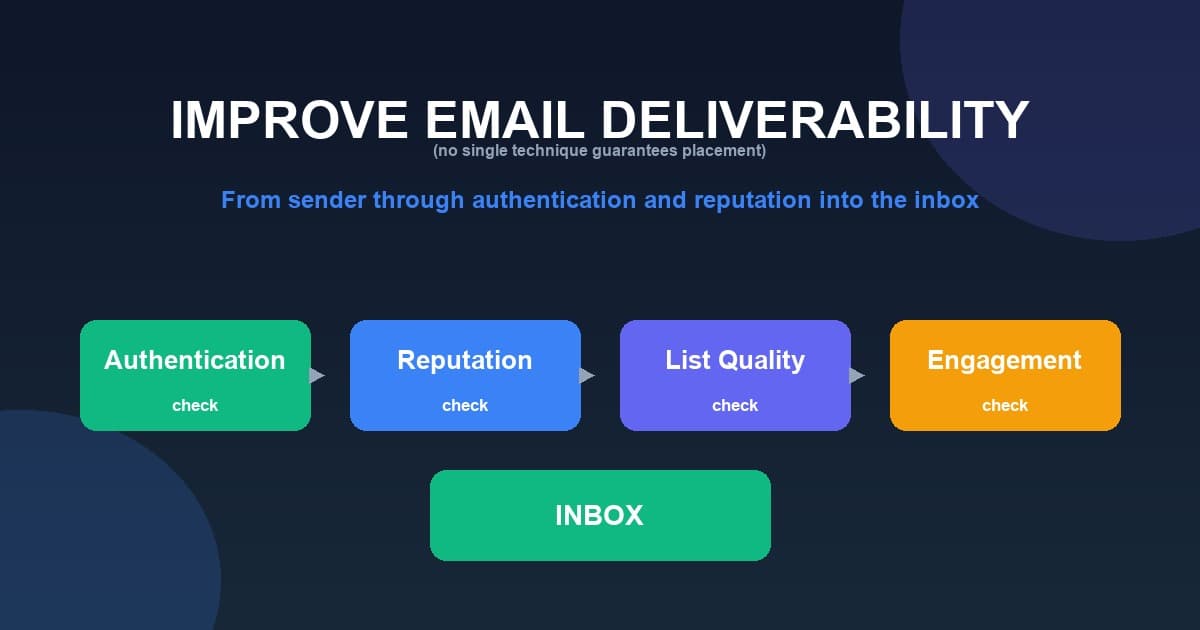
You can improve email deliverability by using permission-based lists, configuring SPF, DKIM, and DMARC, keeping your list clean, reducing complaints and bounces, and sending consistently to engaged recipients. No single technique guarantees inbox placement; healthy email relies on a combination of authentication, reputation, recipient engagement, list quality, and sound sending practices.
What Is Email Deliverability?
Email deliverability is how reliably your emails reach recipients' inboxes rather than being rejected, held, or filtered into spam. For a full introduction, read our guide to what email deliverability means.
Deliverability is not controlled by any single switch. It depends on authentication, sender reputation, recipient engagement, list quality, bounce rates, spam complaints, sending behavior, and message quality.
What Causes Poor Email Deliverability?
Poor deliverability usually comes from a combination of the following:
- Poor sender reputation
- High spam complaints
- Invalid email addresses
- High bounce rates
- Missing authentication
- Poor domain reputation
- Inconsistent sending patterns
- Sending to people who did not request emails
- Poor engagement
- Misleading sender information
- Poor technical configuration
- Compromised accounts or infrastructure
15 Ways to Improve Email Deliverability
1. Use Permission-Based Email Lists
Permission matters. Build your list with explicit opt-in, clear signup expectations, and confirmed subscriptions where appropriate. Never purchase email lists or scrape addresses. Recipients who expect and want your messages are far less likely to report them as spam.
2. Authenticate Your Sending Domain
Configure SPF, DKIM and DMARC to establish a trusted sending identity. Authentication helps receiving systems recognize your mail as legitimate. It does not guarantee inbox placement, but it is an essential foundation, especially for bulk senders.
3. Keep Your Email List Clean
Remove invalid addresses and hard bounces, process unsubscribes, monitor inactive contacts, and review repeated soft bounces. Avoid sending indefinitely to recipients who never engage. A healthy list protects your bounce and complaint rates.
4. Reduce Spam Complaints
Spam complaints directly affect sender reputation. Send only relevant content, set expectations at signup, use recognizable sender information, avoid excessive frequency, make unsubscribe easy, and segment your audience. Google recommends keeping user-reported spam rates very low; check Google's current guidance for exact figures, and note that any threshold is not a universal rule for every provider.
5. Monitor Bounce Rates
A hard bounce is a permanent failure (for example, an invalid address). A soft bounce is a temporary failure (for example, a full mailbox). Sending repeatedly to invalid addresses can damage list quality and reputation, so track and manage bounces carefully.
6. Maintain a Consistent Sending Pattern
Avoid unexplained volume spikes and huge campaigns after long periods of inactivity. Increase volume gradually and keep a predictable sending pattern. Google recommends sending at a consistent rate and avoiding bursts when sending large volumes — verify the current official guidance before relying on it.
7. Monitor Sender and Domain Reputation
IP reputation, domain reputation, and sender reputation reflect your historical sending behavior. Two concrete ways to monitor reputation signals include your own campaign metrics and, for mail to Gmail users, Google Postmaster Tools. Postmaster Tools does not provide a universal reputation score for every provider.
8. Use a Recognizable From Address
Recipients should immediately recognize your sender name, From address, and brand. For example, "Urgent Account Alert" from an unrelated address is confusing and looks like a phish. A clear "MailCannon" from a recognizable company domain builds trust.
9. Write Clear and Honest Subject Lines
Use an accurate subject that sets clear expectations. Avoid deceptive "Re:" or "Fwd:" prefixes and misleading urgency, and make sure the subject matches the content. Specific "spam words" do not automatically cause spam placement — filtering systems consider many signals together.
10. Make Unsubscribing Easy
Provide a visible unsubscribe link and a simple process, and honor unsubscribe requests. Do not force recipients through unnecessary steps. For bulk senders, providers like Google currently require a one-click unsubscribe mechanism (such as RFC 8058 list-unsubscribe headers) and prompt processing of requests — check the current official requirements.
11. Segment Your Audience
Send more relevant messages by segmenting by customer type, interests, previous activity, location where relevant, purchase history, and engagement. Relevant, expected content helps reduce unwanted messages and complaints.
12. Send Relevant Content
Relevance drives recipient behavior. Provide useful information, use an appropriate frequency, offer relevant deals, and personalize where appropriate — without overpromising what personalization can do.
13. Secure Your Email Infrastructure
Use strong SMTP credentials, protect passwords, enforce access control, use TLS, keep servers patched, and monitor for compromise. A compromised sending account can seriously damage your reputation.
14. Monitor Your Email Metrics
| Metric | What to watch |
|---|---|
| Delivery rate | Failed deliveries |
| Bounce rate | Invalid / temporary failures |
| Spam complaints | Recipient dissatisfaction |
| Unsubscribe rate | List relevance |
| Click rate | Engagement |
| Conversion rate | Business outcome |
No single metric tells the complete story. Note that open rate is not a reliable standalone metric, because privacy technologies can make open tracking inaccurate.
15. Test and Monitor Before Scaling
Before scaling up, test campaigns, verify authentication, test links and rendering, start with appropriate volumes, monitor server responses, and watch complaints and bounces. Then scale gradually. This article does not provide spam-filter bypass techniques.
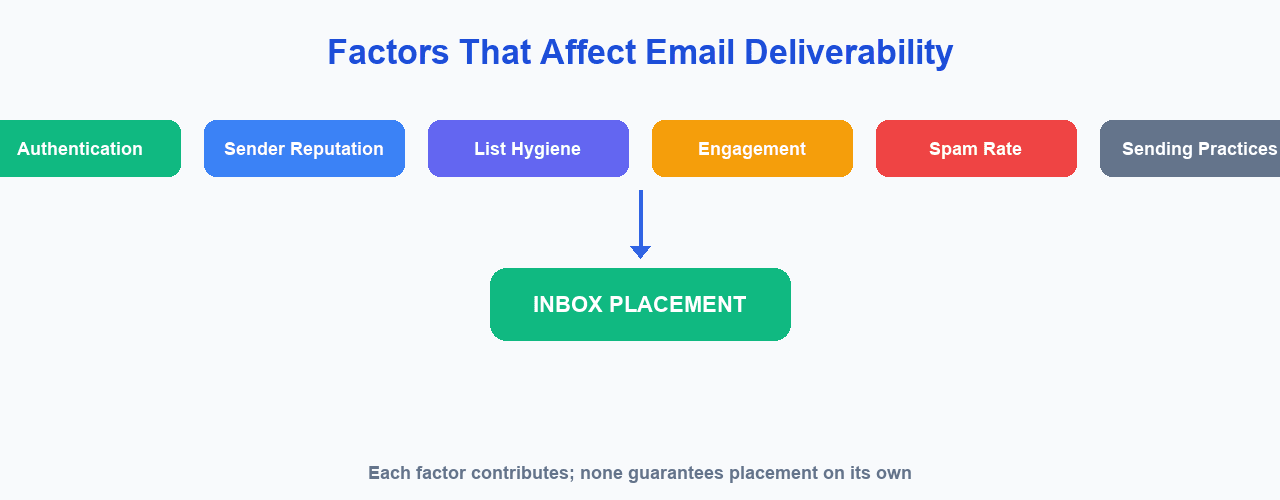
Email Deliverability Checklist
☐ Use permission-based contacts
☐ Keep your contact list clean
☐ Configure SPF
☐ Configure DKIM
☐ Configure DMARC
☐ Monitor sender reputation
☐ Monitor domain reputation
☐ Monitor bounce rates
☐ Monitor spam complaints
☐ Make unsubscribing easy
☐ Use a recognizable From address
☐ Use honest subject lines
☐ Send relevant content
☐ Maintain consistent sending
☐ Secure SMTP credentials
☐ Monitor campaign metrics
☐ Review delivery errors
How to Fix Email Deliverability Problems
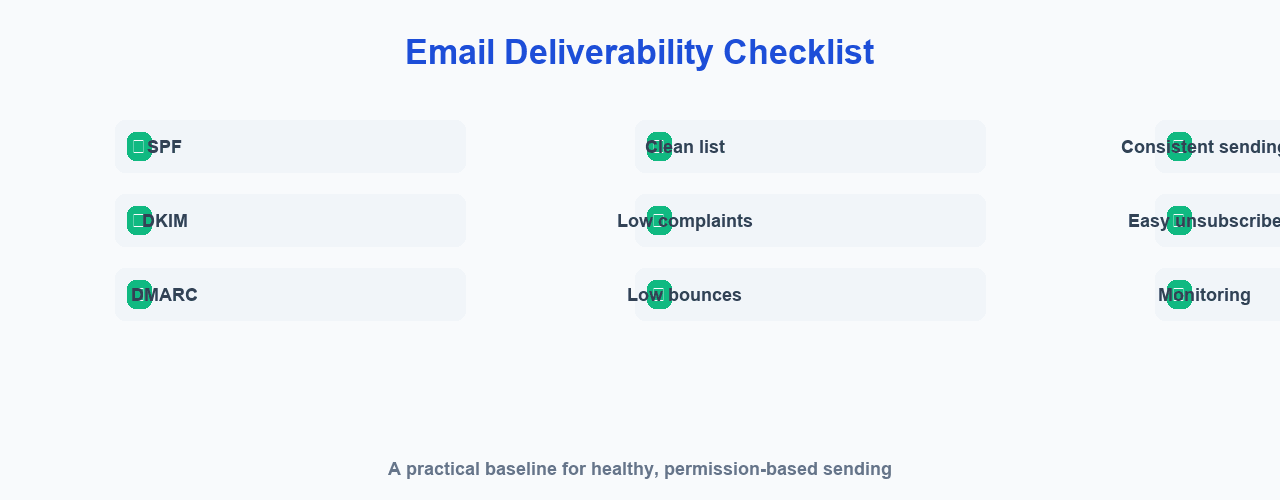
Follow this troubleshooting workflow:
- Identify the type of problem. Is it a delivery failure, spam placement, a reputation issue, an authentication problem, or a list quality problem?
- Check the technical setup. Review SPF, DKIM, DMARC, DNS, and SMTP configuration.
- Review the data. Look at bounce rates, spam complaints, unsubscribes, and engagement.
- Check reputation signals. Review domain reputation, IP reputation, and blocklists — learn how email blacklists affect delivery.
- Fix the underlying issue. Correct authentication, clean the list, secure infrastructure, or adjust sending behavior as needed.
- Monitor recovery over time. Reputation does not recover immediately.
How to Improve Gmail Email Deliverability
Google currently requires authentication for Gmail senders and has additional requirements for bulk senders, including SPF and DKIM, a DMARC record with alignment, valid DNS, TLS, low spam rates, and easy unsubscribe mechanisms.
Google's specific requirements can change over time, so verify the current official documentation at Google's email sender guidelines before relying on those details. Gmail-specific requirements are not universal rules for every email provider.
How to Monitor Email Deliverability
Monitor your deliverability using a combination of:
- Email campaign metrics
- SMTP delivery errors
- Bounce monitoring
- Spam complaint monitoring
- Domain reputation
- IP reputation
- Blocklist checks
For mail you send to Gmail users, Google Postmaster Tools is a useful option for understanding spam reports, delivery errors, and reputation signals.
Advertisement
Email Deliverability Best Practices for Bulk Email
For bulk email, focus on the fundamentals:
- Permission
- Authentication
- List hygiene
- Reputation
- Consistency
- Relevance
- Monitoring
- Unsubscribe
This article does not encourage sending unsolicited bulk email. See how to send bulk emails without going to spam responsibly.
Can an Email Marketing Platform Improve Deliverability?
An email marketing platform can help with campaign organization, contact management, templates, sending configuration, bounce handling, unsubscribe management, and analytics.
But a platform alone cannot guarantee inbox placement. Deliverability depends on the sender, the domain, the infrastructure, recipient behavior, content, sending practices, and receiving provider policies. If you would like to understand where your problems likely originate, read about why emails are going to spam.
Improving Email Deliverability With MailCannon
MailCannon helps you organize legitimate email campaigns: you can manage contacts and import them from CSV, build HTML email templates, create and manage campaigns, configure SMTP sending, and review campaign analytics.
MailCannon can help with the organizational and technical side of sending, but users remain responsible for permission, list quality, domain configuration, sending practices, and content. MailCannon does not guarantee inbox placement.
To get started responsibly, learn about email marketing basics and how to use MailCannon for email marketing.
Frequently Asked Questions
What is email deliverability?
How reliably your emails reach recipients rather than being rejected, held, or placed in spam. It depends on authentication, reputation, list quality, engagement, and sending behavior.
How can I improve email deliverability?
Use permission-based lists, configure SPF, DKIM, and DMARC, keep your list clean, reduce complaints and bounces, and send consistently to engaged recipients.
Why are my emails going to spam?
Usually due to poor reputation, missing authentication, high complaints, invalid addresses, low engagement, inconsistent sending, or messages to people who did not ask for them.
Does SPF improve email deliverability?
SPF verifies an authorized server sent the message, which supports deliverability, but it does not guarantee inbox placement on its own.
Does DKIM improve email deliverability?
DKIM verifies a message was signed and not altered, which supports legitimacy, but it is not a guarantee of placement.
Does DMARC improve email deliverability?
DMARC builds on SPF and DKIM to define policy and reporting, helping establish a trusted identity, but it does not guarantee placement.
How do I reduce email bounce rates?
Keep your list clean, remove hard bounces, review soft bounces, and avoid sending to invalid or inactive addresses.
How do I reduce spam complaints?
Send relevant content, set expectations at signup, use a recognizable From address, keep frequency reasonable, make unsubscribe easy, and segment your audience.
Does email list cleaning improve deliverability?
Yes. Removing invalid and unresponsive addresses helps keep bounce and complaint rates low, which supports better deliverability.
How can I check my sender reputation?
Monitor campaign metrics, bounces, complaints, and engagement, and use tools such as Google Postmaster Tools for Gmail traffic.
How long does it take to improve email reputation?
There is no fixed timeline. It depends on your sending history, the receiving providers, and whether underlying issues are fixed.
Can an email marketing platform guarantee inbox placement?
No. Placement depends on the sender, domain, infrastructure, recipient behavior, content, and provider policies — not on the platform alone.
Conclusion
Improving email deliverability is an ongoing practice, not a one-time fix. Authenticate your domain, keep a clean, permission-based list, monitor your metrics and reputation, send relevant content consistently, and make unsubscribing easy. No technique guarantees inbox placement, but these best practices give your emails the best chance of being delivered.
Continue learning with our related guides on SPF, DKIM and DMARC, email blacklists, and what email deliverability is.
Start Your Email Campaigns
Manage contacts, build campaigns, and send marketing email from one dashboard with MailCannon.
Advertisement