Advertisement
What Is Temporary Email? How Temp Mail Works and When to Use It
Temporary email is a short-term email address designed to receive messages without using your primary inbox. It can be useful for testing websites, receiving one-time verification messages, trying services, and separating short-lived registrations from your main email account.
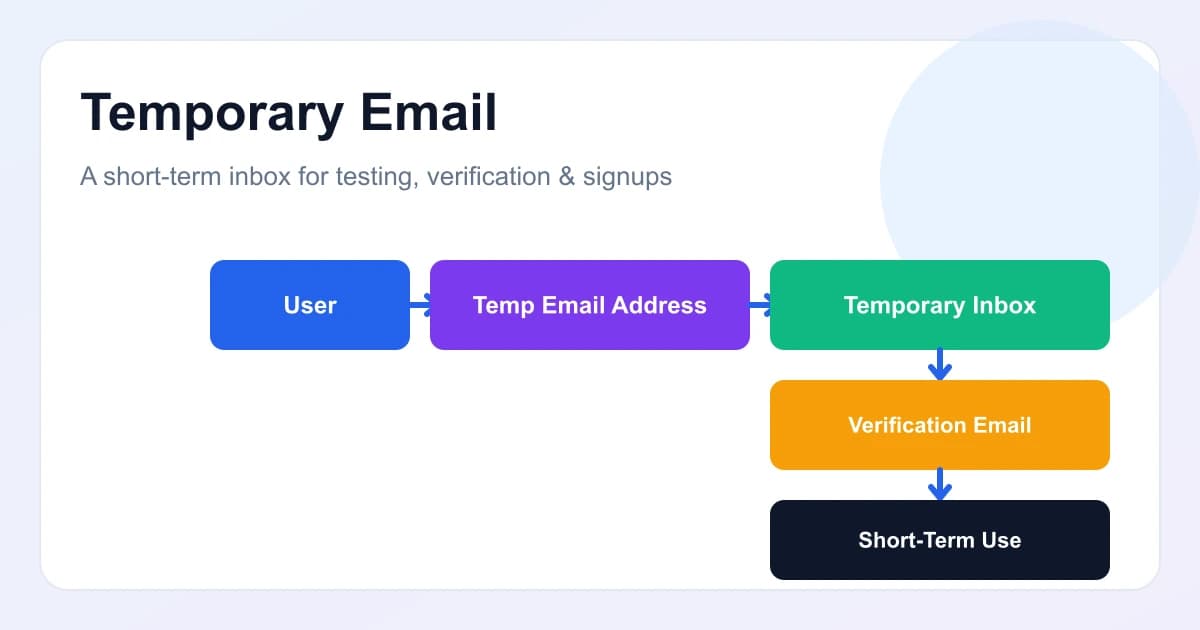
At some point, almost everyone is asked to supply an email address: to create an account, test a website, receive a verification code, download a resource, try an online service, test an application, or sign up for a service. Sometimes you do not want to hand over your primary personal or business address for every short-lived task.
A temporary email address is one possible solution. It is designed for short-term use and generally has a limited lifetime or purpose, which can help keep short-lived activity out of your main inbox.
If you want to try this approach, MailCannon provides a Temp Mail tool in its dashboard where you can create disposable inboxes and inspect incoming messages. This guide explains what temporary email is, how it works, when it makes sense, and when it does not.
What Is Temporary Email?
Temporary email — also called temp mail, disposable email, or a temporary inbox — is a short-lived email address that can receive inbound messages but is not meant to be a permanent mailbox. It behaves like a normal inbox for incoming email, but because it expires or can be deleted, it keeps short-term activity away from a primary address.
Here is how it differs from a normal, permanent email account:
| Feature | Permanent Email | Temporary Email |
|---|---|---|
| Intended lifespan | Long-term | Short-term |
| Main purpose | Personal or business communication | Temporary registrations and testing |
| Inbox | Long-term | Temporary |
| Typical usage | Everyday communication | One-time or short-term activities |
| Privacy separation | Limited | Useful for separating temporary activity |
Keep in mind that temporary email services differ, so specific behavior such as inbox lifetime, public access, and available features can vary between providers.
How Does Temporary Email Work?
The typical workflow looks like this:
- Open a temporary email service
- Generate or receive a temporary address
- Use the address on a website or service
- Receive incoming email
- Read the message
- Use verification information if appropriate
- The address eventually expires or is discarded
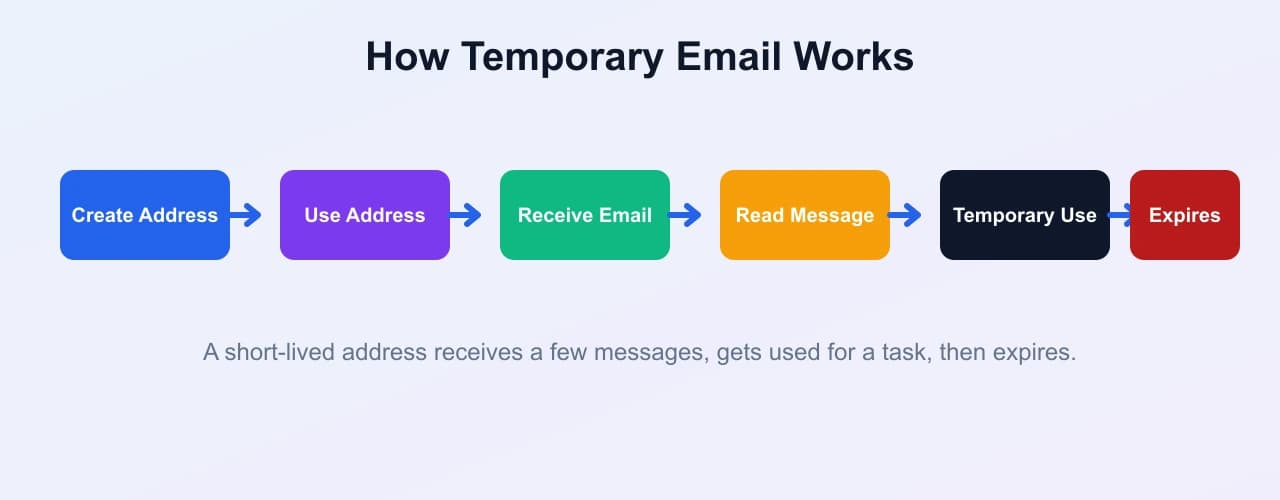
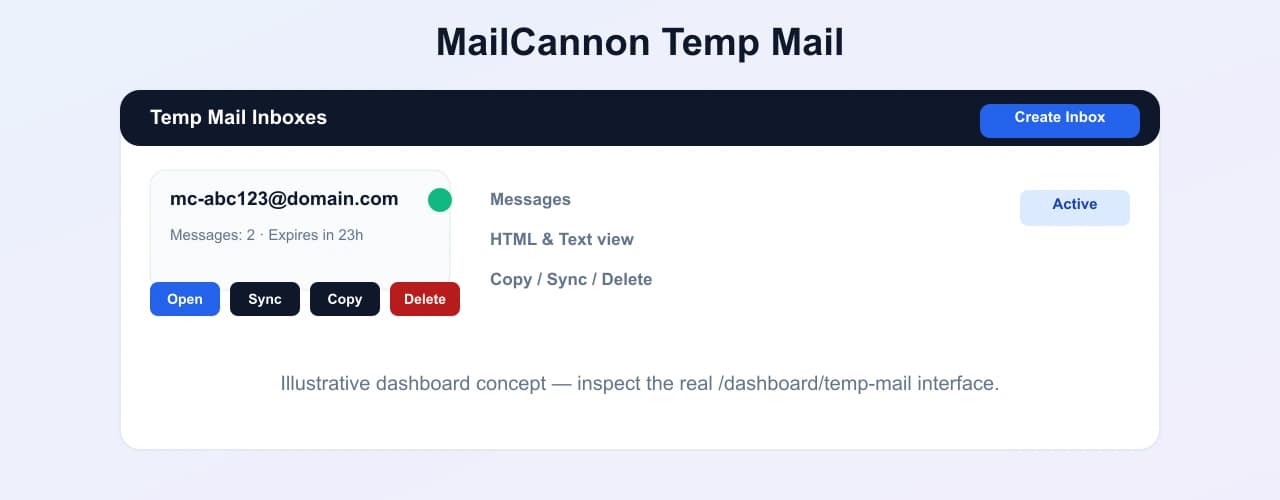
In MailCannon's Temp Mail, the process is handled inside the dashboard. You create a temporary inbox, and the system generates a short-lived address for you. You copy that address, use it where you need it, then open the inbox in your dashboard to read the messages that arrive. Inboxes are tied to your account, expire after a set lifetime, and can be deleted or synced manually to pull in new messages.
What Is a Temporary Email Address Used For?
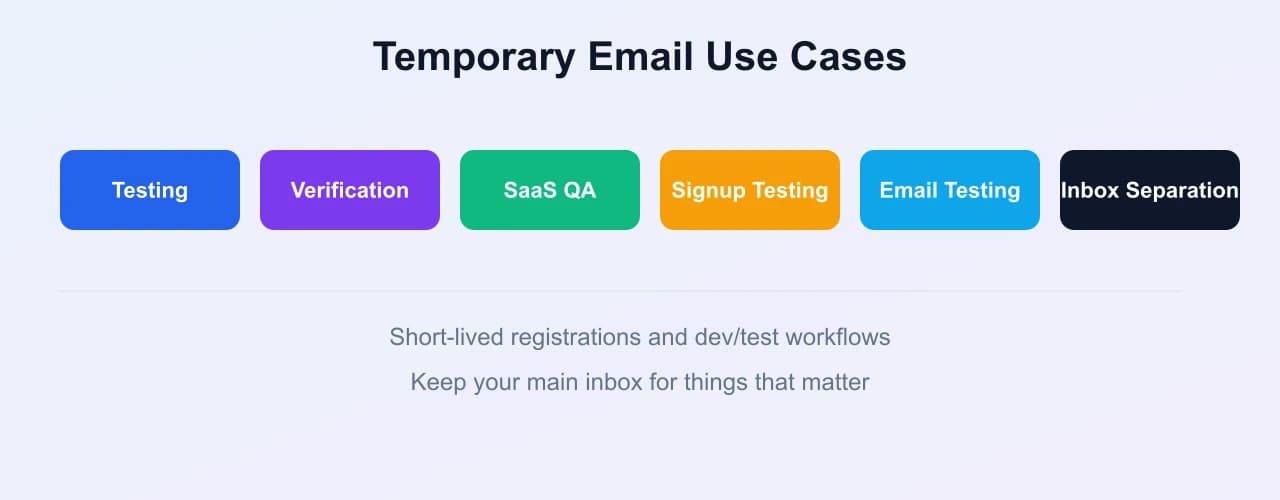
Temporary email addresses are useful for a range of legitimate, short-term tasks.
1. Testing websites
Developers can use temporary addresses during signup-flow testing without creating yet another real account in their own inbox.
2. Testing SaaS applications
Temporary inboxes are handy for testing:
- Registration
- Verification
- Welcome emails
- Password reset workflows
- Notification systems
3. Receiving one-time verification emails
Some services accept temporary addresses for one-time verification codes and OTP messages, while others block them. It depends on the specific service. When you are testing or registering, verifying an address before you rely on it can save time — MailCannon's email checker reviews syntax, domain, and reachability signals to help spot invalid or risky addresses.
4. Separating short-term registrations
When someone does not want short-lived registrations mixed into a primary inbox, a temporary address keeps that activity separate.
5. QA and development
QA teams can use temporary inboxes to test email workflows end to end without a dedicated test mailbox.
6. Avoiding unnecessary newsletter clutter
Users can keep promotional or newsletter noise out of a main inbox. As always, users should still respect the service's terms.
7. Testing email campaigns
This is especially relevant to a platform like MailCannon. Marketers and developers can use controlled test addresses to verify:
- Email rendering
- Links
- Subject lines
- Content
- Delivery behavior
Temporary addresses are not a substitute for a proper email testing platform, but they can be a useful part of a review workflow before a campaign reaches a real audience.
Temporary Email vs Disposable Email
Temporary email and disposable email are often used interchangeably. There can be a subtle difference in emphasis:
- Temporary email emphasizes lifespan — a short-lived address.
- Disposable email emphasizes one-time or short-term use.
In practice, the terminology varies between services, and many tools are described with both terms. In this guide they refer to the same general idea.
Temporary Email vs Your Main Email Address
Use a permanent email address for things that matter long term:
- Banking
- Government services
- Important accounts
- Long-term communication
- Password recovery
- Business communication
Use a temporary email address for:
- Short-term testing
- Disposable registrations
- Temporary verification
- Development and QA
- Services where long-term access is not needed
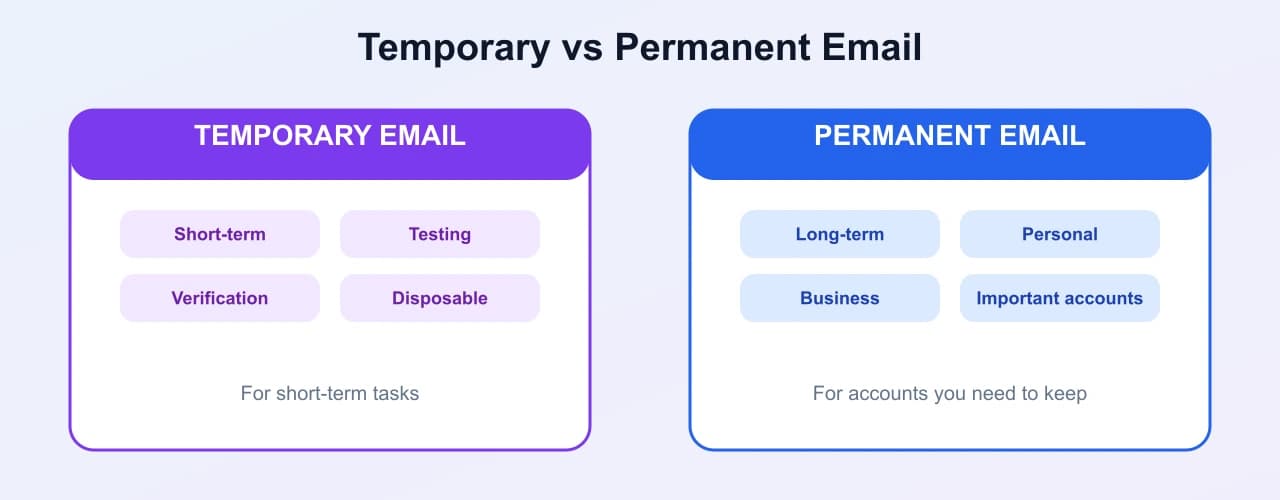
Important: do not use a temporary email address for critical accounts. If the address expires, you may lose the ability to recover the account.
Benefits of Using Temporary Email
Some of the practical benefits of temporary email include:
- Inbox separation
- Reduced clutter
- Useful for testing
- Convenient for short-term registrations
- Helps isolate temporary communications
- Faster QA workflows
- Useful for developers
- No need to use a primary inbox for every short-lived interaction
It is worth keeping expectations realistic. Temporary email provides separation and convenience; it does not automatically make you anonymous or secure.
Are Temporary Email Addresses Safe?
Temporary email can provide useful separation, but it should not automatically be considered secure or anonymous. How safe it is depends on the specific provider and implementation.
Points to consider:
- Some temporary inboxes may be publicly accessible
- Some services may recycle addresses
- Messages may have limited retention
- The service provider may have access to messages
- Some websites block disposable domains
- Temporary addresses are not appropriate for sensitive information
Do not assume that temp mail makes you anonymous, that it guarantees privacy, or that it is completely secure. Treat it as a convenience for low-stakes tasks, not as a privacy shield.
Should You Use Temporary Email for Important Accounts?
Usually, no.
Recommend a permanent, controlled email address for banking, government accounts, healthcare, insurance, important SaaS accounts, password recovery, long-term services, and business-critical accounts.
The reason is simple: if the temporary address expires or becomes inaccessible, account recovery may become difficult or impossible. For accounts you need to keep, use an address you control in the long term.
How to Create a Temporary Email Address
There are many ways to create a temporary email address. This tutorial uses MailCannon Temp Mail, which sits inside the MailCannon dashboard.
Step 1 — Open MailCannon Temp Mail
Sign in to your MailCannon account and open the Temp Mail tool in the dashboard. You need to be signed in to manage your disposable inboxes, because each inbox is tied to your account.
Step 2 — Generate a temporary email address
Click the "Create Temp Inbox" button. MailCannon generates a short-lived address for you, based on an available temporary domain. There is a small cooldown between creations, and you can keep up to a few active inboxes at the same time.
Step 3 — Copy the address
Use the Copy button next to the inbox to copy the generated address to your clipboard. You can then paste it wherever you need it.
Step 4 — Use the address
Use the address in an appropriate short-term scenario, such as signing up for a test service or receiving a one-time verification code where the service permits disposable addresses.
Step 5 — Receive the email
Return to the inbox in your dashboard and use the Sync button to pull in any new messages. Incoming mail is synced through MailCannon's server and stored securely so you can inspect it in the dashboard without exposing provider credentials in the browser.
Step 6 — Read the message
Open the inbox, select a message from the list, and read it. MailCannon displays the subject, sender, and received time, and shows the message body. Emails with both formats can be viewed in an HTML preview or as plain text, and an attachment indicator tells you whether the message includes attachments.
Step 7 — Finish your temporary task
Once you are done, you can delete the inbox from the dashboard, or simply let it expire. MailCannon temp inboxes have a limited lifetime, after which they expire and stop receiving messages, so treat them as disposable.
How Developers Can Use Temp Mail for Testing
Temporary inboxes are a common part of a developer's testing toolkit. Here is how they are used across a typical email workflow.
Signup testing
Create a test account using a temporary address so the signup flow is exercised without a real inbox.
Email verification
Verify that the application actually sends the confirmation or verification email to the supplied address and that its content is correct.
Password reset
Test password-reset workflows by requesting a reset to a temporary inbox and confirming the link and token behave as expected.
Welcome emails
Check whether new users receive the correct welcome email, with the right content and timing.
Transactional emails
Test notifications and transactional messages, such as order confirmations, alerts, and account changes.
Email templates
Verify the subject, HTML, links, images, buttons, and layout of an email template before it is sent to real users.
Multiple test accounts
Where the tool allows multiple inboxes, temporary addresses can make repeated QA testing easier by giving each test run its own fresh address. In MailCannon, you can create and manage more than one active inbox at a time, subject to a small limit.
Temporary Email for SaaS Testing
Here is a practical scenario. A developer is building myapp.com and needs to test:
- Signup
- Verification
- Welcome email
- Password reset
- Notification
A temporary email inbox can be used as a test recipient. The workflow is straightforward:
APPLICATION
↓
TEMP EMAIL ADDRESS
↓
INCOMING EMAIL
↓
VERIFY
↓
TEST RESULT
↓
FIX
↓
REPEAT
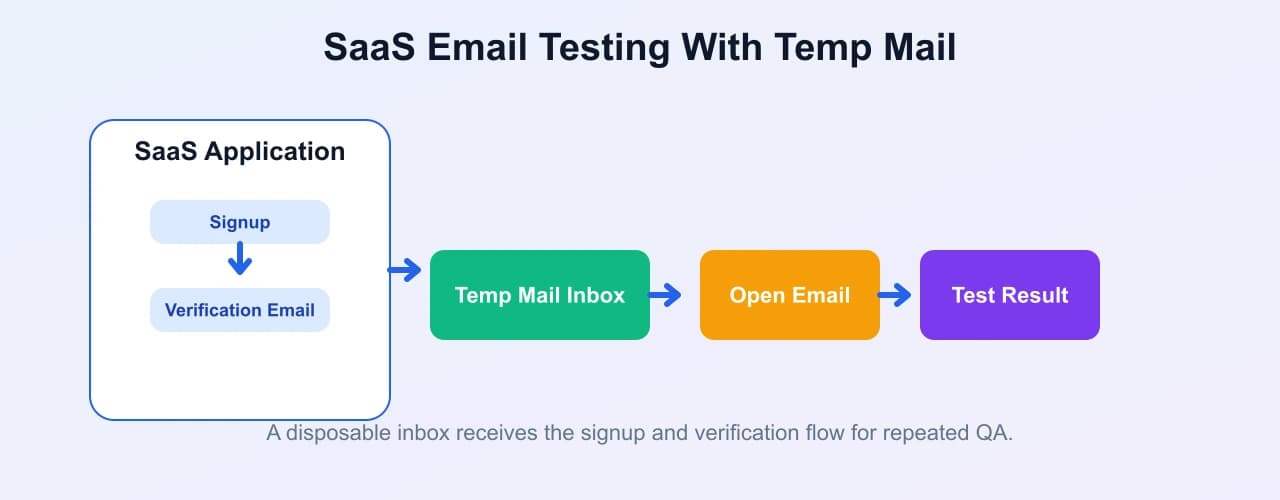
This loop is fast because a fresh temporary address can be created quickly, letting the developer run the full registration flow again without reusing a permanent address.
Temporary Email for Email Marketing Testing
This topic connects directly to MailCannon. Marketers can use controlled test inboxes to inspect campaigns before sending them to a real audience. A temporary inbox lets you review:
- Subject lines
- HTML rendering
- Links
- Images
- CTA buttons
- Formatting
- Mobile presentation
This is about reviewing and validating your own campaign. Do not use temporary addresses to artificially inflate campaign metrics, bypass unsubscribe systems, manipulate engagement, or evade anti-spam controls. Send real campaigns to people who have agreed to receive them.
If you build your own test emails, the AI HTML Email Generator article explains how to turn a written prompt into a responsive HTML template you can review before sending to a real audience.
Why Some Websites Block Temporary Email
Platforms have legitimate reasons to restrict disposable domains:
- Prevent fake registrations
- Reduce automated abuse
- Reduce fraudulent accounts
- Protect free trials
- Prevent duplicate signups
- Reduce spam
When a website blocks temporary email, you should accept that restriction and use a regular address. Do not attempt to bypass these kinds of anti-abuse systems.
Temporary Email Limitations
Before relying on temporary email, keep these limitations in mind:
- Not suitable for long-term accounts
- Some websites reject disposable domains
- Messages may expire
- Recovery may be impossible
- Some providers may recycle addresses
- Attachments may not be supported on every service
- Privacy varies by provider
- Not appropriate for sensitive information
Temporary Email vs Email Alias
These terms are sometimes confused, but they describe different things. Here is a quick comparison:
| Type | What it is |
|---|---|
| Temporary email | A short-lived address with its own temporary mailbox. |
| Email alias | An alternative address that typically forwards to a permanent mailbox. |
| Permanent account | A long-term mailbox you keep and control. |
An alias usually gives you extra addresses that still land in one permanent inbox, while a temporary email is its own short-lived inbox that eventually goes away.
Temporary Email vs Email Forwarding
A temporary inbox and email forwarding work differently. With a temporary inbox, messages are received in a temporary mailbox. With forwarding, messages are redirected to another mailbox, usually a permanent one.
Forwarding makes sense when you want to receive mail at an address but read it in your main inbox. A temporary inbox makes sense when you want a self-contained, short-lived mailbox that stays separate from your main account.
Best Practices When Using Temporary Email
- Don't use it for critical accounts
- Don't use it for sensitive information
- Check whether the service accepts temporary addresses
- Don't assume temporary means anonymous
- Understand the inbox lifetime
- Use it primarily for legitimate short-term needs
- Keep important account credentials separate
- Don't use temporary email to bypass platform restrictions
Used responsibly, temporary email is a practical tool for testing, QA, short-term registrations, inbox separation, and development workflows.
Responsible Use of Temporary Email
Temporary email is appropriate for legitimate testing, QA, short-term registrations, inbox separation, and development workflows. It is not a tool for bypassing account restrictions, creating fraudulent accounts, evading bans, circumventing anti-abuse systems, evading identity verification, creating fake accounts at scale, spamming, or abusing online services. Use it the way the tools and services you interact with intend it to be used.
Advertisement
Frequently Asked Questions
What is temporary email?
Temporary email is a short-term email address designed to receive messages without using your primary inbox. It can be useful for testing websites, receiving one-time verification messages, trying services, and separating short-lived registrations from your main email account.
What is temp mail?
Temp mail is another name for temporary email. It is a short-lived address that receives inbound messages for a limited time, then expires or can be deleted, so it does not use a permanent inbox.
How does temporary email work?
You generate a short-lived address, use it on a website or service, receive incoming email in that temporary inbox, read the message or verification code, and then let the address expire or delete it when you are done.
What is a disposable email address?
A disposable email address is a short-lived address used for one-time or temporary activity. Temporary email and disposable email are often used interchangeably, with temporary emphasizing lifespan and disposable emphasizing one-time or short-term use.
Is temporary email free?
Many temporary email services, including MailCannon Temp Mail, let you create disposable inboxes without paying a fee. Exact limits and policies vary by provider, so check the specific service you use.
Can I use temporary email for verification?
For many services, yes. A temporary inbox receives OTP emails and confirmation links just like a regular inbox, so you can copy the code and finish your signup. Some websites block known disposable domains, so it does not work everywhere.
Can I use temporary email for testing?
Yes. Developers, QA teams, and marketers commonly use temporary inboxes to test signup flows, verification emails, password resets, notifications, and email templates without polluting a real inbox.
Is temporary email safe?
Temporary email can provide useful separation for low-stakes tasks, but security and privacy depend on the specific provider. It should not be treated as anonymous or as a substitute for a secure account, and it is not appropriate for sensitive information.
Is temporary email anonymous?
Not necessarily. Temporary email is not anonymous by default. The provider and the service you register with may still record information, and some temporary inboxes are public or recycle addresses, so do not assume anonymity.
How long does a temporary email address last?
Lifetimes vary by provider. Some expire in minutes or hours, others last days. For example, a MailCannon Temp Mail inbox expires after a set lifetime on the server, and you can delete it whenever you are done.
Why do websites block temporary email?
Platforms often block or restrict disposable domains to prevent fake registrations, reduce automated abuse and fraudulent accounts, protect free trials, prevent duplicate signups, and reduce spam. You should not try to bypass these restrictions.
Can I use temporary email for important accounts?
Usually not. Temporary email is not recommended for banking, government, healthcare, insurance, or business-critical accounts, because if the address expires you may lose access to account recovery.
What is the difference between temporary email and an email alias?
A temporary email is a short-lived address with its own temporary mailbox. An email alias is an alternative address that typically forwards to your permanent mailbox. A permanent account is a long-term mailbox you keep and control.
How do I create a temporary email address?
Open a temporary email service, choose or generate an inbox, and copy the generated address to use on the website or service you are testing. To create one inside MailCannon, open MailCannon Temp Mail in the dashboard and create a new temporary inbox.
How can developers use temporary email for testing?
Developers can use temporary inboxes to test signup, email verification, password reset, welcome emails, transactional notifications, and email template rendering without sending test messages to a real inbox.
Conclusion
Temporary email is a short-lived, disposable address useful for testing, verification, and short-term registrations while keeping activity out of your primary inbox. It is not anonymous, not secure by default, and not appropriate for important or sensitive accounts.
For developers, QA teams, and marketers, a temporary inbox can make testing email workflows faster and cleaner. If you are already using MailCannon, the Temp Mail tool gives you disposable inboxes right inside the dashboard. For related reading, see our guides on temp mail for verification codes and info email addresses.
Create a Temporary Inbox With MailCannon
Get a disposable email address, receive verification and test messages, and inspect them safely from your dashboard.
Advertisement