Advertisement
AI HTML Email Generator: How It Works and How to Use It
An AI HTML email generator turns a written prompt into a responsive email template. You describe the email you want, and the tool produces HTML markup you can preview, edit, copy, and use in your next campaign.
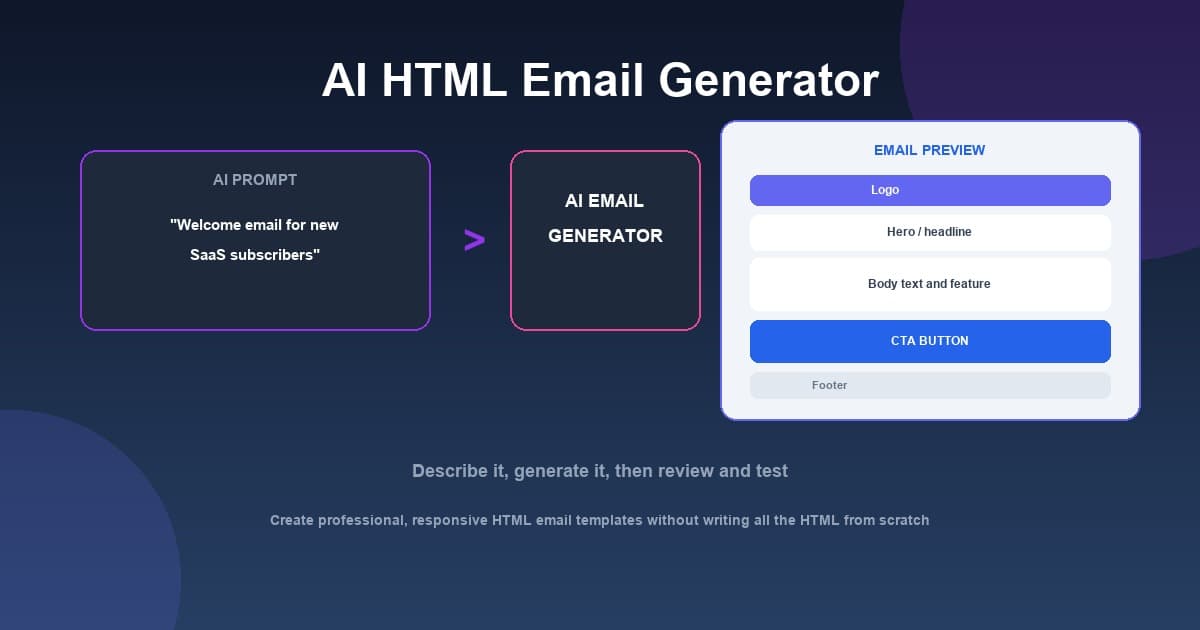
To create an HTML email with AI:
- Describe your email — write a prompt that explains the purpose and audience
- Generate the template — let the AI produce the HTML based on your request
- Preview the result — check how it looks before sending
- Edit if needed — refine the copy or the HTML directly
- Copy and use it — bring the HTML into your email tool and test before sending
An AI HTML email generator is a practical place to start, but the output is a starting point, not a guarantee. Testing, review, and good email practices still matter.
MailCannon provides a free AI HTML email generator that turns a description into a responsive template. You can build a MailCannon's AI HTML Email Generator output directly in your browser without signing in.
What Is an AI HTML Email Generator?
An AI HTML email generator is a tool that creates HTML email markup from a text description. Instead of writing tables, spans, and styles by hand, you tell the tool what you need — for example, a welcome email for new subscribers — and it produces a template you can use.
Email is different from a normal web page. Most popular email clients do not support JavaScript, and they handle CSS inconsistently. That is why well-built email templates rely on a table-based layout and careful styling rather than modern web techniques. A good AI generator understands this constraint and produces email-appropriate code, not just any HTML.
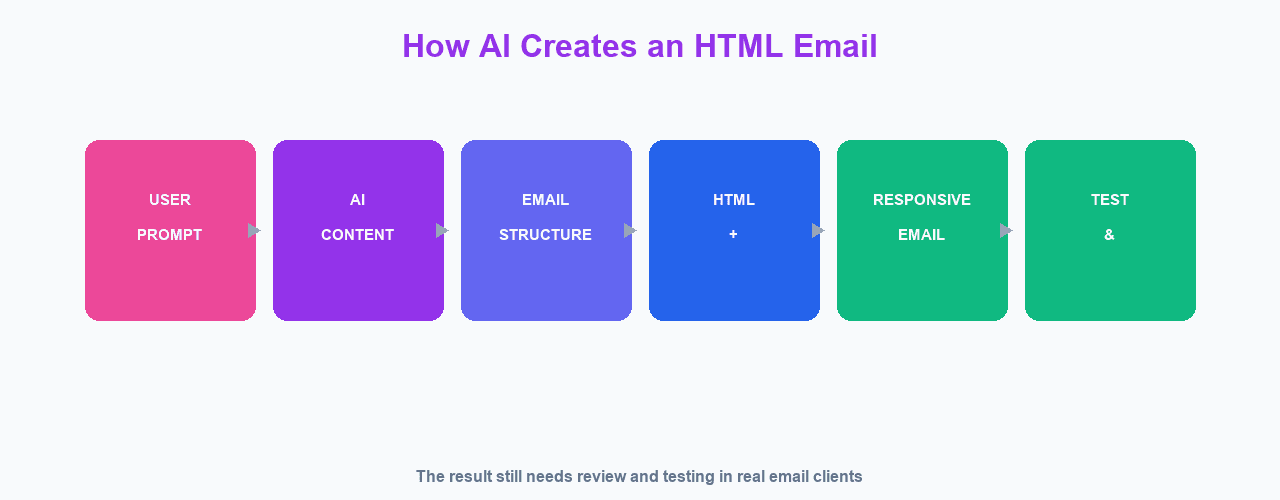
The process usually looks like the diagram below: you start with a prompt, the AI produces the content and structure, the template becomes HTML and CSS, and the result is a responsive email ready for review and testing.
Why Use an AI HTML Email Generator?
People use AI email generators to save time and to get a clean starting point:
- Speed — generate a first draft in seconds instead of writing code by hand
- Structure — get email-compatible, table-based markup from the start
- Copy help — ask for subject-line suggestions, headings, and body text
- Consistency — generate welcome, promotional, and update emails with a similar feel
- Learning — see how professional email HTML is structured
The main value is a solid first draft. The tool handles the repetitive parts so you can focus on your message, your brand, and your goals.
How an AI HTML Email Generator Works
Most AI email generators follow a similar flow. You open the tool, click a button that says something like "Generate with AI", and describe what you want. The tool then sends your description to an AI model, which returns email HTML.
At MailCannon, the flow works like this:
- Open the AI HTML Email Generator tool
- Click Generate with AI
- Describe your email in the prompt box, such as "Create a welcome email for new SaaS subscribers"
- Click Generate Template
- Review the generated template in the Preview tab
The model is instructed to return valid, production-ready email HTML using a table-based layout for compatibility. It keeps dynamic placeholders such as {{username}}, {{email}}, and {{current_year}} so your campaign can personalize each message. It also includes a footer with the reason for receiving the email, an unsubscribe link placeholder, a business address, and a copyright line that uses the current year.
If you already have a template, you can also use the prompt to update it — for example, to improve the call-to-action, clean up the design, or restyle an existing email — and the AI will modify your current HTML instead of starting from scratch.
AI HTML Email Generator vs Manual Coding
Comparing AI generation with writing everything by hand helps you decide when to use each approach.
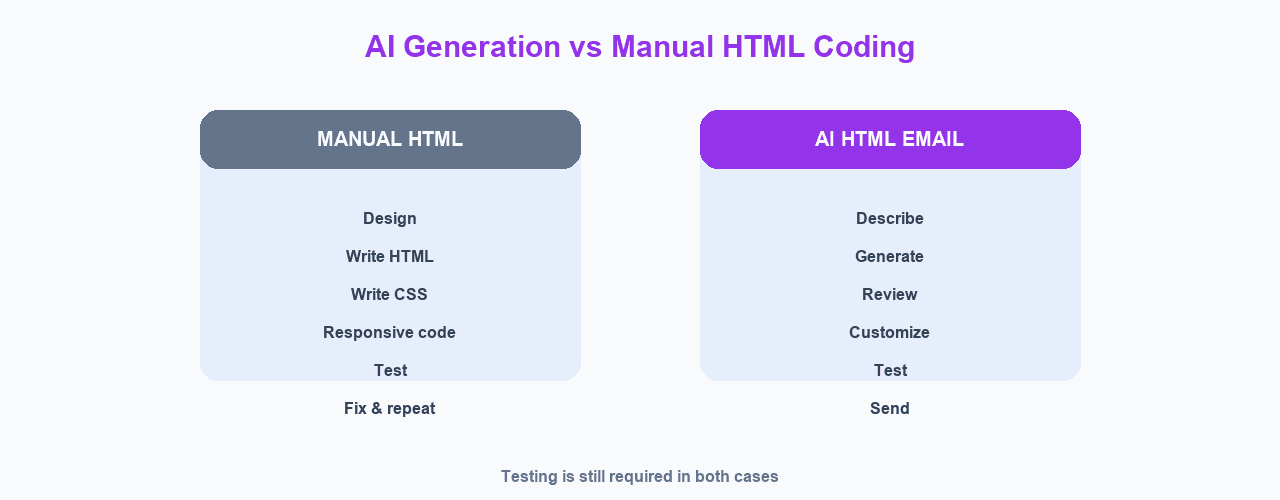
Manual coding gives you full control over every element, but it is slow. Each template involves design, writing the HTML and CSS, making it responsive, testing in multiple clients, and fixing issues before repeating the cycle.
AI generation compresses the early steps. You describe what you want, the tool generates a layout, and you move to review, customization, and testing much faster.
In both cases, testing is still required. AI output is a starting point. You still need to verify how the email renders in real clients and confirm the copy is correct.
What an AI Email Generator Does Well
Used well, an AI email generator can help you:
- Produce email-appropriate, table-based HTML quickly
- Draft persuasive body copy for a specific goal
- Keep placeholder variables so messages are personal instead of generic
- Include a proper footer with unsubscribe and address details
- Restyle or improve an existing template through a simple prompt
What an AI Email Generator Can't Do
It is important to be realistic about limits:
- It can't guarantee inbox delivery — deliverability depends on your sending reputation, authentication, and recipient behavior
- It can't fully replace email client testing — you must check rendering in real clients
- It can't know your brand perfectly — you need to add accurate colors, logo, and tone
- It can't read minds — the better your prompt, the better the result
- It needs human review — check facts, links, and compliance before sending
Writing a Good Prompt for an AI Email Generator
The quality of the output depends heavily on the prompt. Be specific about the goal, the audience, the tone, and any details you care about.
Here are a few example prompts:
- "Create a welcome email for new SaaS subscribers with a friendly tone and a call-to-action to start the free trial."
- "Generate a promotional email announcing a 20% discount, with a clear primary button and a clean, minimal design."
- "Improve the call-to-action on my existing newsletter template and make the spacing cleaner."
Mentioning the audience, the desired action, and the tone gives the AI more useful context and leads to a stronger draft.
Advertisement
Steps to Create an HTML Email With an AI Generator
Here is a practical, step-by-step workflow:
Step 1: Define your goal
Decide what the email should accomplish — welcome, promotion, update, or another purpose — and who will read it. This guides both your prompt and your review.
Step 2: Write a clear prompt
Describe the purpose, audience, and tone. For example: "a welcome email for new account signups with a friendly tone and a button to complete the setup".
Step 3: Generate the template
Use your tool's AI button, enter the prompt, and generate. MailCannon's tool creates a responsive template with placeholders and a standard footer automatically.
Step 4: Preview and edit
Preview the email with sample values so you can see how the placeholders appear in context. Switch to the code view if you need to adjust the HTML, then copy the final markup.
Step 5: Test before you send
Send a test to different clients, on desktop and mobile, and fix rendering issues. Testing is the step people skip most often, and it is the one that protects your results.
Responsive HTML Email Design
Most people open email on a phone, so a responsive template matters. A responsive email adjusts its layout so it is readable on a large desktop screen or a narrow phone screen.
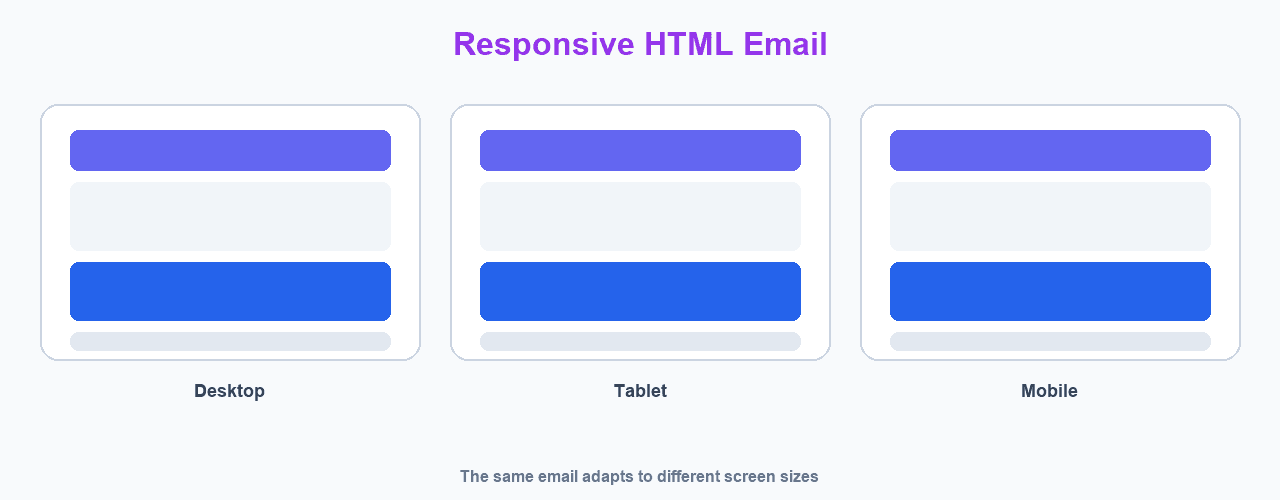
A good AI generator starts from a responsive, table-based structure. It is still worth verifying that single-column content stacks cleanly, buttons are tappable on mobile, and text sizes remain readable.
HTML Email Best Practices
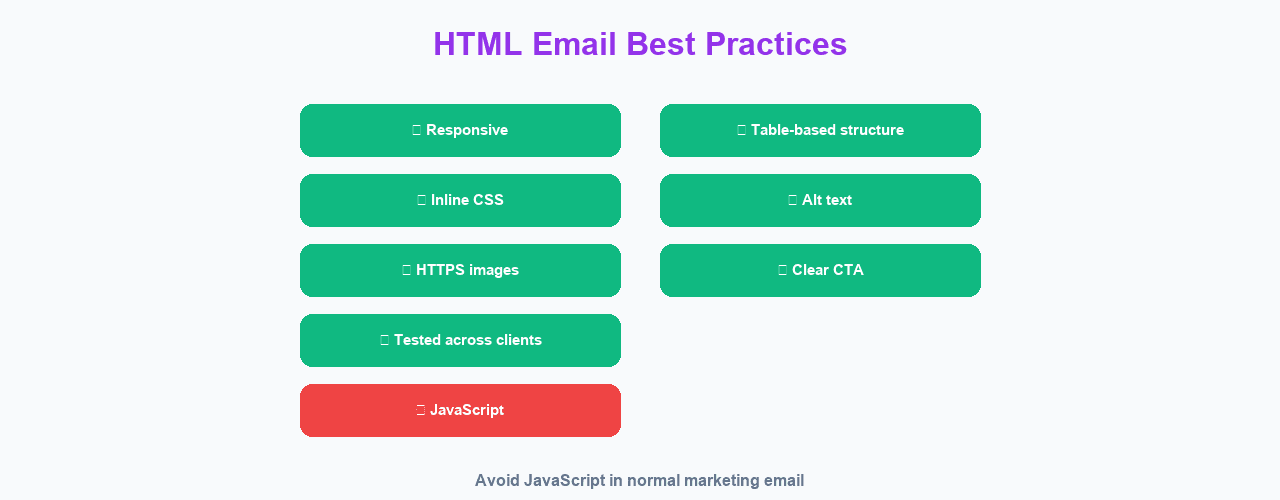
Keep these principles in mind when reviewing AI-generated (or any) email HTML:
- Use table-based layout for broad email client support
- Prefer inline or embedded styles over modern CSS that many clients ignore
- Add alt text to images so the message is clear when images don't load
- Host images over HTTPS and avoid relying on broken or slow links
- Include one clear call-to-action
- Keep a proper footer with unsubscribe information and your address
- Avoid JavaScript, which most normal marketing email clients strip
Personalization in AI-Generated Emails
Generic emails get ignored. Dynamic placeholders let you turn one template into many personal messages. MailCannon's AI generator includes placeholders like {{username}}, {{email}}, and {{current_year}} so templates are ready to personalize.
When you send, MailCannon replaces these variables with real data from each contact, giving each recipient a version of the email with their own name and greeting. For more, see our guide on email personalization.
How to Use MailCannon's AI HTML Email Generator
MailCannon's AI HTML Email Generator is a free tool that runs in your browser. You can use it without signing in, which makes it a handy way to draft templates on the spot.
Step 1: Open the generator
Go to the AI HTML Email Generator. No login is required on the public tool.
Step 2: Click Generate with AI
Use the "Generate with AI" button to open the prompt dialog.
Step 3: Describe your email
Type what you want, such as a welcome email for new subscribers. If you already have HTML in the editor, the prompt can update or replace it.
Step 4: Generate the template
Click "Generate Template". The AI returns a responsive template with placeholders and a standard footer, and previews it for you.
Step 5: Review and copy
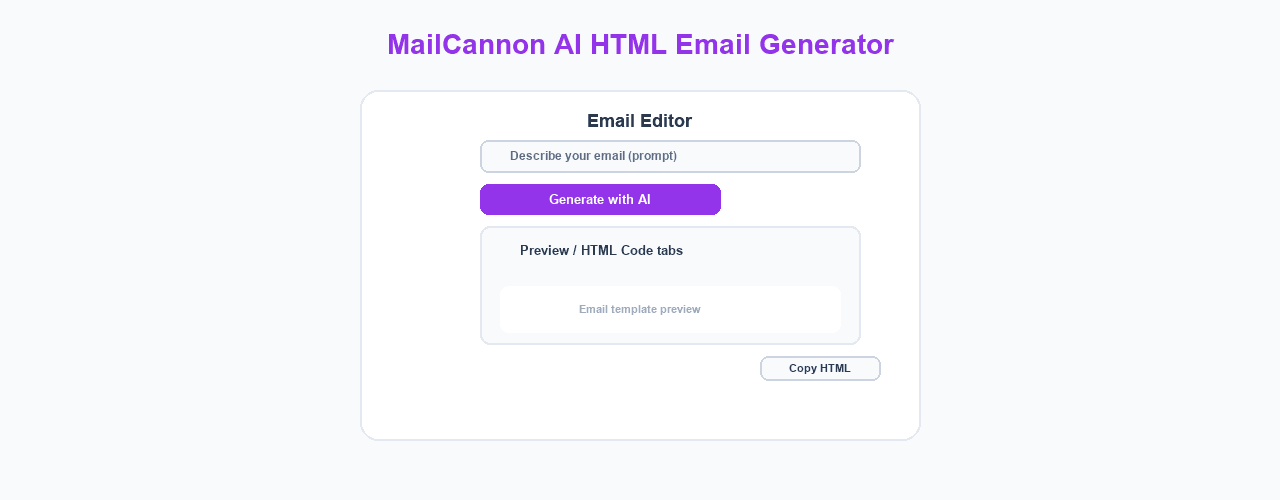
Use the Preview tab to check the result and the HTML Code tab to edit it if needed. When you are happy, use Copy HTML to grab the markup for your campaign.
Reviewing AI-Generated Email Before You Send
Always do a final review before sending an AI-generated email:
- Read the copy for accuracy and tone
- Confirm the call-to-action and links point where they should
- Check that placeholder variables are correct
- Verify the footer includes a working unsubscribe option
- Make sure images use HTTPS and load correctly
- Test in multiple email clients on desktop and mobile
Reviewing is what turns a fast draft into a reliable campaign.
AI Email Generators and Deliverability
A template won't save you from deliverability problems. Your emails still depend on sending reputation, SPF/DKIM/DMARC authentication, and recipient engagement. AI can create the markup, but it can't fix a poor sender reputation.
Learn the basics in our guides on email deliverability, SPF, DKIM, and DMARC, and how to improve email deliverability. Understanding SMTP connects that foundation to how email actually travels, explained in What Is SMTP?.
AI Email Generator Best Practices
To get the most out of any AI email generator:
- Write specific prompts that include audience, tone, and goal
- Iterate — ask the AI to improve sections rather than restarting
- Keep your brand colors, logo, and voice in the template
- Use placeholders to personalize individual messages
- Maintain a clean, well-managed list
- Always test in real email clients before sending
For reaching the right people, review email segmentation and keep your bounce rate low by understanding how to check if an email address exists before you send.
Advertisement
Common Mistakes to Avoid With an AI Email Generator
These are the mistakes people make most often when using AI to build email:
- Sending without reviewing — AI can introduce wrong facts, broken links, or awkward copy; always read the output
- Failing to personalize — a template without placeholders feels generic; use variables to address each recipient
- Ignoring the footer — a missing unsubscribe link or address can hurt compliance and trust
- Forgetting to test — email renders differently across clients, and testing catches the problems
- Adding unsupported features — JavaScript and modern CSS often get stripped by email clients
- Skipping image hosting — images must be online and served over HTTPS to display reliably
- Using a vague prompt — the more specific your description, the more useful the draft
Most of these are easy to avoid once you treat AI output as a draft rather than a finished email.
How to Choose an AI HTML Email Generator
Not every generator is the same. When you evaluate one, consider these factors:
- Email-compatible output — does it produce table-based, responsive HTML, or generic web HTML?
- Placeholder support — can it include variables for personalization?
- Preview and editing — can you see the result and adjust the HTML easily?
- Easy to use — is there a simple way to copy or export the final HTML?
- No unnecessary friction — is it quick to try, or does it require setup just to start?
MailCannon's AI HTML Email Generator covers all of these. It builds responsive, email-compatible templates, keeps placeholders, offers both preview and code editing, and lets you copy the HTML — all without signing in on the public tool. After you generate a template, you can bring the HTML into MailCannon to combine it with your personalization and campaign workflow.
Frequently Asked Questions
What is an AI HTML email generator?
An AI HTML email generator is a tool that turns a written description into HTML email markup. You describe the email you want, and the tool produces a template you can preview, edit, copy, and use in a campaign.
How does an AI HTML email generator work?
You write a prompt describing your goal, such as a welcome email for new subscribers. The tool analyzes the request and produces email HTML that uses table-based, responsive markup, includes placeholder variables, and adds standard footer elements.
What can an AI HTML email generator do?
It can create a new email template, update or restyle an existing template, add body copy, and include dynamic placeholders such as the recipient name and current year. The exact capabilities depend on the tool you use.
What can an AI HTML email generator not do?
It cannot guarantee inbox delivery, fix a poor sending reputation, or remove the need to test your template in real email clients. AI output always needs human review for accuracy, branding, spacing, and compatibility.
Do I still need to know HTML to use an AI email generator?
For basic use, no. You describe what you want and the tool generates the markup. However, knowing a little HTML is useful for customizing the output, reviewing it, and fixing small issues.
Is an AI-generated HTML email responsive?
Well-built generators produce responsive templates that use table-based layout, which is important for email client compatibility. Responsive output still needs to be tested because email clients vary widely.
Are AI-generated email templates safe to use?
Mostly, but you should review the output before sending. Check the copy for accuracy, add a legitimate unsubscribe link, make sure images are hosted over HTTPS, and avoid unsupported techniques such as JavaScript for normal marketing email.
Can AI generate the HTML for my email?
Yes. An AI HTML email generator can produce complete HTML markup for an email. You can then preview it, edit the HTML if needed, and copy or export it into your email tool.
Do AI email generators replace email designers?
They can save time on drafts and repetitive templates, but they do not replace the review, branding, and testing that a human provides. Treat AI output as a strong starting point, not a finished deliverable.
What are dynamic placeholders in an email template?
Dynamic placeholders are variables in a template that get replaced with real data when a campaign is sent, such as the recipient's name, email, or the current year. Personalized emails typically perform better and feel less generic.
How do I use MailCannon's AI HTML Email Generator?
Open the tool, click Generate with AI, type a description of the email you want, and generate. The tool returns a responsive template you can preview, edit in a code tab, and copy as HTML to use in MailCannon.
Is MailCannon's AI HTML Email Generator free?
MailCannon provides a public AI HTML Email Generator that you can use without signing in. As with any tool, check the current page for the most up-to-date availability and any usage details.
Conclusion
An AI HTML email generator saves time by turning a written prompt into a responsive, email-compatible template. Use it to draft fast, then personalize with placeholders, review carefully, and test in real clients before you send. Try MailCannon's AI HTML Email Generator to create your next template without writing all the HTML from scratch.
Create an HTML Email With MailCannon
Use the free AI HTML Email Generator to turn a description into a responsive, personalized template in seconds.
Advertisement