Advertisement
What Is Email Segmentation? How to Segment Your Email List
Email segmentation is the process of dividing an email audience into smaller groups based on shared characteristics, behaviors, interests, preferences, or customer status, so you can send more relevant messages to each group.
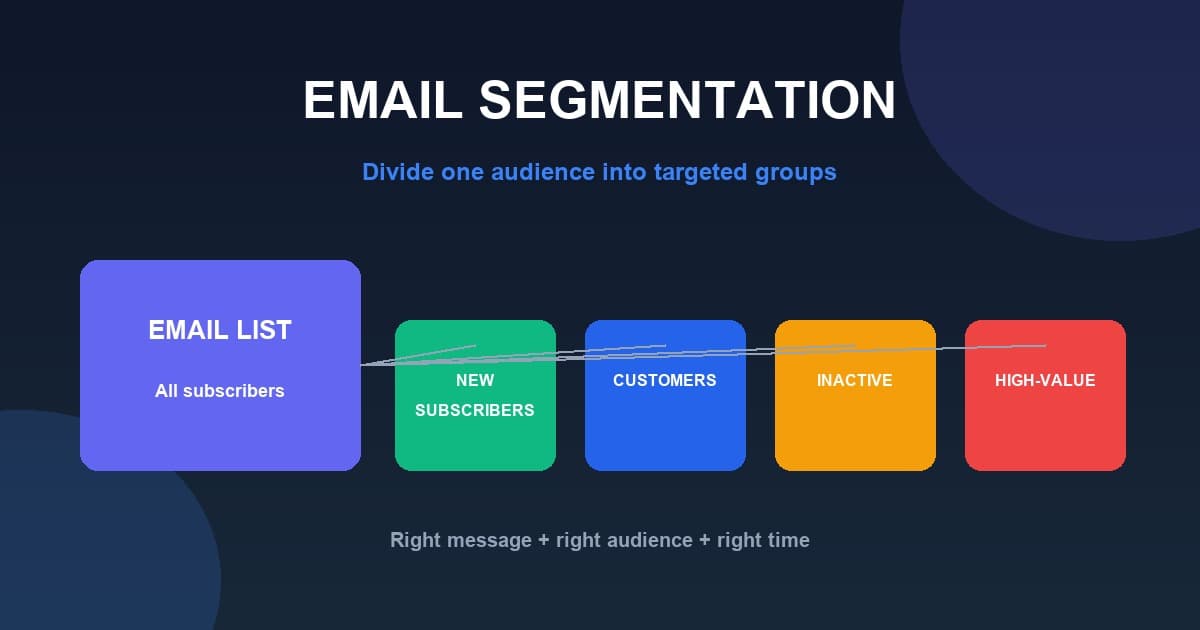
Sending exactly the same email to every subscriber is rarely the best approach. Your audience is made up of different people at different stages: some are brand-new subscribers who just joined, some are active customers, and some have not engaged in months. Email segmentation helps you treat these groups differently by working toward the idea of the right message, to the right audience, at the right time.
In this guide you'll learn what email segmentation is, why it matters, ten ways to segment a list, practical examples, a step-by-step process, common mistakes, and how segmentation connects to email deliverability and subscriber preferences.
What Is Email Segmentation?
Email segmentation, also called email list segmentation or audience segmentation, is the practice of dividing your subscribers into smaller groups. Each group shares something in common that makes it meaningful for the messages you send. The key terms:
- Audience — all the subscribers on your list
- Segment — a smaller group within that audience
- Criteria — the characteristics or behaviors you use to group people
- Targeted campaign — a campaign sent to a specific segment rather than the whole list
Here is a simple example. Instead of sending a "20% off everything" offer to all 10,000 contacts, a business could create segments such as:
- New subscribers
- Existing customers
- Customers who purchased recently
- Customers who have not purchased recently
It can then send a different, more relevant message to each group instead of one generic message to everyone.
Why Is Email Segmentation Important?
Segmentation is a widely recommended email marketing best practice because it supports more relevant, wanted messages. The main benefits include:
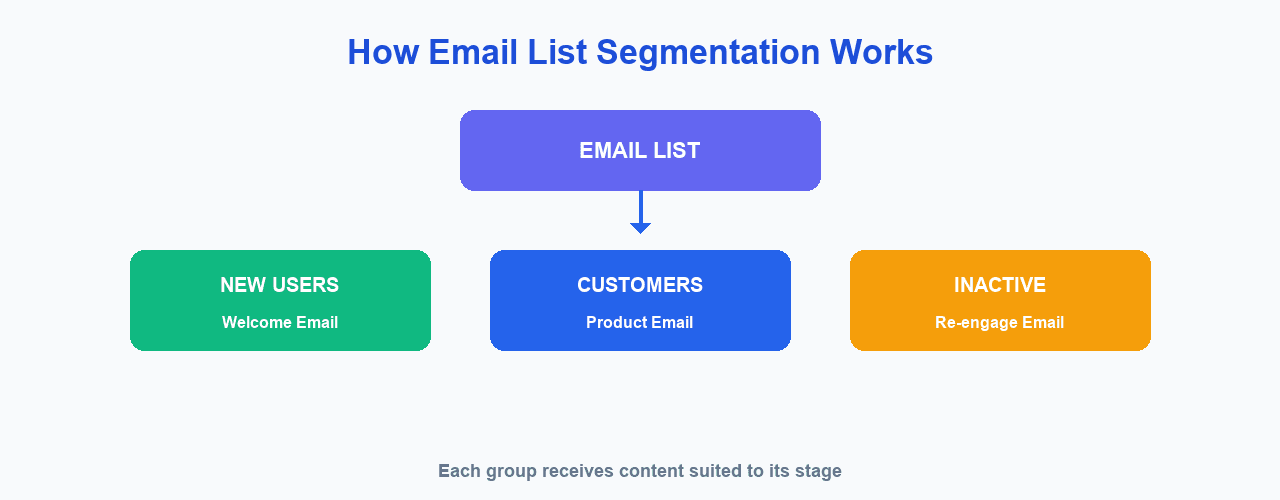
- More relevant content — each group receives content suited to its needs
- Better customer experience — subscribers are less likely to feel spammed
- More targeted campaigns — messages match the audience they reach
- Better engagement — relevant messages are more likely to be opened and acted on
- Better conversion opportunities — the right offer can reach the right people
- Fewer irrelevant messages — subscribers only get what is useful to them
- Better campaign analysis — you can see which groups respond best
- Better use of subscriber data — the data you collect becomes more valuable
Be careful with broad claims about open rates and return on investment. Results depend on your audience, campaign, industry, and how well you execute. Segmentation is a strong practice, but it does not automatically guarantee better performance.
Email Segmentation vs Personalization
Segmentation is about grouping subscribers. Personalization is about customizing the message for an individual or a group.
- Segmentation example: "Send this campaign to customers who purchased a product."
- Personalization example: "Hi Sarah, here is a recommendation based on your previous purchase."
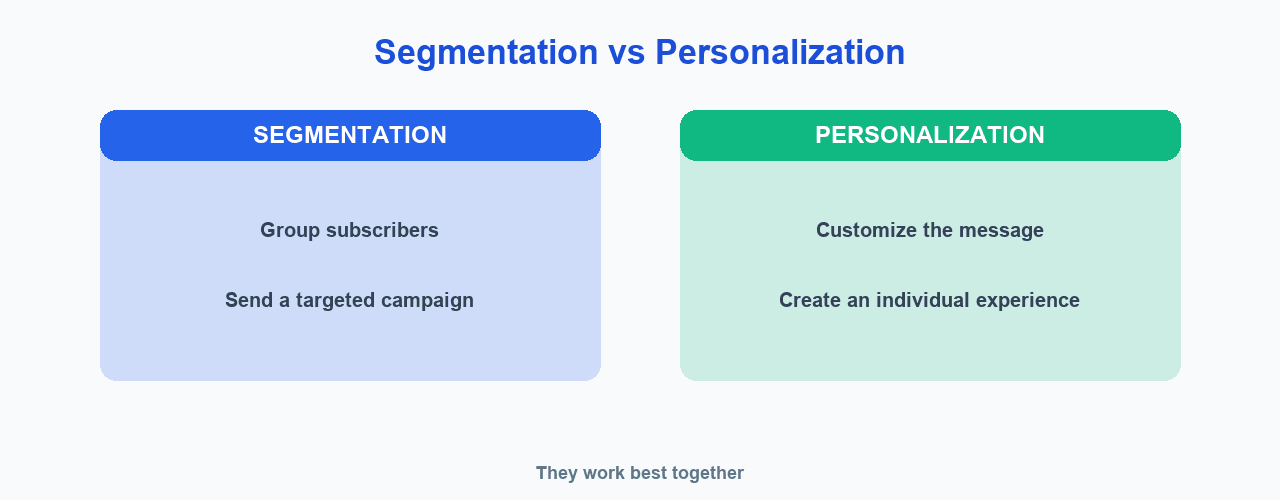
Segmentation and personalization can work together. You might segment by customer status to decide who should receive a campaign, then personalize each message with the recipient's name, an offer, or a recommendation that is relevant to them.
You can also combine multiple criteria within one segment. For example, a retail brand might create a segment of repeat customers who live in a specific region and have not purchased in 60 days. Combining rules makes segments more precise, but it also shrinks them, which is why it is usually wise to start broad and add detail only when a clear campaign goal calls for it.
10 Ways to Segment an Email List
Here are ten common ways to divide your email list into useful segments.
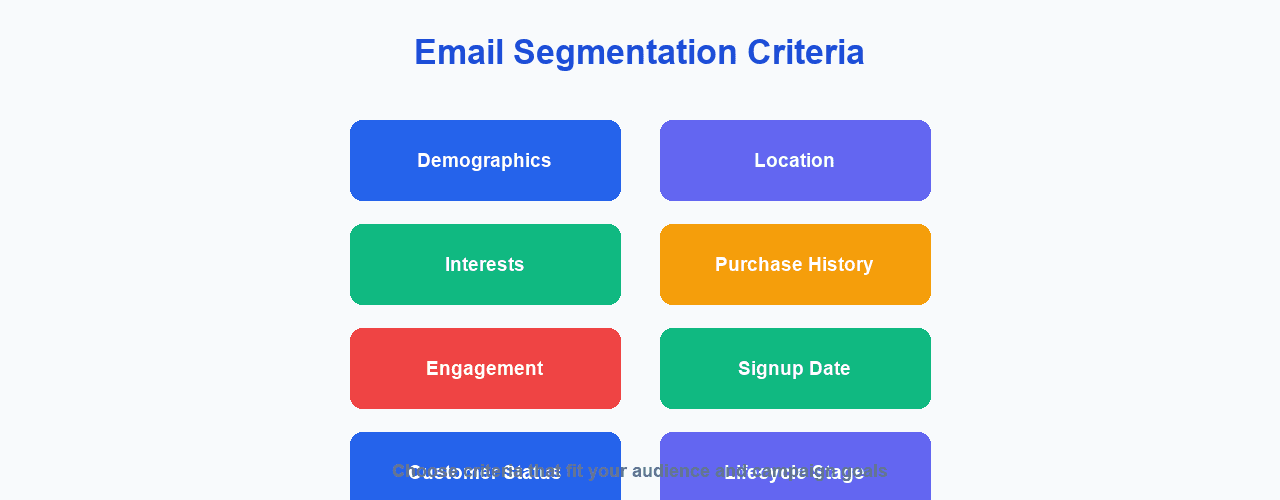
1. Demographics
Group contacts by personal or business details such as age, gender where relevant, job role, company size, or industry. Only collect and use data that is relevant and appropriate for your campaigns, and always respect consent and applicable privacy requirements.
2. Geographic Location
Group by country, region, city, or time zone. This supports local promotions, events, regional offers, localized content, and time-zone-aware sending so your emails arrive at a reasonable hour.
3. Signup Date
Separate new subscribers, subscribers from the last 30 days, and long-term subscribers. This is useful for welcome campaigns, onboarding, and loyalty campaigns for existing subscribers.
4. Customer Status
Group people as prospects, trial users, customers, former customers, or VIP customers. Messaging can differ for each: a prospect needs education, a new customer needs onboarding, and a VIP customer may appreciate exclusive offers.
5. Purchase History
Segment by never purchased, purchased once, repeat customers, high-value customers, and recent buyers. This supports relevant product recommendations, cross-sells, and win-back offers.
6. Email Engagement
Group by recently engaged, frequently engaged, inactive, or never engaged. Interpret engagement data carefully. For example, Google notes that it does not track open rates and cannot verify the accuracy of third-party open-rate data, so open rates are not a perfect measure of engagement. Behavior such as clicks and purchases can be more meaningful signals.
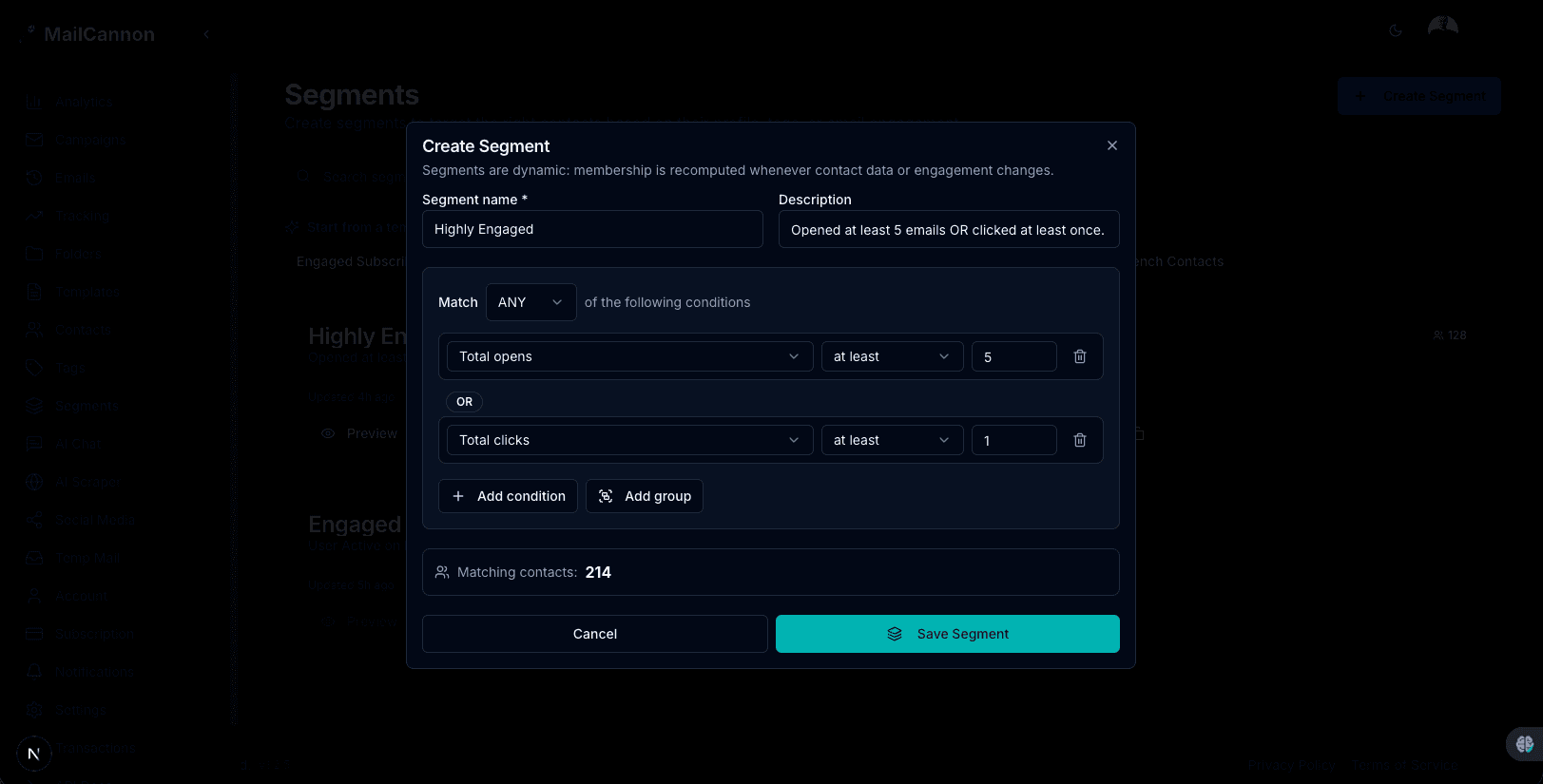
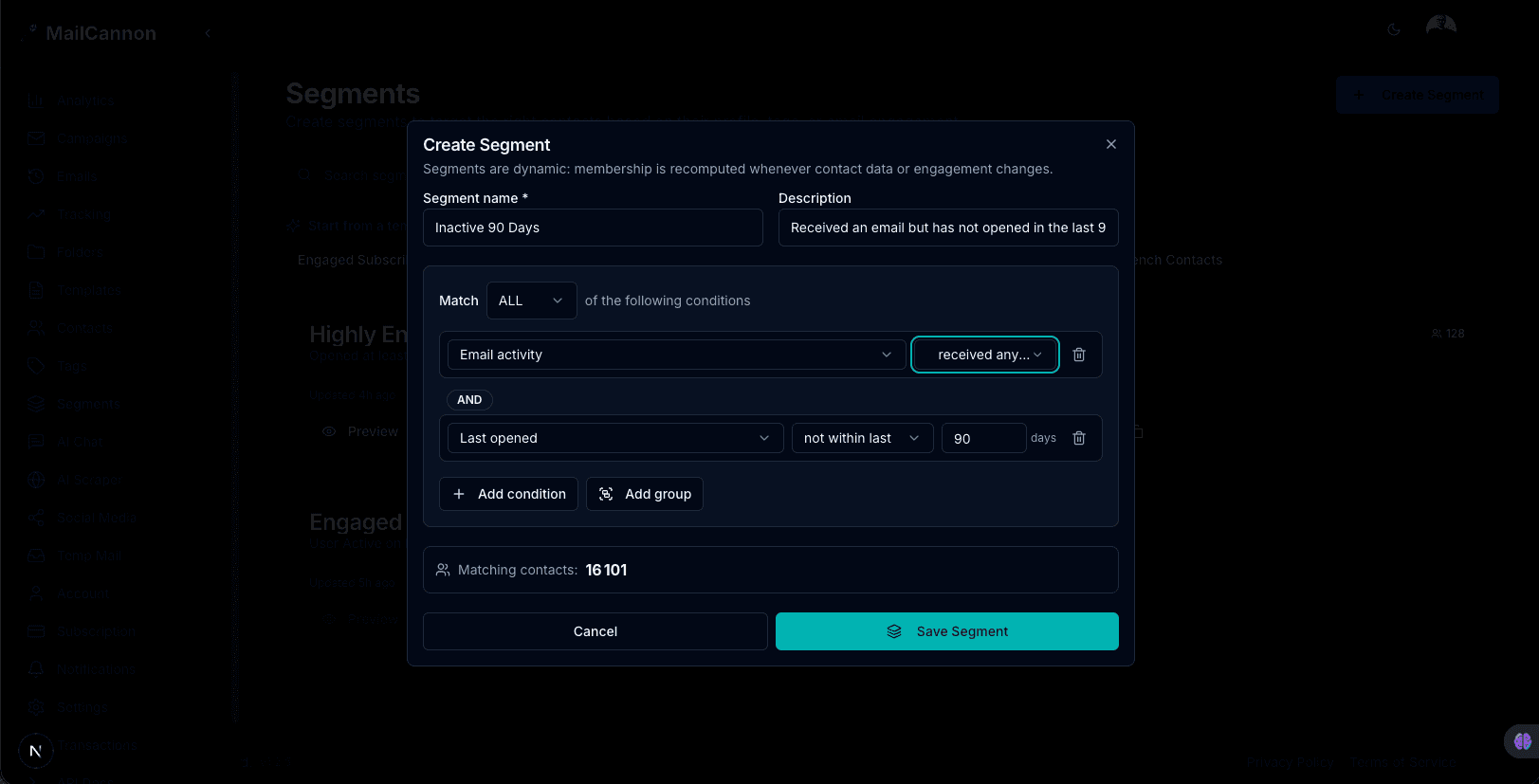
Two of the most useful engagement segments are your engaged subscribers, who regularly open and click, and your inactive subscribers, who have not engaged in a while. In MailCannon, both are available as ready-made templates in the Segments dashboard, so you can build them in a couple of clicks.
7. Website Behavior
Where your data collection and privacy practices allow it, segment by whether someone visited a page, downloaded content, viewed a product, started a signup, or abandoned a process. Always obtain appropriate consent and follow applicable privacy practices.
8. Customer Interests
Group by product category, content topic, service type, or newsletter topic. This lets you send people the subjects they actually care about.
9. Lead Source
Segment by how someone joined: website, social media, advertisement, webinar, referral, or event. The acquisition source can help you understand what the audience was looking for and their intent.
10. Customer Lifecycle Stage
Group by new lead, qualified lead, trial, new customer, returning customer, at-risk customer, or former customer. Each stage benefits from different messaging.
Email Segmentation Examples
Here are practical segmentation examples for different types of business.
E-commerce store
- New customers
- Repeat customers
- Abandoned-cart users
- High-value customers
- Inactive customers
SaaS company
- Free users
- Trial users
- Paying customers
- Recently activated users
- Inactive users
Local business
- Customers by location
- New customers
- Returning customers
- Customers interested in specific services
B2B company
- Industry
- Company size
- Job role
- Lead stage
- Existing customer
How to Segment an Email List Step by Step
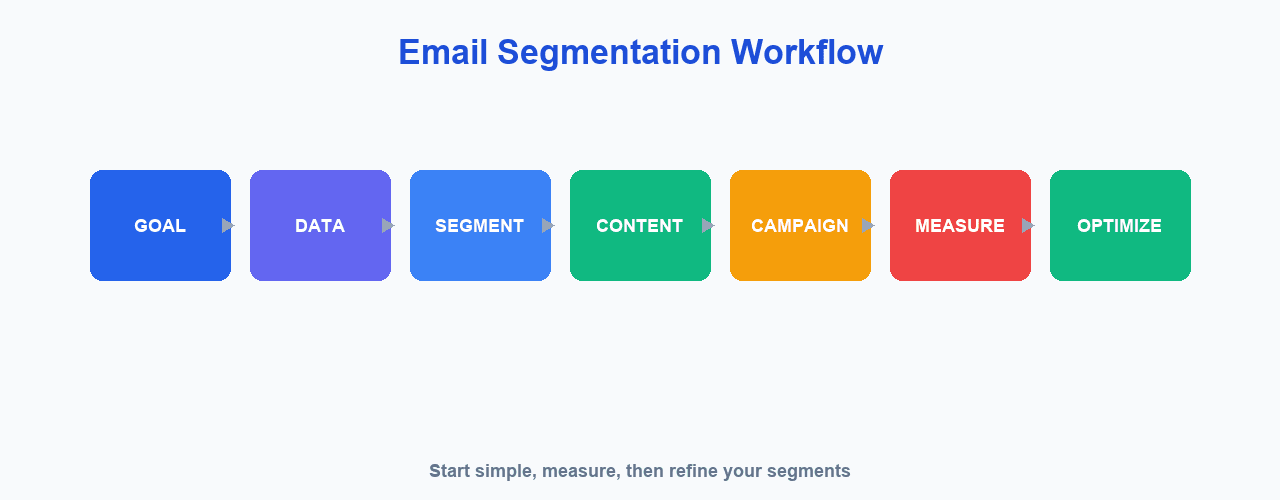
Follow this practical seven-step process.
- Define the campaign goal — know what you want to achieve
- Identify the audience — decide which group of people the goal applies to
- Choose useful segmentation criteria — pick the characteristics or behavior that matter
- Collect reliable data — use accurate, up-to-date data you are allowed to use
- Create the segment — build the group in your tool. If you use MailCannon, you can create and manage segments in the Segments dashboard.
- Create relevant content — write a message that suits that group
- Measure and improve — review results and refine your segments over time
Segmentation should start simple. You can always add more segments later once you see what works.
A practical way to evaluate segmentation is to compare a segmented campaign against a previous, unsegmented one using the same goal. Look at open and click behavior, replies, conversions, and unsubscribe or spam-complaint rates. If the segmented version performs better without hurting the subscriber experience, your criteria are useful. If results are similar, your segments may need better criteria rather than more of them.
Start With Simple Segments
Creating too many tiny segments can make your campaigns unnecessarily complicated. A good place to start is with 3 to 5 useful segments, such as:
- New subscribers
- Active subscribers
- Inactive subscribers
- Customers
- Prospects
Refine these based on actual campaign results. As you learn which groups respond well, you can add more specific segments.
Advertisement
Common Email Segmentation Mistakes
- Creating too many segments — complexity that is hard to manage
- Using inaccurate data — segments built on outdated or incorrect information
- Using irrelevant criteria — attributes that do not matter to the campaign
- Making segments too small — groups too tiny to be worth a separate campaign
- Never updating segments — people move between groups over time
- Sending the same content anyway — defeating the purpose of segmentation
- Ignoring unsubscribe requests — a serious sending-practice problem
- Segmenting without a clear campaign goal — segmentation for its own sake
- Collecting unnecessary personal data — only collect what you need
- Assuming segmentation automatically improves results — it does not on its own
Unsubscribing is especially important. Google's sender guidelines emphasize that recipients should be able to unsubscribe easily, that you should honor unsubscribe requests promptly, and that sending wanted email is a core part of good sending practices.
How Segmentation Can Improve Email Deliverability
More relevant messages reduce the likelihood that recipients consider your emails unwanted. That is a meaningful benefit, but it is important to be precise: sender reputation depends on many factors, and segmentation alone does not guarantee better deliverability. Learn more in our guides on how to improve email deliverability and what email deliverability means. Related topics include SPF, DKIM and DMARC, SMTP, and why emails go to spam.
Google's sender guidance emphasizes sending wanted email, monitoring spam rates, and giving recipients easy ways to unsubscribe. Sending relevant, segmented campaigns supports these goals, but it does not guarantee inbox placement.
Segmentation and Unsubscribe Management
A subscriber may want one type of content but not another. For example, they might welcome educational newsletters but not want product promotions, or vice versa. Giving users appropriate control over their marketing preferences can improve the subscriber experience and reduce the number of unwanted messages.
For bulk Gmail senders, Google currently requires one-click unsubscribe for marketing and promotional messages, as described in the Google sender guidelines. Be careful not to confuse a preference center with RFC 8058 one-click unsubscribe, which is a specific technical mechanism for honoring unsubscribe requests.
Email Segmentation and Privacy
Use subscriber data responsibly. Good practices include:
- Collect only useful information
- Be transparent about how you use data
- Respect applicable privacy laws
- Respect consent
- Don't use sensitive information unnecessarily
- Allow users to unsubscribe
- Protect customer data
This is not legal advice. Applicable requirements vary by jurisdiction, so check the rules that apply to your business and region.
How MailCannon Can Help With Email Campaigns
MailCannon supports the broader email campaign workflow so you can manage your audience and send campaigns. Features include contact management with tags and filtering to help you organize your list, CSV import to bring contacts in, HTML email templates, campaign creation and management, and flexible SMTP sending.
MailCannon also includes a dedicated Segments dashboard where you can build segments from contact details, tags, and campaign engagement such as opens and clicks. Ready-made templates for common segments like engaged subscribers and inactive subscribers give you a fast starting point, and you can preview how many contacts match a segment before you send to it.
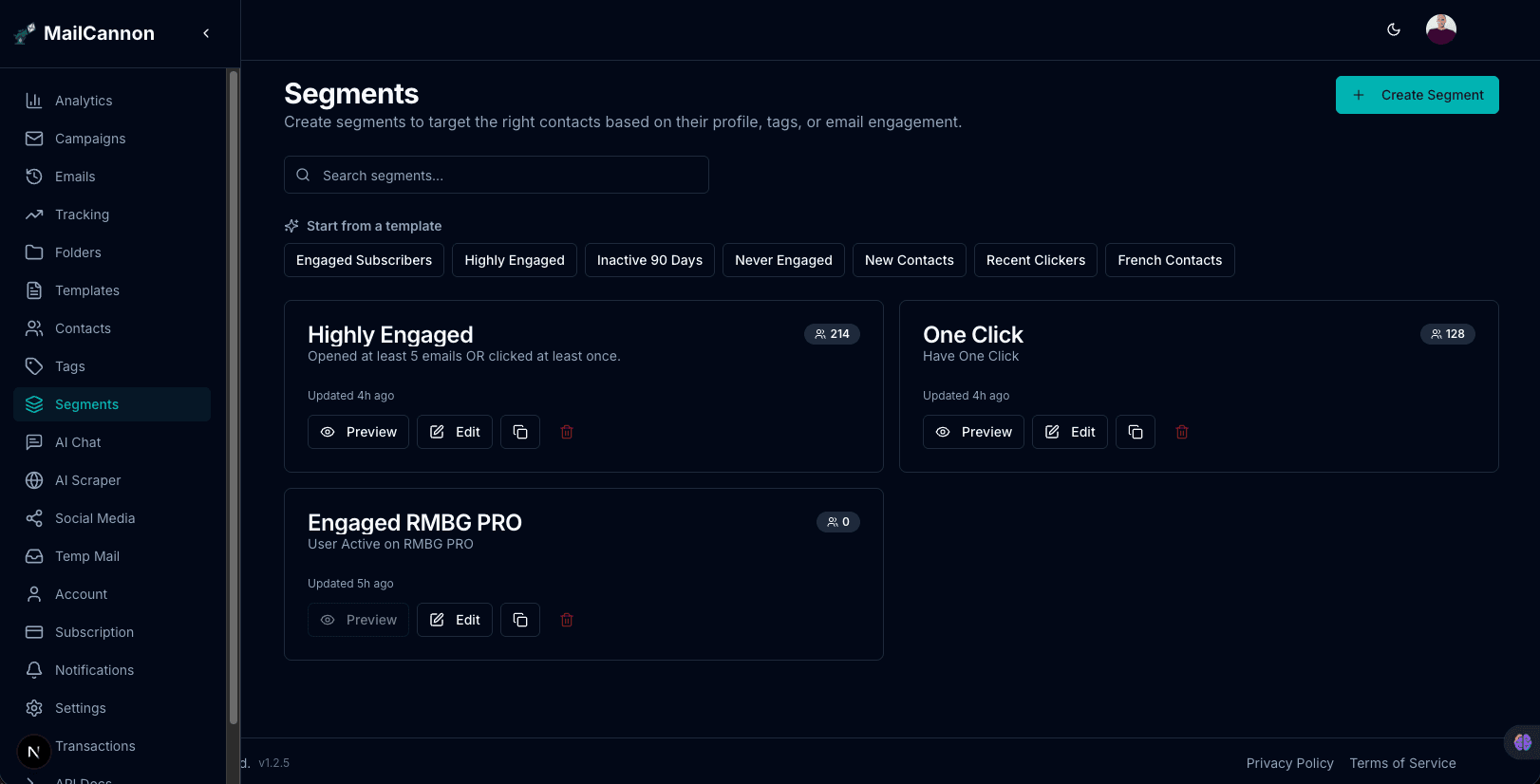
Segments in MailCannon cover many of the criteria described in this article, including location, signup date, customer status, tags, and email engagement. For criteria that are not yet available, combine the segments you build with the data and processes described here. To understand how to reach a relevant audience while relying on proven infrastructure, see our guide on how to send bulk emails without going to spam and what email marketing involves.
Start a free trial to explore contact management, tags, templates, segments, and campaign sending for yourself. You can try the Segments dashboard as soon as you sign up.
Email Segmentation Checklist
- Define your campaign goal
- Identify the right audience
- Choose relevant criteria
- Keep contact data accurate
- Start with a few useful segments
- Avoid unnecessarily small segments
- Create relevant content
- Respect consent and preferences
- Make unsubscribing easy
- Monitor campaign performance
- Review segments regularly
- Improve segments based on results
Frequently Asked Questions
What is email segmentation?
Email segmentation is the process of dividing your email audience into smaller groups based on shared characteristics, behaviors, interests, preferences, or customer status, so you can send more relevant messages to each group.
Why is email segmentation important?
It helps you send more relevant messages to the right people, which improves the subscriber experience, engagement, and conversion opportunities while reducing irrelevant emails. Results depend on your audience, campaign, industry, and execution.
How do I segment my email list?
Define your campaign goal, identify the audience, choose a few useful criteria, collect reliable data, create your segments, write relevant content for each, and then measure and improve based on results.
What are examples of email segments?
Common examples include new subscribers, active subscribers, inactive subscribers, customers, prospects, high-value customers, recent buyers, and groups based on location, interests, or purchase history.
What is the difference between segmentation and personalization?
Segmentation groups subscribers so you can send a targeted campaign to a specific audience, while personalization customizes the message for an individual or group, such as using a name or a tailored recommendation. They can be used together.
How many email segments should I create?
Start with 3 to 5 useful segments, such as new subscribers, active subscribers, inactive subscribers, customers, and prospects. Too many small segments can make campaigns unnecessarily complicated.
Can email segmentation improve deliverability?
Sending more relevant, wanted email supports good sending practices, but segmentation alone does not guarantee inbox placement. Deliverability depends on many factors including reputation, authentication, list quality, and engagement.
How should I segment inactive subscribers?
Create a segment of contacts who have not engaged for a defined period and send a targeted re-engagement campaign. If they still do not respond, clean them from your list or stop mailing them.
Can I segment customers by purchase history?
Yes. Segments such as never purchased, purchased once, repeat customers, high-value customers, and recent buyers support more relevant product recommendations and offers.
What data can I use for email segmentation?
Use data you legitimately collect and are allowed to use, such as demographics, location, signup date, customer status, purchase history, engagement, interests, lead source, and lifecycle stage. Only collect data that is relevant and appropriate, with consent where required.
Is email segmentation required for email marketing?
It is not a strict requirement, but it is a widely recommended best practice because it helps you send more relevant, wanted messages. Even simple segmentation is often better than sending one identical message to everyone.
Does MailCannon support email segmentation?
Yes. MailCannon includes a Segments dashboard where you can build segments from contact details, tags, and campaign engagement such as opens and clicks, preview how many contacts match, and start from ready-made templates like engaged and inactive subscribers. It also provides CSV import, campaign management, HTML templates, and flexible SMTP sending for the broader email campaign workflow.
Conclusion
Email segmentation divides your audience into relevant groups so you can send the right message to the right people at the right time. Start simple, use reliable data, respect subscriber preferences and privacy, and refine your segments over time. To go further, learn how to improve email deliverability and how to send bulk emails without going to spam.
Start Your Email Campaigns
Manage contacts, build campaigns, and send marketing email from one dashboard with MailCannon.
Advertisement