Advertisement
How to Check If an Email Address Exists Before Sending an Email
To check if an email address exists, you can check its syntax, look up its domain, review DNS/MX records, use SMTP-related verification signals where appropriate, detect disposable addresses, or use an email verification tool. These checks help identify addresses that appear invalid, have formatting problems, belong to domains that cannot receive mail, or may present delivery risks.
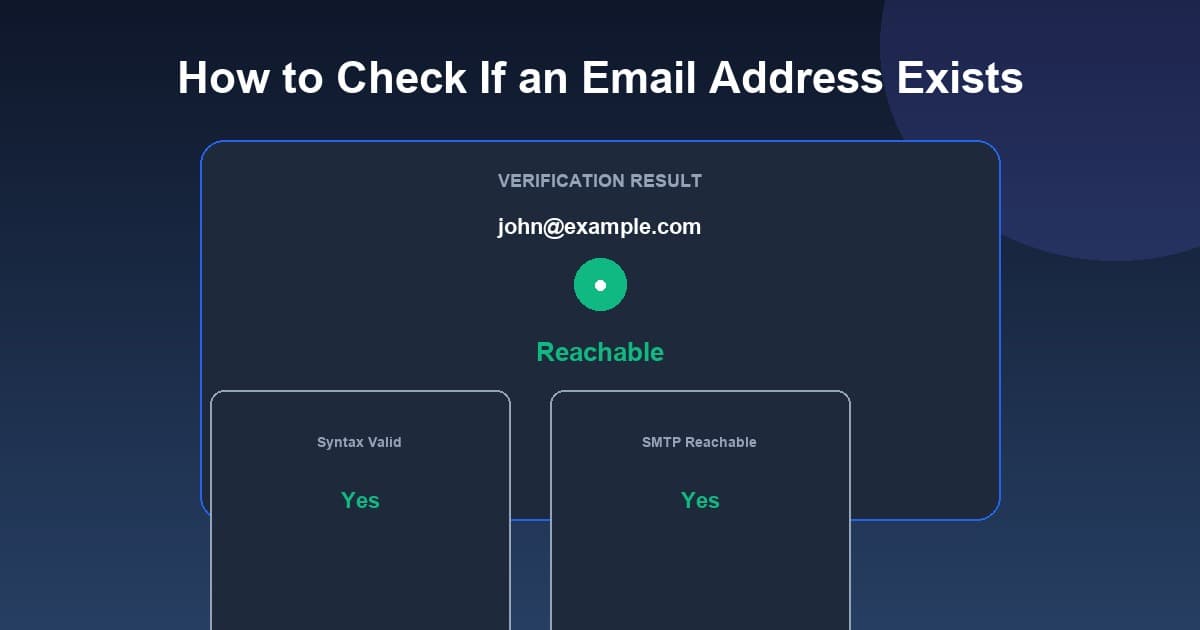
To check if an email address exists before sending:
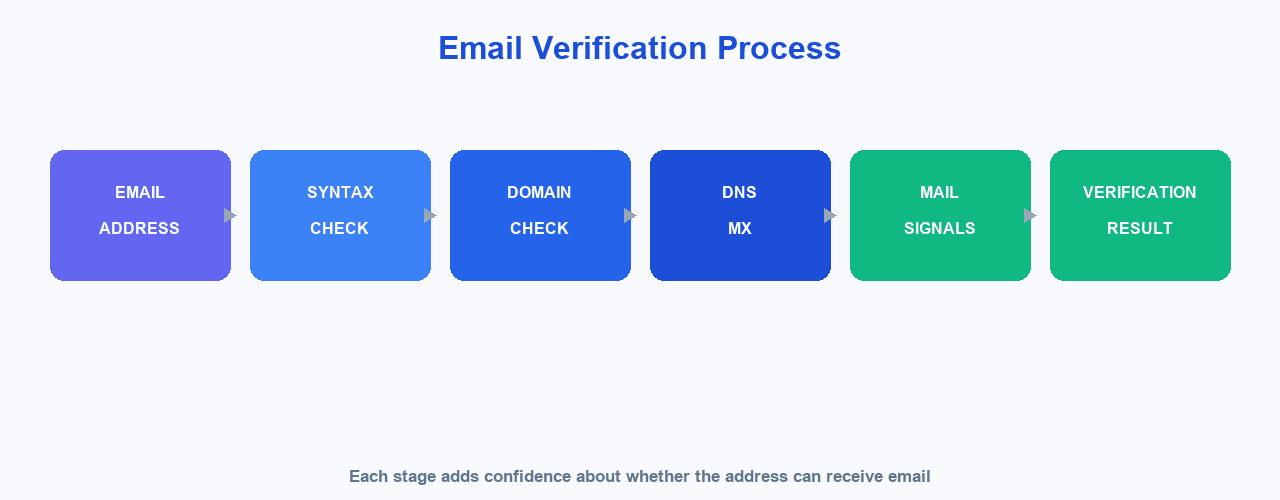
- Check the syntax — confirm the address is structurally well formed
- Check the domain — see whether the domain appears valid
- Check DNS/MX records — see whether the domain handles mail
- Use verification signals — such as SMTP-related and disposable-address checks
- Review the result — treat it as a confidence signal, not a guarantee
Important: no verification method can guarantee that a mailbox exists or that a human actively uses it. Different techniques provide different levels of confidence. It can also be helpful to consider syntax validation, domain validation, DNS/MX checks, SMTP-level verification, disposable-address detection, role-account detection, and catch-all domains, since each tells you something different.
MailCannon provides an online check if an email address exists tool that lets you analyze an email address before using it in a campaign. You can also use MailCannon's email verification tool directly to run a real-time check.
Why Check an Email Address Before Sending?
Checking an address before you send can help you:
- Reduce avoidable bounces
- Detect obvious invalid addresses
- Catch typing mistakes
- Identify problematic domains
- Improve contact list quality
- Avoid wasting campaign sends
- Maintain cleaner contact databases
Checking an address does not guarantee successful delivery. Delivery also depends on your sender reputation, authentication, recipient server policies, spam filtering, mailbox availability at the time of sending, your sending infrastructure, and recipient consent.
As a quick example, an address like user@gmai-l.com has a typo in the domain and would fail a domain or DNS-check. A fresh signup such as sarah@example.com may pass syntax and domain checks. Checking flags the first as risky and the second as higher confidence, which helps you decide how to treat each when you build a new campaign.
What Does It Mean to "Check If an Email Exists"?
"Exists" can mean different things depending on the check you run. Here is what common checks tell you:
| Check | What it tells you |
|---|---|
| Syntax | Whether the address follows expected email formatting |
| Domain | Whether the domain appears valid |
| DNS/MX | Whether the domain has mail-handling infrastructure |
| SMTP | Whether the receiving server provides information about the recipient |
| Disposable | Whether the domain appears to provide temporary addresses |
| Role account | Whether the address appears to be a generic role such as info@ or support@ |
| Catch-all | Whether the receiving server accepts many or all recipient addresses |
None of these checks alone proves that a human actively uses the mailbox.
7 Ways to Check an Email Address
1. Check the Email Syntax
A syntax check verifies that the address looks structurally valid, such as a local part, an @-sign, and a domain. This catches obvious typos but does not tell you anything about whether the mailbox receives mail.
2. Check the Domain
Confirm that the domain part of the address is valid and looks legitimate. A typo like gmail.cmo instead of gmail.com is easy to spot at this stage.
3. Check DNS/MX Records
MX (mail exchange) records indicate which servers handle mail for a domain. If a domain has no MX records, it cannot typically receive email. This is a stronger signal than syntax alone but still does not confirm a specific mailbox.
4. Use SMTP Verification Where Appropriate
SMTP is the protocol used to transfer email between mail servers. Verification services may use SMTP-related checks to gather signals from the receiving server about a recipient. These checks can be limited by server policy and anti-abuse protections, so they provide an indication rather than a certainty. The relevant standard is RFC 5321 (https://www.rfc-editor.org/rfc/rfc5321). Always use such checks responsibly and never to bypass recipient protections.
5. Detect Disposable Email Addresses
Disposable addresses are temporary accounts often used for one-time signups. Flagging them can help identify contacts who may not read or engage with your mail over time.
6. Identify Role-Based Addresses
Role accounts such as info@, support@, or sales@ are generic mailboxes that may not be associated with a specific person. Whether to include them depends on your goals and how relevant they are to your campaign.
7. Use an Email Verification Tool
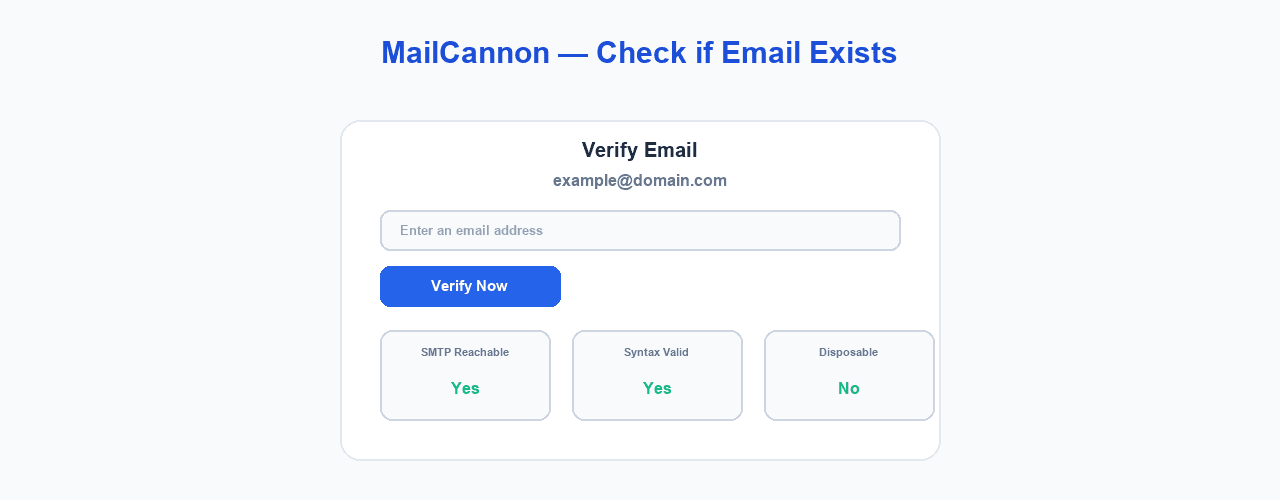
A verification tool combines several of these checks into one result. MailCannon's email verification tool runs a real-time check and shows reachability status with details such as whether the syntax is valid, the address is SMTP reachable, and whether it appears to be disposable.
Can You Check If an Email Exists Without Sending an Email?
Yes. Several verification techniques can analyze an address without sending a normal email message. However, there are important limits:
- SMTP servers can limit verification
- Some domains use catch-all configurations
- Some providers intentionally hide mailbox information
- Temporary errors can occur
- Anti-abuse protections can affect verification
- A successful technical check does not guarantee future delivery
In short, verification can provide a confidence signal, not an absolute guarantee.
Syntax Validation vs Email Verification
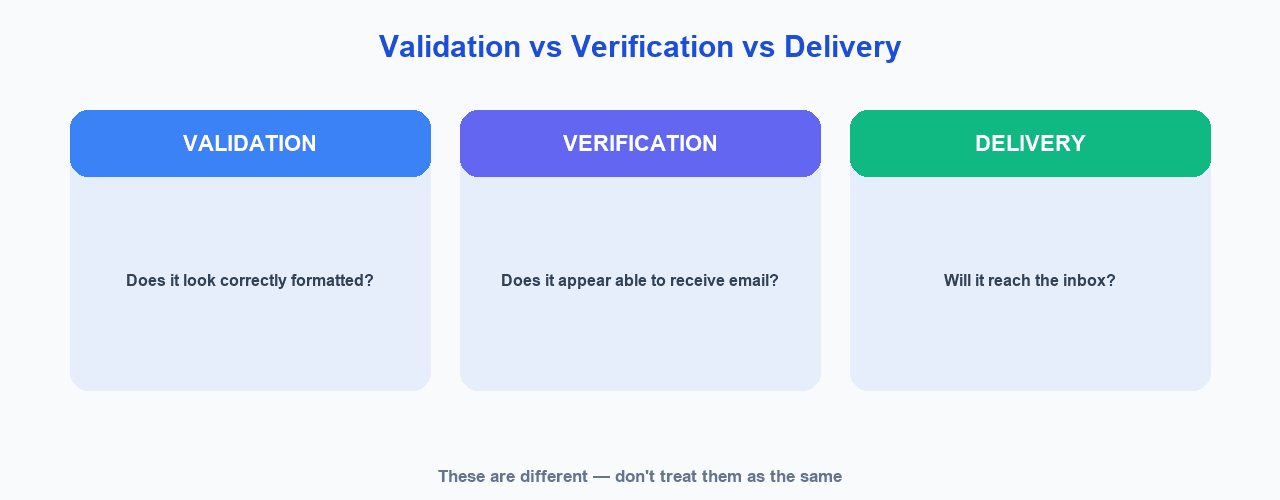
Syntax validation and email verification are not the same thing. For example, consider name@example.com.
- Validation checks whether the address looks structurally valid.
- Verification goes further by analyzing the domain, DNS, mail exchange records, server behavior, disposable domains, and other signals.
| Syntax Validation | Email Verification | |
|---|---|---|
| Focus | Formatting | Reachability signals |
| Checks domain/MX | No | Yes |
| Checks server behavior | No | Yes |
| Confidence level | Low | Higher, but not a guarantee |
What Is an Email Bounce?
A bounce is a message that the receiving system returns because it cannot be delivered. Bounces are generally divided into hard and soft bounces.
- Hard bounce — a permanent delivery problem, such as an invalid recipient, a non-existent address, or an invalid domain.
- Soft bounce — a temporary problem, such as a temporary server issue, a full mailbox, or a temporary rejection.
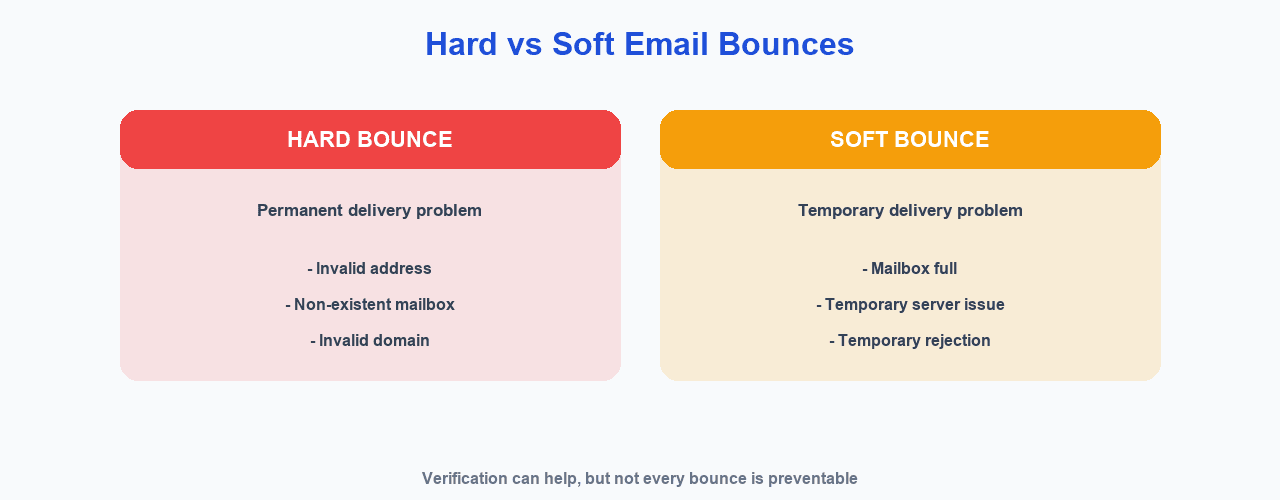
Not every bounce can be prevented by email verification. Mailchimp's documentation explains that hard bounces can occur with invalid addresses and that stale or incorrectly imported audiences can contribute to high bounce rates (https://mailchimp.com/help/about-bounces/).
Why High Bounce Rates Are a Problem
High bounce rates can indicate:
- Poor list quality
- Wasted sends
- Reduced campaign efficiency
- Potential reputation problems
- Possible provider restrictions
Be careful with any specific threshold. Sender requirements and policies vary by provider, so a particular bounce percentage does not automatically cause account suspension everywhere.
How Email Verification Can Help With Email Deliverability
Keeping your list accurate is one part of responsible sending. Google's email sender guidance recommends that senders confirm recipient email addresses before subscribing them and send only to people who have opted in. Google's current guidance also says senders should periodically make sure recipients still want their messages (https://support.google.com/mail/answer/81126).
Verification does not guarantee inbox placement. It is one part of a broader set of practices that also includes authentication, relevant content, and good list hygiene. To understand the bigger picture, see our guides on email deliverability and how to improve email deliverability. Related topics include why emails go to spam and how to send bulk emails without going to spam.
How to Check an Email With MailCannon
MailCannon's free Check if Email Exists tool runs a real-time verification of an email address. Here is how to use it.
Step 1: Open the tool
Open MailCannon's check if an email address exists page, or open the email checker in your MailCannon dashboard.
Step 2: Enter the email address
Type or paste the address into the Verify Email field, such as example@domain.com.
Step 3: Run the check
Click the Verify Now button and wait for the real-time result.
Step 4: Review the result
The result shows an overall reachability status (such as reachable or invalid) along with details including Syntax Valid, SMTP Reachable, and whether the address appears disposable.
Step 5: Use the result when cleaning your list
Use the outcome as a confidence signal when reviewing or cleaning your contact list before a campaign.
Check an email address with MailCannon
When Should You Check Email Addresses?
It is especially useful to check addresses in these situations:
- Before importing a new list
- Before launching a large campaign
- After collecting leads
- After a lead-generation campaign
- Before reactivating an old list
- When a contact address looks suspicious
- When bounce rates increase
Checking is most valuable when your send volume is meaningful or when the data behind a list is uncertain. There is no single rule that applies to every list; the right time depends on how your contacts are collected, how often you mail, and whether you are seeing delivery problems.
Should You Verify Your Entire Email List?
Bulk verification can make sense for older databases or for lists whose quality is uncertain. However, be careful with purchased or third-party lists. Purchased email lists are not automatically appropriate for marketing, and they may create consent and deliverability problems. Google's guidance emphasizes sending wanted email to people who have opted in. Verification is not a substitute for legitimate, consented audiences.
Decide how to weigh results before you clean a list. A common approach is to focus on removing obviously invalid, disposable, or persistently bouncing addresses, which may not be worth your campaign sends. For addresses that return an uncertain status, consider whether the risk of a bounce matters to your goal, and always keep consent and relevance in view. The best email lists are usually built and maintained through opt-in audiences rather than fixed in a single cleanup.
Email Verification vs Email Validation
Terminology varies between providers. Some services call their products "email validation," others "email verification," "email checking," or an "email verifier." In practice these names often describe a similar set of checks, so it is worth confirming what a specific tool actually does before you rely on it.
Can Email Verification Guarantee Delivery?
No. Verification cannot guarantee delivery. Even a verified address can still:
- Bounce later
- Reject messages
- Have a full mailbox
- Block a sender
- Send messages to spam
- Become inactive
- Change its mail configuration
Treat verification as a useful signal, not a promise.
A verification result is a snapshot in time. An address that looks reachable today can change tomorrow, a provider can alter its mail configuration, or a recipient can abandon a mailbox. For this reason, many senders combine upfront checking with ongoing monitoring, removing addresses that later hard-bounce and respecting unsubscribes as they arrive.
Advertisement
Best Practices for Maintaining a Clean Email List
- Validate addresses at signup
- Confirm addresses when appropriate
- Check suspicious addresses
- Remove persistent hard bounces
- Respect unsubscribe requests
- Avoid purchased lists
- Monitor campaign results
- Re-engage inactive subscribers carefully
- Keep contact information updated
- Send only relevant email
For more on organizing and reaching the right audience, see our guides on email segmentation and email personalization.
Email Verification and Privacy
Handle email addresses responsibly:
- Email addresses are personal data in many jurisdictions
- Don't expose verification results publicly
- Protect uploaded or contact data
- Don't retain data longer than necessary
- Follow applicable privacy laws
- Use verification tools responsibly
This is not legal advice. Requirements vary by jurisdiction and context.
Frequently Asked Questions
How can I check if an email address exists?
You can check syntax, look up the domain and its DNS/MX records, use SMTP-related verification signals where appropriate, detect disposable addresses, or use an email verification tool. Each method provides a confidence signal, not an absolute guarantee that a person uses the mailbox.
Can I check an email address without sending an email?
Yes. Several techniques analyze an address without sending a normal email message. However, results can be limited by catch-all domains, providers that hide mailbox information, temporary errors, and anti-abuse protections, so verification is a confidence signal rather than a guarantee.
What is an email verification tool?
An email verification tool analyzes an address using checks such as syntax validity, domain and MX information, SMTP-related signals, and disposable-address detection to estimate whether the address can receive email.
What is the difference between email validation and verification?
Validation usually checks whether an address is structurally well formed, while verification goes further and analyzes the domain, DNS/MX records, server behavior, and other signals to estimate reachability.
Can email verification prevent bounces?
Verification can help identify addresses that appear invalid or risky, which reduces avoidable bounces. It does not prevent every bounce, because delivery also depends on sender reputation, recipient server policies, spam filtering, and mailbox availability at the time of sending.
Does a valid email address guarantee delivery?
No. Even a verified address can bounce later, reject messages, have a full mailbox, block a sender, send messages to spam, become inactive, or change its mail configuration.
What is an SMTP email check?
SMTP is the protocol used to transfer email between mail servers. An SMTP-related check analyzes signals from the receiving server to estimate whether a recipient address appears able to receive mail. SMTP servers can limit or block such checks, so they provide an indication rather than a guarantee.
What is a catch-all email domain?
A catch-all domain is configured to accept mail for many or all recipient addresses at that domain, even if a specific mailbox does not exist. This can make verification less reliable for addresses at such domains.
What is a disposable email address?
A disposable email address is a temporary address often used for one-time signups that may not be monitored or used over time. Verification tools can flag addresses that appear to come from disposable-address providers.
Should I verify my email list before sending a campaign?
Verifying a list before a large campaign can help identify addresses that appear invalid or risky and reduce avoidable bounces. It is one part of responsible list hygiene, alongside respecting consent and keeping data accurate.
How often should I check an email list?
Check addresses before importing a new list, before launching large or reactivated campaigns, when bounce rates increase, and periodically as part of ongoing list hygiene. How often depends on how frequently your list changes.
How does MailCannon check if an email exists?
MailCannon's Check if Email Exists tool lets you enter an email address and run a real-time check. The result shows reachability status and details such as whether the syntax is valid, the address is SMTP reachable, and whether it appears to be disposable.
Conclusion
Checking an email address before sending can help you avoid avoidable bounces and keep your contact list clean. Use checks such as syntax, domain, DNS/MX, and SMTP-related signals as confidence indicators — not guarantees — and pair them with responsible list hygiene and MailCannon's email verification tool. To go further, learn how to improve email deliverability.
Check an Email Address With MailCannon
Use the free Check if Email Exists tool to run a real-time verification before you send a campaign.
Advertisement