Advertisement
How to Get Email Contacts for Free: Find B2B Leads With AI
To get email contacts for free, a business can build a B2B contact list without purchasing a database by identifying a specific target market, researching publicly available business information from permitted sources, organizing the data, checking contact quality, and contacting relevant prospects according to applicable privacy and marketing rules.
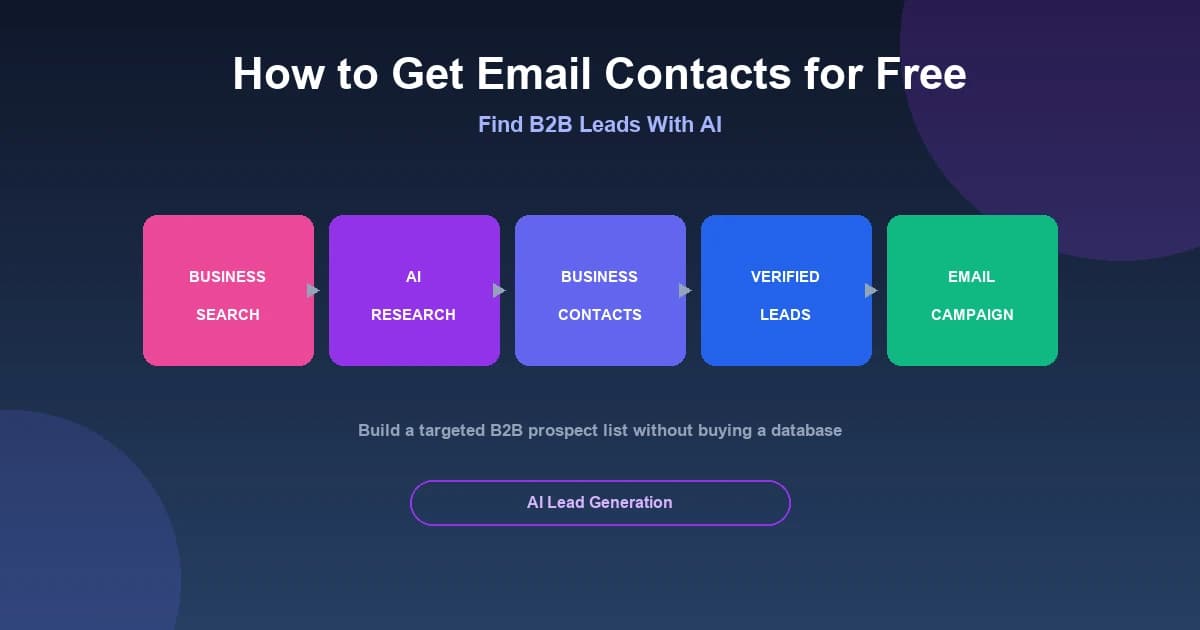
To build a B2B prospect list from scratch:
- Define a target market
- Find relevant businesses
- Research publicly available business information
- Organize the information
- Verify contact details
- Segment prospects
- Contact them according to applicable rules
Finding relevant B2B prospects does not necessarily require purchasing an expensive database. With the right workflow, you can build a targeted list from public sources — especially when you use AI to accelerate the research and organization.
MailCannon provides an Local Business Finder that helps you research and collect publicly available business information and potential contact details. This guide walks through how to use it responsibly.
What Is a B2B Email Contact?
A B2B email contact is an email address associated with a business or professional context. These are commonly used when you want to reach a company rather than an individual consumer.
Common business email addresses include:
info@company.comcontact@company.comsales@company.com
You may also encounter personal professional addresses such as:
firstname.lastname@company.comj.doe@company.com
A B2B list can also include additional context about each business — such as industry, location, company size, or website — which makes it easier to target and personalize later.
Important: the fact that an email address is publicly visible does not automatically mean it can be used for unrestricted marketing. Public availability and marketing permission are different things, and we discuss this in more detail below.
Why Build Your Own B2B Prospect List?
Building your own list has several advantages over relying on purchased databases:
- More relevant prospects
- Better targeting
- Industry-specific lists
- Location-specific lists
- More control over data quality
- Easier segmentation
- Less dependence on purchased databases
Purchased lists, by contrast, often come with problems:
- Outdated contacts
- Poor targeting
- Unknown data origin
- Compliance risks
- Higher bounce rates
- Poor engagement
This is not a claim that every purchased list is illegal. But because you usually can't verify where the data came from or how fresh it is, a list you build yourself gives you more control over targeting and quality.
How to Get Email Contacts for Free
Here is a legitimate prospecting workflow you can follow without buying a database:
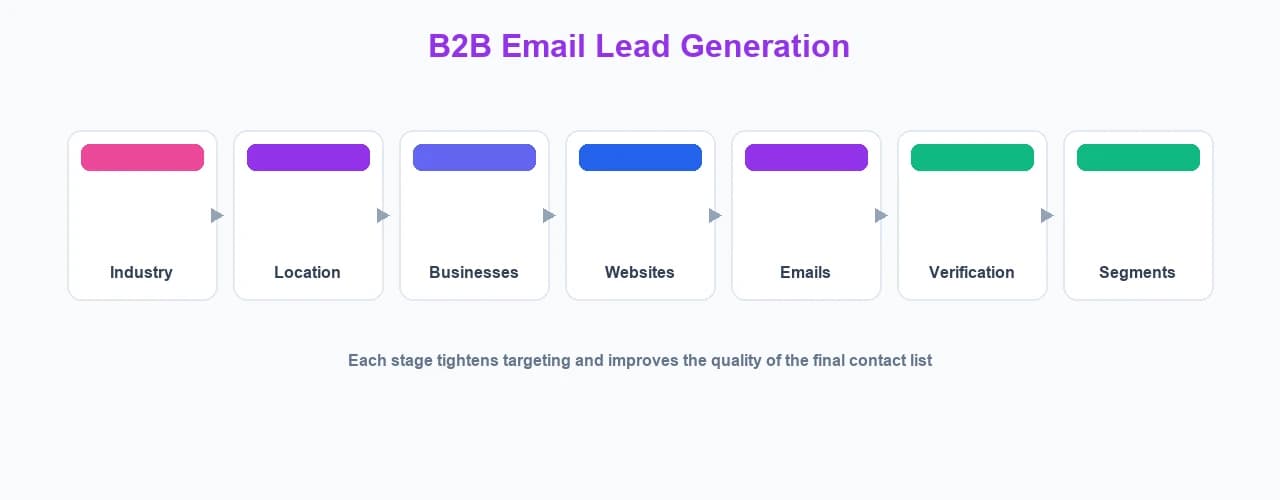
- Choose your target industry — decide which type of business you want to reach
- Choose geographic areas — focus on the cities or regions that matter
- Define the ideal customer — consider company size, services, and needs
- Find relevant businesses — use directories, listings, and search
- Research publicly available business information — collect data you are permitted to use
- Collect relevant contact details where permitted — prefer official sources
- Verify the information — check addresses and details
- Remove duplicates — keep one clean record per business
- Segment prospects — group businesses by industry, location, and type
- Contact prospects responsibly — follow applicable rules and terms
The key is discipline: a smaller, well-targeted, clean list usually performs much better than a large, messy one.
Use Business Directories and Public Sources
Businesses often publish contact information in several public places:
- Their official website
- Contact pages
- About pages
- Business directories
- Professional directories
- Industry directories
- Public business listings
These can be useful starting points for research. However, before you extract or store information from any particular website or platform, check that platform's terms and any applicable restrictions.
You must also respect the ordinary safeguards of a website or service. Do not ignore robots.txt, terms of service, CAPTCHAs, authentication, rate limits, or other access controls. Collecting public information responsibly means following the rules of the source, not working around them.
Can You Find Business Leads Using Google Maps?
Google Maps can be useful as a discovery interface for identifying businesses by:
- Industry
- Business category
- City
- Region
- Location
Examples of this kind of research include:
- "Restaurants in Paris"
- "Hair salons in Lyon"
- "Real estate agencies in Marseille"
- "Plumbers in Toulouse"
Using those searches to discover which businesses exist in an area is different from extracting and copying Google Maps content for reuse elsewhere.
Important: Google Maps Platform's current terms prohibit customers from exporting, extracting, or scraping Google Maps Content for use outside its services, including copying and saving certain business information. For details, review the Google Maps Platform terms (cloud.google.com/maps-platform/terms) and the EEA-specific terms (cloud.google.com/terms/maps-platform/eea).
In short: use the source and any tool only in ways permitted by the source's terms and applicable law. Do not treat discovery as permission to scrape and reuse that content.
How MailCannon's Local Business Finder Can Help With Lead Research
MailCannon's Local Business Finder is designed to help research and collect publicly available business information and potential contact details. It combines a language model with research steps so you can move faster than manually visiting every website.
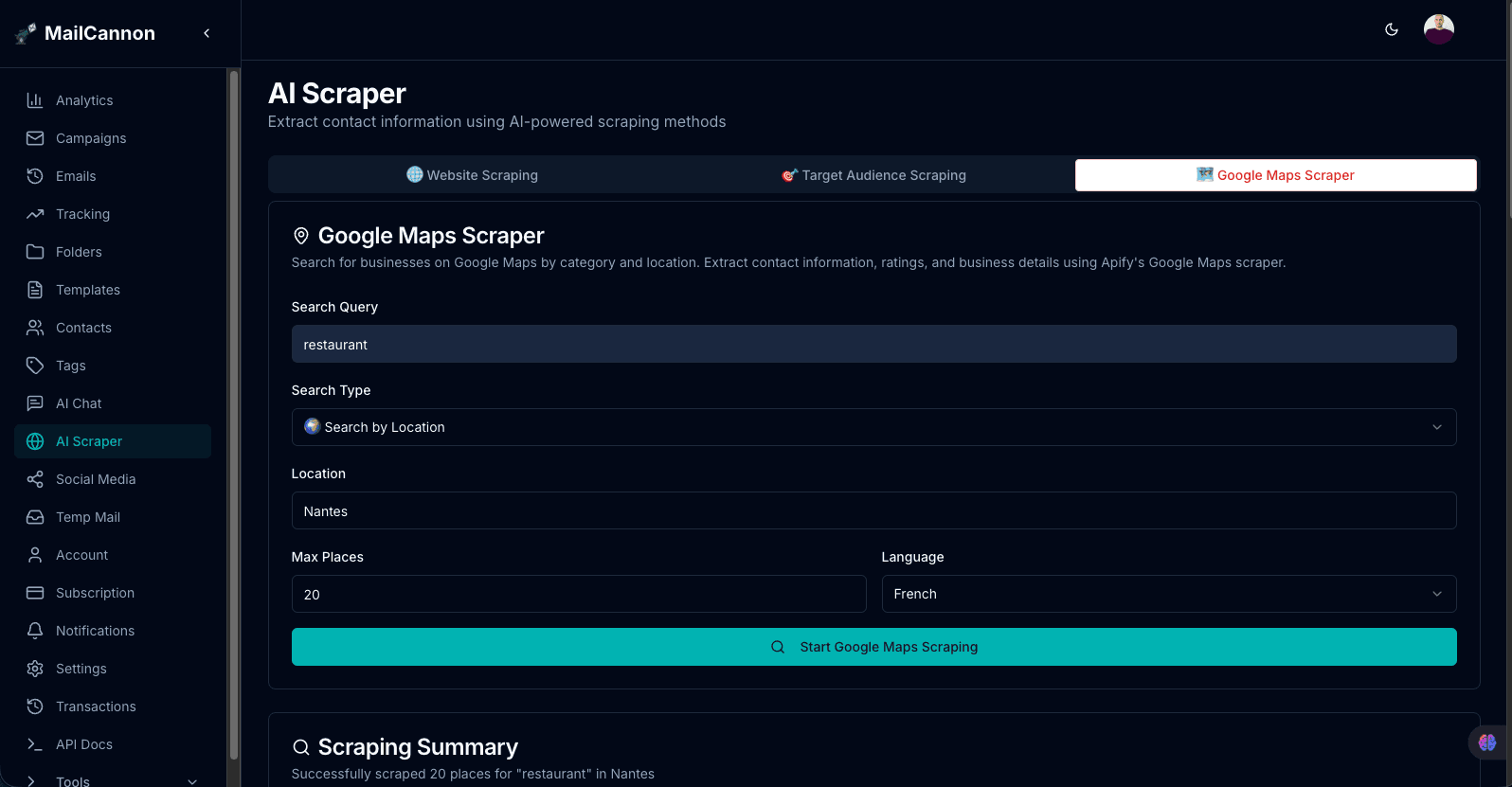
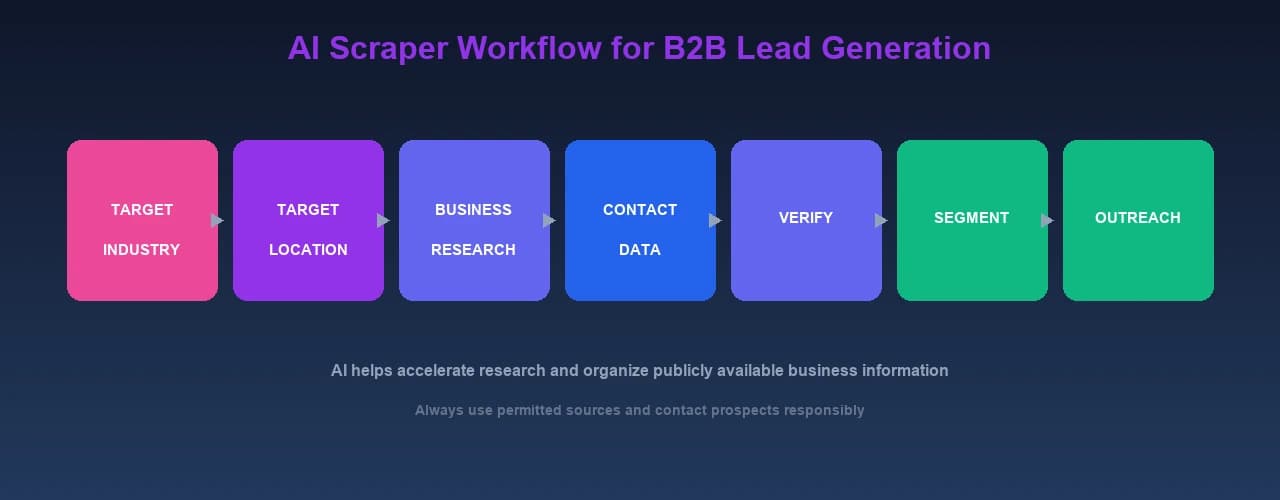
The tool offers a few research modes, and each one works a little differently:
Website Scraping
In this mode you enter a website URL. The AI analyzes the homepage and then automatically looks for contact pages (such as /contact or /about) to gather contact information. The results can include names, emails, phone numbers, company names, positions, and website URLs.
Target Audience Scraping
Here you describe a target audience (for example, "photographer", "restaurant owner", or "software developer"), choose one or more countries, and set a maximum number of results. The AI searches for relevant websites across the selected countries, identifies the businesses that match, and extracts contact information. You can load more results or move to the next page as you go.
Directory-Based Research
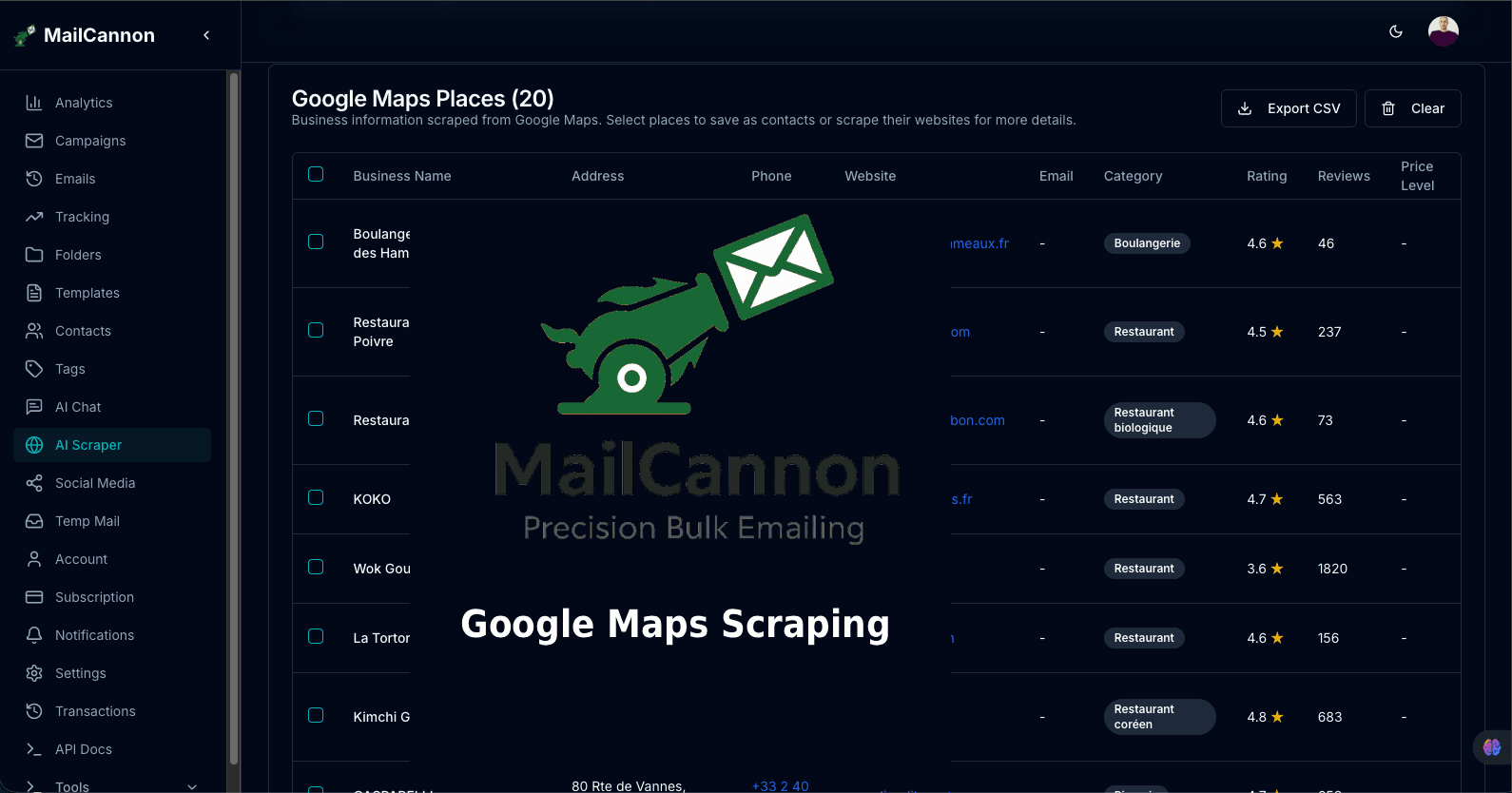
The tool also includes a research mode for business categories and locations. This is where you might enter a business category and a city or region to identify businesses in an area. Because Google Maps content is subject to platform terms that restrict copying and export, always verify that any use you intend is permitted by the source's terms and by applicable law.
A Practical Workflow
Here is a practical workflow based on the tool's interface:
Step 1 — Define your target
Decide who you want to reach, for example "marketing agencies in Paris". Being specific makes the research more useful.
Step 2 — Open the Local Business Finder
Open the Local Business Finder from your MailCannon dashboard. Choose the research mode that matches what you know already — a specific website, a target audience, or a business category and location.
Step 3 — Run the research
Enter your input and start the research. For target-audience scraping, pick your countries and a maximum number of results. For website scraping, enter the URL. The AI works through the relevant pages and returns results in a table.
Step 4 — Review results
Each result is shown with the fields the tool returns, such as username, email, phone, company, position, website, and the source it came from. Review the rows and select the ones that look relevant and usable.
Step 5 — Export or organize results
You can export the results as a CSV file to use in your own spreadsheet, or save the selected results directly as contacts in MailCannon. If you save them, you can also assign tags so the businesses are grouped into segments right away.
Step 6 — Verify and clean contacts
Research produces candidates, not guaranteed contacts. Use MailCannon's email checker to review addresses for issues before you build a campaign on top of them.
Example: Build a Local B2B Prospect List
Let's look at a concrete example.
Scenario: You sell digital marketing services. Your target is restaurants in Paris.
- Define "restaurants in Paris" — narrow the category and location
- Research relevant businesses — use the Local Business Finder's target-audience or category-and-location research
- Identify their official websites — the research surfaces websites for each business
- Find publicly available business contact information — look for contacts you are permitted to use
- Check data quality — verify addresses and remove anything obviously wrong
- Remove duplicates — keep one clean record per restaurant
- Segment businesses — for example, by size, type, or neighborhood
- Prepare a relevant B2B message — write a targeted pitch that fits the segment
This example is not permission to scrape Google Maps regardless of its terms. The actual source and your collection method must permit the intended use, and you must follow that source's rules.
Example: Build a Prospect List by Industry
You can build a list around any industry you can define clearly. Examples include:
- Dentists
- Hair salons
- Restaurants
- Real estate agencies
- Construction companies
- E-commerce companies
- Marketing agencies
- IT companies
- Hotels
- Automotive businesses
Niche targeting is almost always more useful than collecting random contacts. A list of 200 dental clinics in a specific region is far more valuable for a dental-software business than a list of thousands of unrelated companies. The more specific your audience, the more relevant your message can be.
How to Get Better Quality Email Contacts
Quality matters more than quantity. To build a better list:
- Target a specific industry
- Target a specific location
- Prefer official business websites as sources
- Avoid duplicates
- Check syntax
- Verify addresses where appropriate
- Remove obvious invalid addresses
- Separate generic and personal business addresses
- Keep source information for each record
- Record when the data was collected
- Keep data updated over time
Keeping source information is especially useful: it lets you revisit the original page if details change and helps you document where your data came from.
MailCannon's email checker can help you review addresses in your list before you send.
Verify Email Addresses Before Sending
Verification helps you confirm that the addresses you collected are worth building on. Before you send a campaign, run your contacts through a checker to look for:
- Invalid syntax
- Invalid domains
- Mail configuration problems
- Potentially risky addresses, such as disposable addresses
You can use MailCannon's tool to check if an email address exists. For a deeper walkthrough, see our guide to how to check if an email address exists before sending an email.
Note: verification helps identify invalid or risky addresses, but it does not guarantee delivery. Delivery also depends on your sending reputation, authentication, and recipient behavior.
Advertisement
Segment Your B2B Email Contacts
Segmentation means dividing your contacts into groups based on shared characteristics. This lets you send a message that actually fits each group.
For B2B lists, useful ways to segment include:
- Industry
- Location
- Company size
- Business type
- Source
- Contact type
- Interest
- Lifecycle stage
A targeted campaign is usually much more useful than sending one generic email to everyone. When you save contacts in MailCannon, tags can help you group them by segment from the start.
For more, see our guide to email segmentation.
How to Contact B2B Leads Responsibly
This is an important compliance point: collecting a contact does not automatically mean you have permission to send unlimited marketing emails.
The rules vary by country and by the type of contact. This is not legal advice, and you should confirm the rules that apply to your specific situation and jurisdiction.
In France and the wider EU, the current CNIL framework distinguishes between consumer (B2C) and business (B2B) contacts:
- For B2C commercial email, prior consent is generally required before you can send marketing messages.
- For B2B, prior consent is not systematically required when the solicitation is related to the person's professional activity, but the person must be informed and given a simple way to object.
The CNIL provides guidance on commercial electronic communications (cnil.fr/fr/communication-electronique-quelles-regles) and on commercial email, SMS, MMS, and auto-dialer prospecting (cnil.fr/fr/la-prospection-commerciale-par-courrier-electronique-sms-mms-et-automate-dappel).
The exact legal basis depends on the context and jurisdiction, so verify the rules that apply to you before you contact prospects.
Is a Public Email Address Automatically Free to Use?
No. Public availability is not the same as unrestricted marketing permission.
Before using a contact you found publicly, consider:
- Source terms
- Privacy requirements
- Purpose of collection
- Legal basis
- B2B/B2C distinction
- Transparency
- Right to object
- Data retention
- Data security
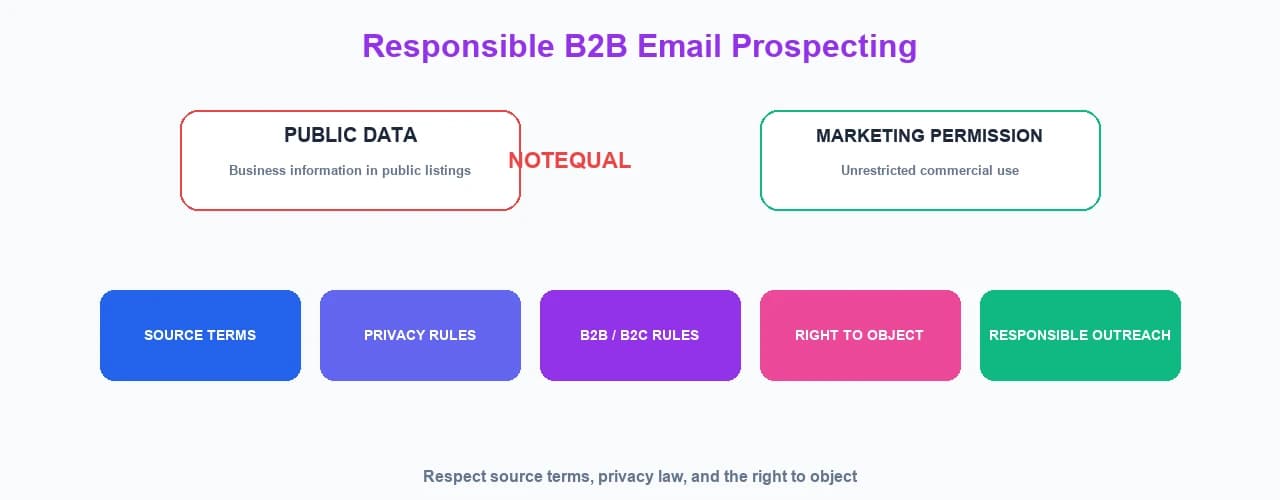
The CNIL specifically provides guidance on the reuse of personal data published online for commercial purposes (cnil.fr/fr/demarchage-commercial). Publicly visible contact details can still carry obligations around how you collect, store, and use that data.
How to Avoid Turning Lead Generation Into Spam
Spam is more than an annoyance — it harms your deliverability and your reputation. To avoid it:
- Don't send irrelevant messages
- Don't buy questionable lists
- Don't send to huge random audiences
- Don't hide the sender identity
- Don't make unsubscribing difficult
- Don't ignore objections
- Don't repeatedly contact people who opted out
- Keep targeting relevant
- Keep data clean
Spam complaints and poor engagement directly hurt your ability to reach the inbox. For more, review our guides on email deliverability, how to improve email deliverability, and why your emails are going to spam.
Free Lead Generation vs Purchased Email Lists
| Build your own list | Buy a list | |
|---|---|---|
| Targeting | High | Variable |
| Data freshness | You control it | Unknown |
| Source transparency | Easier to document | Depends on provider |
| Compliance review | Your responsibility | Still your responsibility |
| Cost | Lower monetary cost | Often expensive |
| Maintenance | Required | Required |
Remember that "free" does not mean "without responsibility." Building your own list still requires you to collect data lawfully, keep it fresh, and contact people with respect for their choices.
How to Create a B2B Lead Generation Workflow With MailCannon
Here is an end-to-end workflow that connects each stage to a MailCannon tool:
- DISCOVER — define your target industry and location
- RESEARCH — use the Local Business Finder to find relevant businesses
- COLLECT — gather publicly available contact information you are permitted to use
- VERIFY — use the email checker to review addresses
- CLEAN — remove duplicates and invalid records
- SEGMENT — group contacts by industry, location, and type, using tags
- CREATE EMAIL — build your template, for example with the AI HTML Email Generator
- SEND RESPONSIBLY — follow applicable rules and respect opt-outs
- MEASURE — track results and engagement
- UPDATE — keep the list and your approach current
To make each message relevant, review email segmentation and email personalization.
Advertisement
Frequently Asked Questions
How can I get email contacts for free?
A business can build a B2B contact list without purchasing a database by identifying a specific target market, researching publicly available business information from permitted sources, organizing the data, checking contact quality, and contacting relevant prospects according to applicable privacy and marketing rules.
How can I find business email addresses?
You can find business email addresses on official websites, contact pages, about pages, business directories, and industry listings. Tools like an AI scraper can help research and organize this publicly available information, and an email checker can help verify it.
Can AI help me find B2B leads?
Yes. AI can help accelerate research by finding relevant businesses and websites for a target audience and organizing publicly available contact information. MailCannon's Local Business Finder is an example of this type of tool, with website, target-audience, and directory-based research modes.
Can I use Google Maps to find businesses?
Google Maps can be useful as a discovery interface to identify businesses and business categories in a given area. However, you must respect Google Maps Platform's terms and applicable law. Those terms restrict copying and exporting their content, so discovery is not the same as freely extracting and reusing that data.
Can I scrape Google Maps for email addresses?
No, not in an unrestricted way. Google Maps Platform's terms prohibit customers from exporting, extracting, or scraping Google Maps content for use outside its services. Always use any data source in ways permitted by its terms and by applicable law, rather than trying to bypass its restrictions.
Is it legal to collect publicly available business emails?
It depends on the source, jurisdiction, and purpose. You should check the terms of the website or platform, and meet applicable privacy and data protection requirements. Collecting publicly visible contact information does not by itself remove your responsibilities.
Can I send marketing emails to public business addresses?
Public availability does not automatically mean unrestricted marketing permission. The rules vary by jurisdiction and by whether the address is a business or consumer contact. In many places, B2B solicitation related to a person's professional activity may not require prior consent, but you must inform the person and provide a simple way to object. Verify the appropriate legal basis for your situation.
How can I verify business email addresses?
You can check an address using a verification tool that reviews syntax, domain, and reachability signals, and that detects disposable addresses. This helps identify invalid or risky addresses, although it does not guarantee delivery.
How can I build a B2B email list without buying one?
Build your own list by defining a specific target market, researching relevant businesses, collecting publicly available contact information from permitted sources, removing duplicates, verifying addresses, and segmenting prospects. This gives you more control over data quality and targeting.
What is an AI scraper?
An AI scraper is a tool that uses a language model to research and organize publicly available business information, such as finding relevant websites for a target audience and extracting contact details. It helps accelerate lead research and data organization.
How does MailCannon's Local Business Finder work?
MailCannon's Local Business Finder offers website scraping (enter a URL to extract contacts from its pages), target-audience scraping (describe an audience and select countries to find relevant websites), and a directory-based research mode. Results can be reviewed in a table, exported as CSV, or saved as contacts with tags.
How can I avoid spam when contacting prospects?
Send relevant, targeted messages, keep data clean, show a clear sender identity, make it easy to unsubscribe and opt out, and respect those who do not want to be contacted. Follow the rules of your jurisdiction and the terms of any data source you use.
Conclusion
You can get relevant email contacts for free by combining a clear target market with responsible research of publicly available information. Use AI to accelerate the research and organization, verify and clean the results, segment your contacts, and always respect the source terms and the privacy rules that apply.
If you want to build B2B lead generation into your own workflow, MailCannon's Local Business Finder helps you research and collect publicly available business information, and the email checker helps you verify it — then send responsibly from your dashboard.
Research B2B Leads With MailCannon
Use the Local Business Finder to research publicly available business information and build a targeted prospect list — then verify it with the email checker.
Advertisement